Freedom251 › Blogging Platforms
Pelican
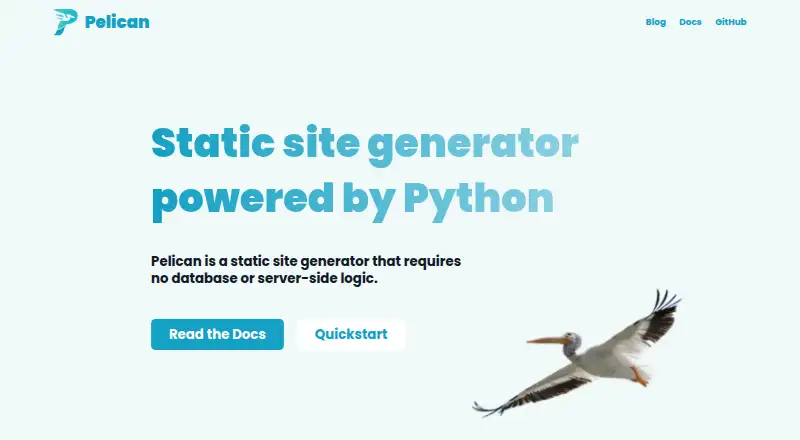
What Pelican is
Pelican is a free static site generator written in Python that builds websites from text files. It creates static files that can be hosted by any web server or hosting service, without requiring a database or server-side programming. Content can be written in Markdown, reStructuredText, or HTML using an editor of your choice. Pelican supports chronological articles such as blog posts, static pages, themes, multilingual articles, Atom and RSS feeds, and code syntax highlighting. Themes use Jinja2 templates, and custom code can be used to customize them. Pelican can import content from WordPress, Dotclear, or RSS feeds, and community plugins can add features without changing its core. Its documentation describes external service integrations, version control systems, web hooks, deployment with rsync over SSH, and publishing through GitHub Pages. Content caching and selective output writing help speed up rebuilds. It supports Linux, macOS, and Windows. The repository identifies its license as AGPL-3.0; the free plan has no free trial. The FAQ directs users to Pelican Discussions for suggestions or problems.
Who it suits
Pelican suits people who want to build and publish static websites from text files using a command-line tool. It may fit those comfortable choosing their own editor, hosting service, and deployment approach.
What it does well
- Free static site generator
- Accepts Markdown, reStructuredText, and HTML
- Supports themes, multilingual articles, and feeds
- Imports from WordPress, Dotclear, or RSS feeds
- Runs on Linux, macOS, and Windows
What to know first
- No free trial
- Theme customization uses custom code
- Community plugin support and interoperability may vary
Limits
Pelican is free and has no free trial. Community plugins may differ in support and interoperability.
Getting started
- Open the Pelican website
- Install Pelican on Linux, macOS, or Windows
- Write content in Markdown, reStructuredText, or HTML
- Choose or customize a Jinja2 theme
- Build the static website
- Publish the generated files through a web server, rsync over SSH, or GitHub Pages
Verdict
Pelican offers a text-based route to static sites with multiple content formats and deployment options. Its command-line workflow and custom-code theme customization may not suit people seeking a hosted, no-code site builder.
Questions
What license does Pelican use?
The project repository identifies its license as AGPL-3.0.
Which operating systems are supported?
The installation documentation lists Linux, macOS, and Windows.
Can Pelican import existing content?
Yes. It can import content from WordPress, Dotclear, and RSS feeds.
What formats can I write in?
Content can be written in Markdown, reStructuredText, or HTML.
Where can generated sites be hosted?
Generated static files can be served by any web server or hosting service.
Facts from Pelican's own pages
- Audience
- Pelican is suited to people who want to build and publish static websites from text files using a command-line tool. · github.com, 11 Oct 2026
- Blog analytics
- Yes · github.com, 22 Sept 2026
- Builds
- Content caching and selective output writing help speed up rebuilds. · docs.getpelican.com, 11 Oct 2026
- Content formats
- You can write content in Markdown, reStructuredText, or HTML using your editor of choice. · github.com, 11 Oct 2026
- Deployment options
- The documentation describes deployment using rsync over SSH and publishing through GitHub Pages. · docs.getpelican.com, 11 Oct 2026
- Feeds and languages
- Pelican can publish articles in multiple languages and generate Atom and RSS feeds. · docs.getpelican.com, 11 Oct 2026
- Free plan
- Yes · github.com, 22 Sept 2026
- Hosting
- Pelican generates static files that can be served by any web server or hosting service. · github.com, 11 Oct 2026
- Imports and extensibility
- Pelican can import content from WordPress, Dotclear, or RSS feeds and can be extended with community plugins. · docs.getpelican.com, 11 Oct 2026
- Imports and plugins
- Pelican can import content from WordPress, Dotclear, or RSS feeds and can be extended with plugins. · docs.getpelican.com, 11 Oct 2026
- Installation
- The installation documentation lists Linux, macOS, and Windows as supported client operating systems. · docs.getpelican.com, 11 Oct 2026
- Integrations
- Pelican can interface with version control systems and webhooks. · docs.getpelican.com, 11 Oct 2026
- License
- The project repository identifies its license as AGPL-3.0. · github.com, 11 Oct 2026
- Output
- It generates static websites that can be hosted anywhere. · github.com, 11 Oct 2026
- Plugin support
- Plugins can add features without modifying Pelican’s core, and community plugins may vary in support and interoperability. · docs.getpelican.com, 11 Oct 2026
- Product
- Pelican is a static site generator written in Python that builds websites from text files. · docs.getpelican.com, 11 Oct 2026
- Post scheduling
- Yes · github.com, 22 Sept 2026
- Site content
- Pelican supports chronological articles, such as blog posts, and static pages. · docs.getpelican.com, 11 Oct 2026
- Site features
- Pelican supports articles and pages, themes, multilingual articles, Atom and RSS feeds, and code syntax highlighting. · docs.getpelican.com, 11 Oct 2026
- Support
- The FAQ directs users to Pelican Discussions for suggestions or problems and to the feedback guidelines for questions. · docs.getpelican.com, 11 Oct 2026
- Theme customization
- custom code · github.com, 22 Sept 2026
- Themes
- Themes use Jinja2 templates. · docs.getpelican.com, 11 Oct 2026
- What it does
- Pelican is a Python static site generator that turns text files into websites without requiring a database or server-side programming. · github.com, 11 Oct 2026
Where Pelican stands on Freedom251
- Blogging Platforms#49 of 125
- Static site generators#15 of 35
- Blog Software#16 of 25