Freedom251 › File transfer services

PearDrop
What PearDrop is
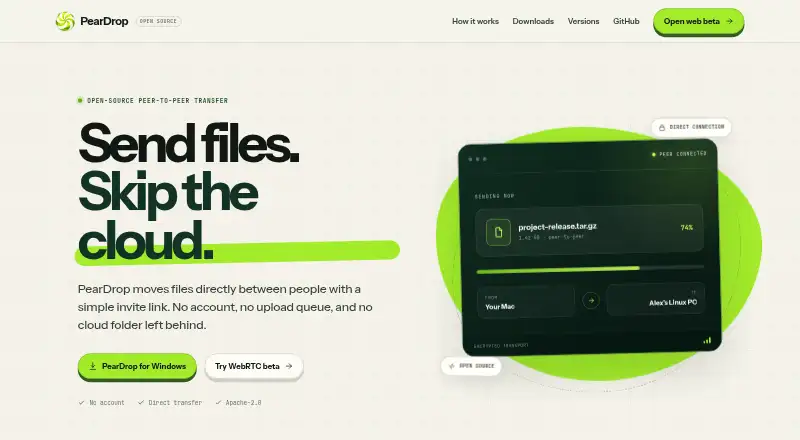
PearDrop is a free, open-source file-sharing app that sends files directly between people through an invite link. It works without an account or cloud upload queue: the sender selects files or a folder, shares a link through an app they already use, and the recipient chooses what to download. The transfer comes from the sender, who must keep PearDrop open until completion. PearDrop describes the transport as peer to peer and encrypted, and says preparation does not upload files. Desktop and web clients are public under the Apache-2.0 license. Desktop downloads support Windows 10 or newer, macOS on Apple Silicon or Intel, and Linux x64 or arm64. Native apps can keep transfers available in the background and open invite links directly, so the site recommends them across different networks. The browser beta has no transfer fallback; same-network connections are most reliable, while some routers, VPNs, or firewalls can block a connection. Version 1.2.4 is listed as the latest release, dated August 21, 2026.
Who it suits
PearDrop suits people who want direct file transfers without accounts or cloud upload queues. Native apps are intended for transfers across different networks, while browser use is most reliable on the same network.
What it does well
- No account or cloud upload queue required
- Peer-to-peer transport with encryption
- Open source under the Apache-2.0 license
- Windows, macOS, and Linux desktop downloads
- Recipient chooses what to download
What to know first
- Sender must keep PearDrop open during transfers
- Browser beta has no transfer fallback
- Routers, VPNs, or firewalls may block connections
- Windows app requires Windows 10 or newer
Verdict
PearDrop offers direct, encrypted sharing through a simple invite-link flow and supports major desktop platforms. Transfers depend on the sender staying available, and browser connections can fail across some networks.
Facts from PearDrop's own pages
- Browser limitation
- The browser beta has no transfer fallback; the site says same-network transfers are most reliable and some routers, VPNs, or firewalls may prevent a connection. · peardrop.online, 5 Oct 2026
- Desktop app
- Yes · peardrop.online, 21 Sept 2026
- Desktop implementation
- The desktop repository is described as an Electron shell with a workers transfer runtime and product UI in src. · peardrop.online, 12 Oct 2026
- Desktop platforms
- Desktop downloads are offered for Windows 10 or newer, macOS on Apple Silicon or Intel, and Linux x64 or arm64. · peardrop.online, 5 Oct 2026
- Linux builds
- The Linux download is a tar.gz archive containing an AppImage, with x64 and arm64 builds listed. · peardrop.online, 12 Oct 2026
- macOS builds
- The site offers a signed macOS DMG for Apple Silicon and Intel. · peardrop.online, 12 Oct 2026
- Native app behavior
- The site recommends native apps across different networks because they can keep transfers available in the background and open invite links directly. · peardrop.online, 5 Oct 2026
- Native apps
- Native apps keep transfers available in the background and open invite links directly; the site recommends them across different networks. · peardrop.online, 12 Oct 2026
- Open source
- PearDrop is released under the Apache-2.0 license, and the desktop and web clients are in public repositories. · peardrop.online, 12 Oct 2026
- Preparation
- The site says nothing uploads while the sender prepares a share. · peardrop.online, 12 Oct 2026
- Privacy and security
- The site describes transfers as peer to peer and says transport is encrypted. · peardrop.online, 5 Oct 2026
- Purpose
- PearDrop sends files directly between people using an invite link, without an account, upload queue, or cloud folder. · peardrop.online, 12 Oct 2026
- Release
- The site lists version 1.2.4 as the latest release, dated August 21, 2026. · peardrop.online, 5 Oct 2026
- Sharing flow
- The sender selects files or a folder, shares an invite link, and the recipient downloads directly from the sender. · peardrop.online, 12 Oct 2026
- Support and releases
- The site directs users to report issues and provides published desktop releases through GitHub. · peardrop.online, 12 Oct 2026
- Support and source access
- The site invites users to report an issue and links to the source code and published desktop releases on GitHub. · peardrop.online, 5 Oct 2026
- Transfer behavior
- The recipient downloads directly from the sender, who must keep PearDrop open during the transfer. · peardrop.online, 5 Oct 2026
- Transport
- The site describes transfers as peer-to-peer and says the transport is encrypted. · peardrop.online, 12 Oct 2026
- Web beta limitation
- The browser beta has no transfer fallback, and some routers, VPNs, and firewalls may prevent a connection. · peardrop.online, 12 Oct 2026
- Web reliability
- The site says same-network transfers are most reliable for the browser beta. · peardrop.online, 12 Oct 2026
- Windows requirement
- The Windows app requires Windows 10 or newer. · peardrop.online, 12 Oct 2026
Where PearDrop stands on Freedom251
- File transfer services#103 of 105