Freedom251 › PDF Flipbook Software
PDFlipbook
What PDFlipbook is
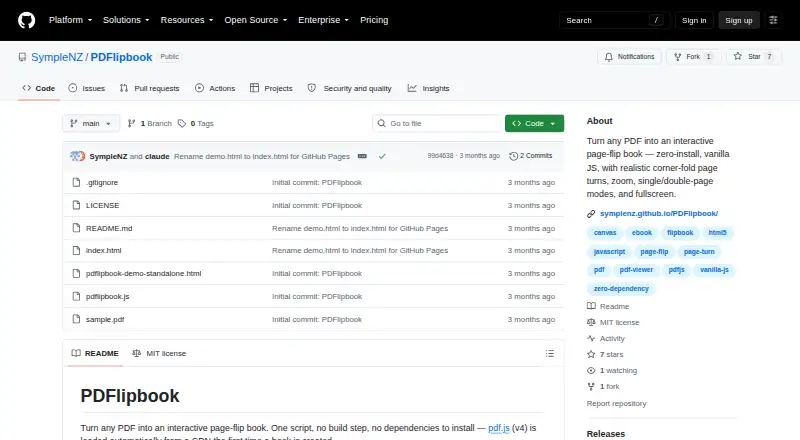
PDFlipbook is a free, MIT-licensed JavaScript component for placing interactive PDF flipbooks on webpages. A script and a div that points to a PDF are enough to embed a book, so no build step is required. Readers can turn pages by dragging or tapping near an edge, while dragging a corner produces a folded-page effect. Automatic, single-page, and double-page display modes are available, along with page navigation, zoom, pinch zoom, drag-to-pan while zoomed, and fullscreen viewing. The layout reflows when its container changes size or a device rotates, with desktop, tablet, and mobile views shown in the demo. A JavaScript API controls navigation, zoom, display mode, fullscreen, and destruction of a book instance. The component emits ready, page-change, mode-change, zoom-change, and error events, and CSS variables can change its appearance. PDF.js version 4 loads from a CDN by default, or you can provide self-hosted PDF.js and worker files. The README recommends current PDF.js, disabled eval support, and self-hosting with a Content-Security-Policy for untrusted PDFs. PDFs must be fetched from HTTP or HTTPS pages, and cross-origin files need CORS headers.
Who it suits
PDFlipbook suits developers adding an interactive PDF book to a self-hosted webpage without a build step. It also fits projects needing responsive viewing, JavaScript controls, events, and customizable styling across desktop and mobile views.
What it does well
- Free under the MIT License
- Embeds with a script and div
- Automatic, single-page, and double-page modes
- Zoom, pinch zoom, pan, and fullscreen
- Responsive across container and device changes
- JavaScript API and event dispatching
What to know first
- PDF fetching requires HTTP or HTTPS
- Cross-origin PDFs need CORS headers
- Default PDF.js loads from a CDN
Limits
The page must use HTTP or HTTPS to fetch PDFs, and cross-origin PDF URLs require CORS headers. The default setup relies on PDF.js version 4 from a CDN unless self-hosted files are supplied.
Getting started
- Open the PDFlipbook project website
- Serve the webpage over HTTP or HTTPS
- Add the PDFlipbook script to the page
- Place a div that points to the PDF
- Optionally provide self-hosted PDF.js and worker files
- Configure controls, events, or CSS variables as needed
Verdict
Choose PDFlipbook when you need a zero-install, webpage-based PDF flipbook with responsive layouts and programmatic controls. Look elsewhere if your delivery environment cannot serve pages over HTTP or HTTPS, handle CORS for remote PDFs, or accommodate PDF.js hosting requirements.
Questions
Is PDFlipbook free?
Yes. It is released under the MIT License, with a free plan and no free trial.
Where does PDFlipbook run?
It is intended for self-hosted webpages and runs on the web.
How is a PDF embedded?
A webpage uses the script and a div pointing to a PDF; no build step is required.
Can PDF.js be self-hosted?
Yes. The default loads PDF.js version 4 from a CDN, but you can provide self-hosted PDF.js and worker files.
What viewing controls are included?
Readers get page navigation, zoom, pinch zoom, drag-to-pan while zoomed, fullscreen, and automatic, single-page, or double-page modes.
Facts from PDFlipbook's own pages
- Audience
- The project describes itself as a script for adding an interactive PDF book to a webpage; the README includes a sample demo and file upload example. · github.com, 8 Oct 2026
- Embedding
- A webpage can embed the book with a script and a div that points to a PDF; no build step is required. · symplenz.github.io, 8 Oct 2026
- Events
- The component dispatches ready, page-change, mode-change, zoom-change, and error events on its container element. · github.com, 8 Oct 2026
- Events and theming
- The component emits events including page-change and zoom-change, and its appearance can be customized with CSS variables. · github.com, 8 Oct 2026
- Headquarters
- New Zealand · github.com, 28 Sept 2026
- Integration
- The script loads Mozilla pdf.js from a CDN by default and allows users to provide self-hosted pdf.js and worker files. · github.com, 8 Oct 2026
- JavaScript API
- The API includes page navigation, zoom, display-mode controls, fullscreen toggling, and destruction of a book instance. · github.com, 8 Oct 2026
- License
- The project is released under the MIT License. · github.com, 8 Oct 2026
- Limitations
- The page must be served over HTTP or HTTPS for PDF fetching, and cross-origin PDF URLs need CORS headers. · github.com, 8 Oct 2026
- Page turns
- Readers can drag or tap near page edges, with corner drags folding the page along a crease. · github.com, 8 Oct 2026
- PDF.js
- PDF.js version 4 is loaded automatically from a CDN when a book is first created. · github.com, 8 Oct 2026
- Purpose
- PDFlipbook turns PDFs into interactive page-flip books using a JavaScript script. · github.com, 8 Oct 2026
- Responsive layout
- The book reflows when its container resizes or the device rotates, and the demo offers desktop, tablet, and mobile views. · symplenz.github.io, 8 Oct 2026
- Security
- The README recommends keeping PDF.js current, disabling eval support, and self-hosting PDF.js for untrusted PDFs or to avoid relying on a third-party CDN. · github.com, 8 Oct 2026
- Security guidance
- The README recommends keeping pdf.js current, disables eval support, and advises self-hosting pdf.js with a Content-Security-Policy when rendering untrusted PDFs. · github.com, 8 Oct 2026
- Viewing controls
- It includes zoom, fullscreen, page navigation, and single- or double-page display modes. · github.com, 8 Oct 2026
- Viewing modes
- It supports automatic, single-page, and double-page display modes. · github.com, 8 Oct 2026
- Who it is for
- The maker describes it as a zero-install JavaScript component for adding an interactive PDF flipbook to a webpage. · symplenz.github.io, 8 Oct 2026
- Zoom and fullscreen
- It provides zoom controls, pinch zoom, drag-to-pan while zoomed, and fullscreen. · github.com, 8 Oct 2026
Where PDFlipbook stands on Freedom251
- PDF Flipbook Software#20 of 30