PDF Editor
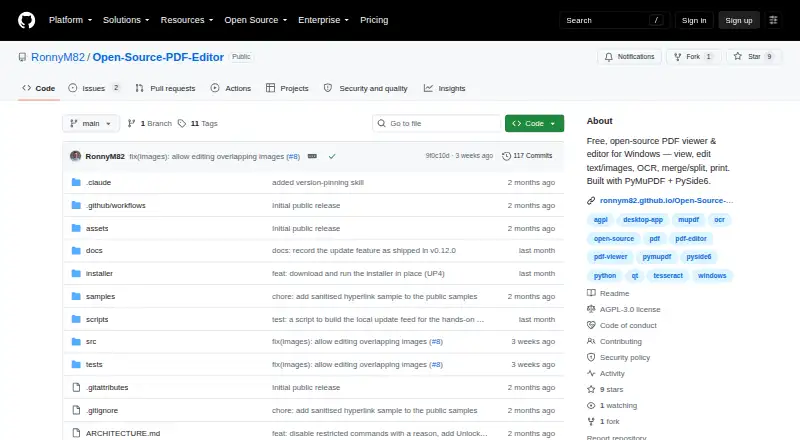
What PDF Editor is
PDF Editor is a free, open-source Windows desktop application for viewing and editing PDF files. It works on the computer, so documents are not uploaded to a cloud service. Existing PDF text can be changed in place, while images can be moved, resized, replaced, or deleted. Page tools merge PDFs, split them into ranges, and rotate, delete, reorder, extract, or insert pages. The app includes annotations and OCR. It supports cryptographic signatures using a PKCS#12 or self-signed certificate, plus AES-256 open-password encryption and PDF permission settings for printing, editing, and copying. The maker notes that permission flags are not a security boundary; the open password is the only cryptographic protection. Windows downloads come as an installer or portable ZIP, with the portable build requiring neither installation nor administrator access. The app checks GitHub’s public releases API daily for updates, and that check can be disabled. Form filling and full text reflow are outside its scope. The Free and open-source plan is free, with no paid tier.
Who it suits
PDF Editor suits Windows users who want local PDF editing, page management, annotations, OCR, and signatures without cloud uploads. The portable ZIP is useful when installation or administrator access is unavailable.
What it does well
- Edits existing PDF text in place
- Includes OCR and annotation tools
- Supports AES-256 open-password encryption
- Offers portable ZIP distribution
- Runs without cloud document uploads
What to know first
- Windows only
- Form filling is out of scope
- Full text reflow is unavailable
- Permission flags are not security boundaries
Plans
| Plan | Billed and limits | Price |
|---|---|---|
| Free and open-source | No paid tier · AGPL-3.0 | Free |
As github.com lists them, read 12 Oct 2026. The maker's own page has the final word.
Verdict
PDF Editor covers substantial local PDF editing and protection needs at no cost, with installer and portable Windows builds. Users needing form filling or text reflow should note those stated omissions.
Facts from PDF Editor's own pages
- Annotation tools
- Yes · github.com, 20 Sept 2026
- Digital signatures
- It supports cryptographic PDF signatures using a user's PKCS#12 certificate or a self-signed certificate. · github.com, 12 Oct 2026
- Distribution
- Windows downloads are provided as an installer or a portable ZIP, and the portable build requires no installation or administrator access. · github.com, 12 Oct 2026
- Editing
- It can edit existing PDF text in place and move, resize, replace, or delete images. · github.com, 12 Oct 2026
- Free plan
- Yes · github.com, 20 Sept 2026
- Notable limits
- Form filling and full text reflow are out of scope. · github.com, 12 Oct 2026
- OCR
- OCR supports searching and extracting text from scanned or image-only PDFs, but does not write an OCR text layer back into the document. · github.com, 12 Oct 2026
- Offline use
- The app runs on the user's computer, and documents are not uploaded to a cloud service. · github.com, 12 Oct 2026
- Page tools
- It can merge PDFs, split them into ranges, and rotate, delete, reorder, extract, or insert pages. · github.com, 12 Oct 2026
- Password protection
- It supports AES-256 open-password encryption and PDF permission settings for actions such as printing, editing, and copying. · github.com, 12 Oct 2026
- Platforms
- Prebuilt and tested builds target Windows x64; the maker says building from source on other platforms may work but is not packaged or tested there. · github.com, 12 Oct 2026
- Product
- PDF Editor is a free, open-source desktop app for viewing and editing PDFs on Windows. · github.com, 12 Oct 2026
- Security limitation
- The maker says PDF permission flags are not a security boundary; the open password is the only cryptographic protection. · github.com, 12 Oct 2026
- Support
- The maker asks users to report vulnerabilities privately through GitHub's private vulnerability reporting and says it will respond as soon as reasonably possible. · github.com, 12 Oct 2026
- Supported platforms
- windows · github.com, 20 Sept 2026
- Text editing
- Yes · github.com, 20 Sept 2026
- Update check
- The app checks GitHub's public releases API once a day without sending an account, identifier, or document information, and the automatic check can be disabled. · github.com, 12 Oct 2026
Where PDF Editor stands on Freedom251
- PDF editors#61 of 102