
Partwright
What Partwright is
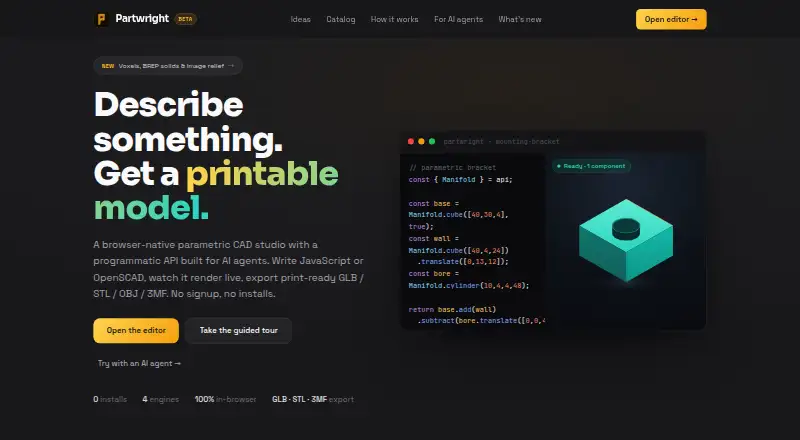
Partwright is a browser-based parametric CAD tool for making printable 3D models with code or AI agents. Its hybrid modeling supports JavaScript, OpenSCAD, BREP solids through OpenCASCADE, voxel modeling, and signed-distance fields, along with assembly design. The editor includes a no-code Character Creator, image-to-relief tools, viewport painting, measurement, cross-sections, and model quality controls. It imports .partwright.json, JavaScript, OpenSCAD .scad, STL, STEP, image, and .vox files. Exports include 3MF, STL, OBJ, GLB, and STEP for BREP sessions. The built-in assistant supports hosted AI providers, custom OpenAI-compatible endpoints, and local WebGPU models. Models, code, sessions, versions, notes, annotations, colors, and attached images stay in the user's browser rather than being uploaded to Partwright. The free plan is for non-commercial use; commercial use is not permitted under its license. Generated geometry may be wrong or unsuitable for manufacturing, so models should be inspected and validated before use.
Who it suits
Partwright suits people creating printable models who want browser-based code, AI-assisted, or hybrid modeling tools. It is also relevant to users who need assembly design and a range of import and export formats, provided their use is non-commercial under the free plan.
What it does well
- Runs in a web browser and offers a programmatic API.
- Supports assembly design and several modeling approaches.
- Imports and exports a broad range of formats.
- Models and session materials stay in the user's browser.
What to know first
- Free plan does not permit commercial use.
- Generated geometry may be unsuitable for manufacturing.
- JavaScript and OpenSCAD code runs with page capabilities.
- AI provider costs are the user's responsibility.
Limits
The Free plan costs nothing for non-commercial use; commercial use is not permitted under its license. Cloud collaboration is unavailable, and AI-provider usage can create costs for users supplying their own connections.
Plans
| Plan | Billed and limits | Price |
|---|---|---|
| Free | Free for non-commercial use · Commercial use not permitted under this license | Free |
As partwrightstudio.com lists them, read 11 Oct 2026. The maker's own page has the final word.
Getting started
- Open Partwright in a web browser
- Choose code, an AI assistant, or the no-code editor
- Import a supported model or start a new session
- Connect a listed AI provider or local WebGPU model if needed
- Create and validate the geometry
- Export a supported file format or share a read-only URL
Verdict
Partwright combines browser-based parametric CAD with multiple modeling approaches, AI integrations, and a broad set of file formats. Check the non-commercial license condition and validate geometry before relying on a model.
Questions
What does the Free plan cost?
The Free plan is listed as free and is for non-commercial use.
Which platforms does Partwright support?
It runs in a web browser and also provides a programmatic API.
Which files can it import and export?
It imports .partwright.json, JavaScript, OpenSCAD .scad, STL, STEP, images, and .vox. It exports 3MF, STL, OBJ, GLB, and STEP for BREP sessions.
Which AI providers are supported?
The assistant supports Anthropic, OpenAI, Google Gemini, custom OpenAI-compatible endpoints, and local WebGPU models.
Is cloud collaboration available?
No. Cloud collaboration is not supported; sharing uses a URL-encoded read-only preview that recipients can fork.
Where are models stored?
Models and related project materials are stored in the user's browser and are not uploaded to Partwright.
Facts from Partwright's own pages
- Agent API
- The window.partwright console API lets AI agents create sessions, run code, validate geometry, render views, and export models. · partwrightstudio.com, 11 Oct 2026
- AI costs
- Users connecting their own AI provider are responsible for its API costs, and the maker says spending guardrails are not guaranteed to work perfectly. · partwrightstudio.com, 11 Oct 2026
- AI data handling
- For hosted AI providers, requests go directly from the browser to the provider and Partwright says it does not see the API key or conversation. · partwrightstudio.com, 11 Oct 2026
- AI integrations
- The built-in assistant supports Anthropic, OpenAI, Google Gemini, custom OpenAI-compatible endpoints, and local WebGPU models. · partwrightstudio.com, 11 Oct 2026
- Analytics
- The site uses cookieless Cloudflare Web Analytics for aggregate page views, referring site, country, and browser type. · partwrightstudio.com, 11 Oct 2026
- Assembly design
- Yes · partwrightstudio.com, 19 Sept 2026
- Cloud collaboration
- No · partwrightstudio.com, 19 Sept 2026
- Editing tools
- The editor includes a no-code Character Creator, image-to-relief tools, viewport painting, measurement, cross-sections, and model quality controls. · partwrightstudio.com, 11 Oct 2026
- Exports
- It exports 3MF, STL, OBJ, GLB, and, for BREP sessions, STEP files. · partwrightstudio.com, 11 Oct 2026
- File import and export
- Import: .partwright.json, JavaScript, OpenSCAD .scad, STL, STEP, image, .vox; export: 3MF, STL, OBJ, GLB, STEP · partwrightstudio.com, 19 Sept 2026
- Free plan
- Yes · partwrightstudio.com, 19 Sept 2026
- Local storage
- Models, code, sessions, versions, notes, annotations, colors, and attached images are stored in the user's browser and are not uploaded to Partwright. · partwrightstudio.com, 11 Oct 2026
- Manufacturing limitation
- The maker says generated geometry may be wrong or unsuitable for manufacturing and advises inspecting and validating models before relying on them. · partwrightstudio.com, 11 Oct 2026
- Modeling engines
- It supports JavaScript, OpenSCAD, BREP solids via OpenCASCADE, voxel modeling, and signed-distance fields. · partwrightstudio.com, 11 Oct 2026
- Modeling method
- hybrid · partwrightstudio.com, 19 Sept 2026
- Product
- Partwright is a browser-based parametric CAD tool for creating printable 3D models with code or AI agents. · partwrightstudio.com, 11 Oct 2026
- Sharing
- Share links encode a model in the URL for a read-only preview that recipients can fork, with nothing uploaded to a server. · partwrightstudio.com, 11 Oct 2026
- Support
- Users can report bugs, request features, and ask questions through GitHub, and posting requires a free GitHub account. · partwrightstudio.com, 11 Oct 2026
- Supported platforms
- web browser; programmatic API · partwrightstudio.com, 19 Sept 2026
- Untrusted code
- JavaScript and OpenSCAD code runs in the page with the page's capabilities, so the maker advises running or importing only code from trusted sources. · partwrightstudio.com, 11 Oct 2026
Where Partwright stands on Freedom251
- 3D CAD Software#30 of 79