Freedom251 › 3D modeling software
Part3D
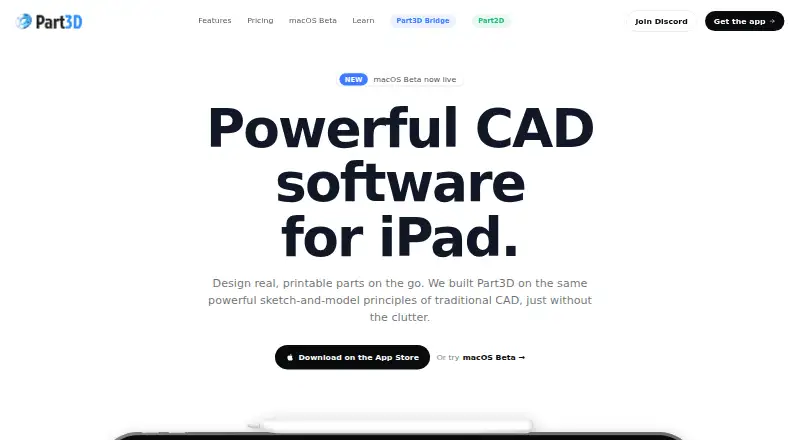
What Part3D is
Part3D is a CAD app for designing parts intended for 3D printing on iOS and macOS. Its parametric, non-destructive feature tree lets you change earlier modeling steps without rebuilding later work. Sketch tools include circles, rectangles, arcs, lines, snapping, constraints, mirrors, linear arrays, and reference images. The free plan supports up to three projects, basic sketching, extrude, fillet, chamfer, Part3D Bridge, and regular-quality STL and OBJ export. Pro plans add all features, while the lifetime license also includes STEP import and export, high-quality STL and OBJ export, advanced tools, and unlimited projects. The app runs on-device; network access is used for networked printer jobs or iCloud syncing. Part3D Bridge sends STL files from iPad to compatible slicers on the same network. The iPad app requires an Apple Pencil or compatible stylus; macOS supports a mouse or trackpad. Free access is available, with paid plans from $5.99/mo.
Who it suits
Part3D suits hobbyists and 3D printing enthusiasts who use iOS or macOS. Complex projects may still require full desktop CAD software.
What it does well
- Parametric, non-destructive feature tree
- Exports STL and OBJ files
- Free plan supports three projects
- On-device operation
- Bridge connects to network slicers
What to know first
- iPad requires Apple Pencil or compatible stylus
- Free plan limited to three projects
- STEP export requires Pro
- Complex projects may need desktop CAD
Plans
| Plan | Billed and limits | Price |
|---|---|---|
| Free | Up to 3 projects · Basic sketching tools · Extrude, Fillet, Chamfer · Part3D Bridge support · Regular-quality STL and OBJ export | Free |
| Pro Monthly | Monthly · All features · iPad and macOS Beta license | $5.99 a month |
| Pro Yearly | Yearly · All features · iPad and macOS Beta license | $39.99 a year |
| Pro Lifetime | Lifetime · Every feature forever · iPad and macOS Beta license · Unlimited projects · STEP import and export · High-quality STL and OBJ export | $69.99, paid once |
| Pro yearly subscription | As low as $39.99/year · Every feature · Includes iPad and macOS | $39.99 a year |
| Pro monthly subscription | As low as $5.99/month · Every feature · Includes iPad and macOS | $5.99 a month |
| Pro lifetime license | One-time payment · Every feature · STEP import and export · High-quality STL and OBJ export · Advanced tools · Unlimited projects · Includes iPad and macOS | $69.99, paid once |
As part3d.app lists them, read 11 Oct 2026. The maker's own page has the final word.
Verdict
Part3D combines parametric modeling and 3D-print export in an iOS and macOS app. Its free plan covers basic work, while Pro expands projects, tools, and file formats.
Facts from Part3D's own pages
- Bridge platforms
- Part3D Bridge runs on macOS 10.15 or later, Windows 10/11 x64, and Linux AppImage. · part3d.app, 11 Oct 2026
- Bridge security
- Part3D Bridge uses first-time device approval with HMAC authentication, and its maker says it needs no cloud connection. · part3d.app, 11 Oct 2026
- Error reporting
- The maker says Sentry may collect device and browser details, IP address, crash reports, stack traces, and in some cases the document that caused a crash for debugging. · part3d.app, 11 Oct 2026
- File formats
- Pro supports STEP import and export, plus high-quality STL and OBJ export; the free plan includes regular-quality STL and OBJ export. · part3d.app, 11 Oct 2026
- Free plan
- Yes · part3d.app, 22 Sept 2026
- Input device
- The iPad version requires an Apple Pencil or compatible stylus; the macOS version supports a mouse or trackpad. · part3d.app, 11 Oct 2026
- Intended users and scope
- The maker describes Part3D as suited to hobbyists and 3D printing enthusiasts, and says complex projects may still call for full desktop CAD software. · part3d.app, 11 Oct 2026
- Offline use
- The app runs entirely on-device; network access is used only when sending a print job to a networked printer or syncing files via iCloud. · part3d.app, 11 Oct 2026
- Parametric editing
- Its non-destructive feature tree lets users edit any modeling step. · part3d.app, 11 Oct 2026
- Parametric modeling
- Yes · part3d.app, 22 Sept 2026
- Platform access
- both · part3d.app, 22 Sept 2026
- 3D print export
- Yes · part3d.app, 22 Sept 2026
- Privacy
- The maker says it collects no personal data and uses no app analytics or third-party tracking services; it uses Google Analytics on its website. · part3d.app, 11 Oct 2026
- Product
- Part3D is a CAD app for designing printable parts, aimed at 3D printing enthusiasts. · part3d.app, 11 Oct 2026
- Sketch tools
- Sketching includes circles, rectangles, arcs, lines, snapping, constraints, mirror, linear array, and reference images. · part3d.app, 11 Oct 2026
- Slicer integration
- Part3D Bridge sends STL files from the iPad app to Orca Slicer, Bambu Studio, Creality Print, and other slicers on the same network. · part3d.app, 11 Oct 2026
- Support
- Support is available by email, Discord, or public feedback and bug tracking. · part3d.app, 11 Oct 2026
Where Part3D stands on Freedom251
- 3D modeling software#65 of 147