Freedom251 › Minecraft Datapack Generators
PackScript
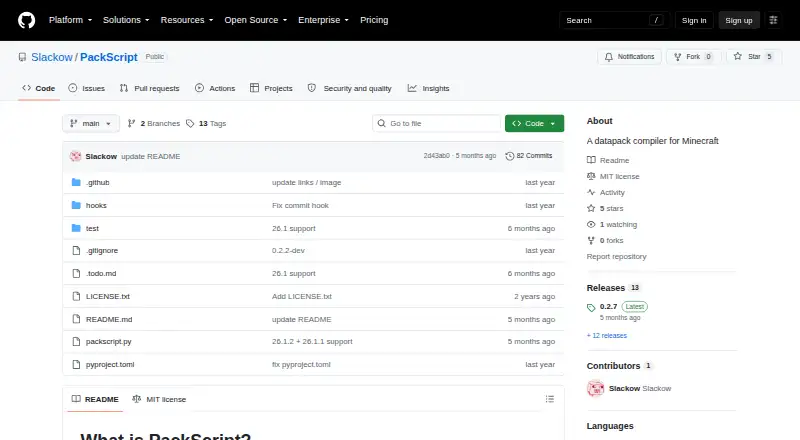
What PackScript is
PackScript is a free, open-source command-line compiler for generating Minecraft datapack files. It uses Python by default, allowing users to write Minecraft commands directly; command lines pass through without PackScript needing to interpret their syntax. Function definitions can combine multiple files and generate function tags. The `dp` object can create, change, or delete datapack files, including ones with dynamically generated names. Its `capture_lines()` function gathers command lines into a list, a tool the documentation describes for constructing “Only One Command” creations. PackScript can generate recipes, loot tables, advancements, and predicates. Compiled output can be a directory, ZIP file, or JAR. A JAR can apply the pack as a mod and can package a resource pack when an `assets` folder is included. The `init --modded` command adds configuration for compiling to Fabric, Forge, and NeoForge. An associated Fabric mod can compile packs from a world's `dev` directory into its `datapacks` folder, and a syntax highlighter is available for Visual Studio Code. PackScript runs on Linux, macOS, and Windows and requires Python 3.12 or later. Install it with `pip3 install packscript` or use `packscript.py` from releases. FunctionPackScript `.fps` files cannot use create statements, though they can generate additional functions.
Who it suits
PackScript suits Minecraft creators who want to generate datapack files using Python and direct Minecraft commands. It may also suit creators who want directory, ZIP, or JAR output, or configuration for Fabric, Forge, and NeoForge.
What it does well
- Free and open source under the MIT License.
- Generates recipes, loot tables, advancements, and predicates.
- Outputs directories, ZIP files, or JAR files.
- Supports Linux, macOS, and Windows.
- Includes an associated VS Code syntax highlighter.
What to know first
- Requires Python 3.12 or later.
- FunctionPackScript `.fps` files cannot use create statements.
Limits
FunctionPackScript `.fps` files cannot use create statements, although they can generate additional functions. Python 3.12 or later is required.
Getting started
- Install Python.
- Install PackScript with `pip3 install packscript`, or use `packscript.py` from releases.
- Write your datapack files using PackScript and Minecraft command lines.
- Compile to a directory, ZIP file, or JAR file.
- Use `packscript init --modded` to add Fabric, Forge, and NeoForge configuration if needed.
Verdict
Choose PackScript if you want a Python-based command-line compiler for Minecraft datapacks with several output formats and modded-pack configuration. Its `.fps` files have a stated create-statement restriction, and using it requires Python 3.12 or later.
Questions
Is PackScript free?
Yes. PackScript is free and open source under the MIT License.
Which operating systems does it support?
PackScript supports Linux, macOS, and Windows.
What can PackScript generate?
It can generate Minecraft datapack files, including recipes, loot tables, advancements, and predicates.
What output formats are available?
The compiler can output a directory, ZIP file, or JAR file. A JAR can apply the pack as a mod and can include a resource pack when an `assets` folder is present.
How can I install PackScript?
The project README describes installing it with `pip3 install packscript` or using `packscript.py` from releases. Python must be installed first.
Does PackScript have an editor integration?
The project has an associated syntax highlighter for Visual Studio Code.
Facts from PackScript's own pages
- Automatic reloading
- An associated Fabric mod can automatically compile packs from a world's `dev` directory into its `datapacks` folder. · github.com, 8 Oct 2026
- Command handling
- Command lines in PackScript are passed through without requiring the tool to understand individual Minecraft command syntax. · github.com, 8 Oct 2026
- Compilation outputs
- The compiler can output a directory, ZIP file, or JAR file, and a JAR can apply the pack as a mod. · github.com, 7 Oct 2026
- Compile outputs
- The compiler can output a directory, ZIP file, or JAR file; JAR output can package a resource pack when an `assets` folder is included. · github.com, 8 Oct 2026
- Editor integration
- The project has an associated syntax highlighter for Visual Studio Code. · github.com, 7 Oct 2026
- File generation
- Its `dp` object can create, modify, and delete datapack files, including JSON files. · github.com, 8 Oct 2026
- Function generation
- PackScript function definitions can combine multiple commands into generated function files and create function tags. · github.com, 8 Oct 2026
- Install
- The project README gives `pip3 install packscript` as an installation method and also describes using `packscript.py` from releases directly. · github.com, 7 Oct 2026
- Installation
- The README gives `pip3 install packscript` as an installation method and also describes using the `packscript.py` file directly. · github.com, 8 Oct 2026
- License
- The repository lists an MIT license. · github.com, 8 Oct 2026
- Limit
- FunctionPackScript `.fps` files cannot use create statements, though they can generate additional functions. · github.com, 7 Oct 2026
- Minecraft integration
- The README describes an associated Fabric mod that automatically compiles packs in a world's `dev` directory into its `datapacks` folder. · github.com, 7 Oct 2026
- Modded packs
- The `packscript init --modded` command can add configuration files for compiling to Fabric, Forge, and NeoForge. · github.com, 8 Oct 2026
- Mod loaders
- The `init --modded` option adds configuration files for compiling to Fabric, Forge, and NeoForge. · github.com, 7 Oct 2026
- Other constructs
- The `capture_lines()` function collects command lines into a list, which the documentation describes as useful for constructing “Only One Command” creations. · github.com, 7 Oct 2026
- Product
- PackScript is a command-line tool designed to generate files for Minecraft datapacks. · github.com, 7 Oct 2026
- Purpose
- PackScript is a command-line compiler that generates files for Minecraft datapacks. · github.com, 8 Oct 2026
- Python-based
- PackScript uses Python, so users familiar with Python can use that knowledge when writing PackScript files. · github.com, 8 Oct 2026
- Python requirement
- The PyPI project page lists Python >=3.12 as a requirement. · pypi.org, 7 Oct 2026
- Requirements
- The README instructs users to install Python before installing or running PackScript. · github.com, 8 Oct 2026
- Support
- The repository links to GitHub Issues for project questions and reports. · github.com, 7 Oct 2026
- VS Code
- The project has an associated syntax highlighter for VS Code. · github.com, 8 Oct 2026
Where PackScript stands on Freedom251
- Minecraft Datapack Generators#19 of 22