Freedom251 › Court Reservation Software
Orhuk
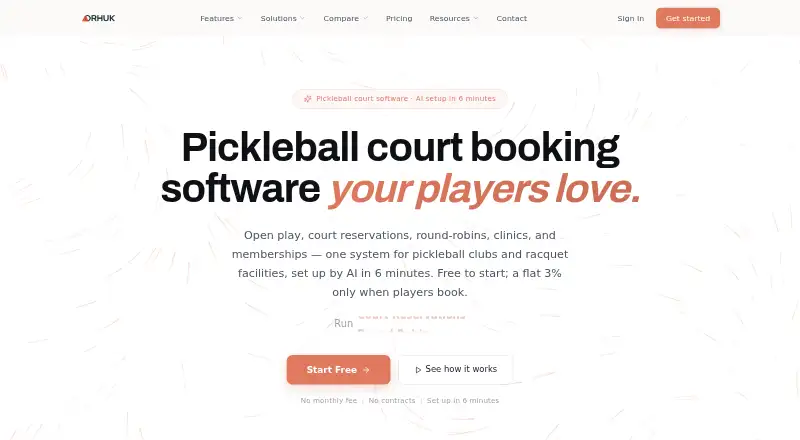
What Orhuk is
Orhuk provides booking and management software for pickleball clubs, racquet facilities, sports venues, climbing gyms and boutique fitness studios. It supports court reservations, open play, round robins, ladder leagues, clinics, lessons, tournaments and waitlists. Facilities can manage memberships, credits, session packs and digital waivers with e-signatures, alongside staff shifts, maintenance windows, point of sale and multiple locations. Customers can use a branded booking site to check availability, book and pay, manage memberships, and sign waivers. Listed connections include Stripe, QuickBooks, Google Calendar, Razorpay, DOKU, webhooks, an embeddable booking widget and a REST API. The free plan lists no subscription or monthly fee, with all features and unlimited resources and team members; it charges a flat 3% per transaction. By default, players cover the booking fee, though a facility can absorb it. Online payments use the facility’s own Stripe account, and Stripe’s standard processing fees apply. Orhuk also describes an AI assistant that previews changes to pricing, staff schedules and bookings before applying them.
Who it suits
It suits sports and fitness facilities that need online bookings, memberships and multi-location operations. The listed court types include pickleball, tennis and basketball.
What it does well
- No subscription or monthly fee listed
- Unlimited resources and team members
- Supports multiple locations and digital waivers
- AI assistant previews changes before applying them
What to know first
- Flat 3% booking fee per transaction
- Online payments use the facility’s own Stripe account
- Stripe’s standard processing fees also apply
Limits
The free plan has no subscription or monthly fee and includes all features without resource or team-member caps. The default booking fee is 3% per transaction; Stripe’s standard processing fees also apply to online payments.
Plans
| Plan | Billed and limits | Price |
|---|---|---|
| Free | $0/month + flat 3% per transaction · unlimited resources and team members · all features included · players cover 3% booking fee by default or facility absorbs it | Free |
| Pro | $19.99/month · unlimited resources · 3 team members · automated reminders | $19.99 a month |
| Business | $39.99/month | $39.99 a month |
As orhuk.com lists them, read 15 Oct 2026. The maker's own page has the final word.
Getting started
- Visit the Orhuk website.
- Use the web platform or its Android or iOS app.
- Have the AI configure courts, open play, and pricing, which Orhuk says takes six minutes.
- Connect the facility’s own Stripe account for online payments.
- Set up the branded booking site for customers.
Overview
Orhuk is booking and operations software for sports and fitness venues, from pickleball clubs and racquet facilities to climbing gyms and boutique studios. It is best suited to operators who need to coordinate programmed activities, memberships and payments alongside court time. Its breadth and lack of a subscription are appealing, but the per-transaction fee and Stripe charges deserve close attention.
Key features
Scheduling and operations
Alongside court reservations, Orhuk supports open play, round robins, ladder leagues, clinics, lessons and tournaments, with waitlists for full sessions. That range matters for venues running a varied calendar; a facility selling only court slots may have less need for its broader programming tools. Drag-and-drop scheduling, maintenance windows and staff shift management help coordinate operations, while point of sale and multi-location support make it relevant beyond a single-location booking calendar.
Memberships and customer booking
Memberships, credits, session packs and digital waivers with e-signatures cover common needs for repeat customers and prepaid sessions. Customers use a branded booking site to check availability, book, pay, manage memberships and sign waivers. Orhuk says it does not operate a built-in marketplace that directs members to competing businesses, which may appeal to facilities that want bookings to stay on their own branded channel.
Online payment collection uses the facility’s own Stripe account, so Stripe’s standard processing fees still apply. Orhuk also lists QuickBooks, Google Calendar, Razorpay and DOKU integrations, plus an embeddable booking widget, webhooks and a REST API. Access control is not included, so operators needing that capability should look elsewhere.
AI tools and setup
An AI assistant can update pricing, staff schedules and bookings from natural-language requests, with proposed changes shown before they are applied. That preview step gives operators a chance to review changes rather than apply them blindly. Orhuk also says AI can configure courts, open play and pricing in six minutes; venues should treat that as the product’s stated setup claim, not a promise about every implementation.
Pricing
Free: No subscription or monthly fee; a flat 3% per transaction. All features are included, with unlimited resources and team members. Players cover the 3% booking fee by default, or the facility can absorb it. This structure suits operators who want to avoid fixed software costs and do not need tier-based upgrades. It is less compelling for high-volume venues if absorbing the fee would be costly, and players may face the added fee when it is passed on. Stripe’s standard processing fees are separate from Orhuk’s booking fee.
There are no feature tiers or caps to weigh against a higher subscription, but the transaction-based cost means the effective expense rises with bookings. Operators should decide whether players or the facility will pay the booking fee and account for Stripe processing charges either way.
Platforms
Orhuk supports web, iOS, Android and API access. Customer booking is through the web, and the platform supports pickleball, tennis and basketball courts.
Who it's for
Orhuk is a strong fit for clubs and venues that combine court reservations with leagues, lessons, memberships or other scheduled activities, especially those managing multiple locations or large teams. Its no-subscription plan can suit operators who prefer usage-based costs and want all features without resource caps. It is a weaker fit for facilities that need access control or prefer predictable software costs over a transaction fee.
Pros and cons
Pros
- Broad scheduling coverage: Court bookings, open play, leagues, lessons, tournaments and waitlists can share one system.
- No subscription or resource caps: The free plan includes all features and unlimited resources and team members.
- Branded customer booking: Customers can book, pay, manage memberships and sign waivers without a built-in marketplace directing them to competitors.
- Multi-location operations: Shift management, maintenance windows and point of sale complement the booking tools.
Cons
- 3% fee per transaction: Players cover it by default, or the facility can absorb it; either choice affects the economics of bookings.
- Stripe fees are additional: Online payments use the facility’s Stripe account and incur its standard processing charges.
- No access control: Facilities requiring that capability will need another solution.
- Customer booking is web-based: The supported customer booking channel is web.
Alternatives
Court Reservation Software is a useful category starting point for comparing booking tools.
- CourtBeam is worth considering if a club can work within two reservable court calendars on its free plan, or wants a paid Club plan priced at $99 a month.
- PlayRez is a better match for tournament hosting: its free plan includes tournament features and deducts a flat $1 per paid signup.
- HomeCourt offers a free plan at no cost with unlimited courts per location, branded subdomain, online booking, open play, payment collection, revenue reports and a mobile-installable experience.
- Matchletic suits clubs focused on player discovery and matching; its free Starter plan covers up to two listed courts and basic booking management.
- Eyes On Club is another freemium option for web, iOS and Android.
- PickLM is another freemium option for web, iOS and Android.
- Six Love is a paid web-based alternative.
- ClubSpark may suit operators willing to use a paid plan with a 12-month contract; its Basic plan is $20 a month when billed annually and is capped at 150 members.
Verdict
Choose Orhuk if your venue needs one system for reservations, scheduled programs, memberships and multi-location operations without a monthly subscription. Its strongest case is the breadth of included tools with unlimited resources and team members. Look elsewhere if you require access control, want customers booking through a native app, or would rather pay a predictable subscription than a 3% fee on each transaction plus Stripe processing costs.
Verdict
Orhuk covers scheduling, memberships, payments and facility operations under a free plan with a per-transaction fee. Consider who pays that fee and the separate Stripe processing charges when assessing its fit.
Questions
How much does Orhuk cost?
The Free plan has no subscription or monthly fee. It charges a flat 3% per transaction by default, which players cover unless the facility absorbs it.
Are there feature or usage caps?
Orhuk says all features are included with no tiers or caps, and the plan includes unlimited resources and team members.
Which platforms does Orhuk support?
The listed platforms are Android, iOS, web, and API.
What payment setup does it use?
Online payments use the facility’s own Stripe account. Stripe’s standard processing fees apply.
What integrations are listed?
Orhuk lists Stripe, QuickBooks, Google Calendar, Razorpay, DOKU, an embeddable booking widget, webhooks, and a REST API.
Does Orhuk include membership management?
Yes. It includes memberships, credits, session packs, and digital waivers with e-signatures.
Facts from Orhuk's own pages
- Access control
- An official Orhuk comparison describes unified resource scheduling, membership tiers, day passes and booking-gated access with hardware integration through an API. · orhuk.com, 15 Oct 2026
- AI assistant
- Operators can use natural-language commands to change pricing, staff schedules and bookings, with a preview before applying changes. · orhuk.com, 15 Oct 2026
- AI setup
- Orhuk says its AI can configure courts, open play and pricing in six minutes. · orhuk.com, 15 Oct 2026
- AI tools
- Orhuk describes an AI assistant that can update pricing, staff schedules, and bookings through natural language, with changes previewed before applying. · orhuk.com, 3 Oct 2026
- Analytics
- The AI assistant provides occupancy trends, revenue tracking, peak-hour analysis and suggested actions. · orhuk.com, 15 Oct 2026
- API
- Orhuk advertises real-time webhooks and a REST API for custom integrations. · orhuk.com, 15 Oct 2026
- Booking-fee mechanics
- For a $100 booking, the site illustrates a $103 customer charge, a $3 Orhuk fee and approximately $3.29 in Stripe processing costs. · orhuk.com, 15 Oct 2026
- Company backing
- A St. John's College LinkedIn post says Orhuk was backed by Albuquerque investor Andy Lim, who became Asher A Naveen's co-founder. · linkedin.com, 15 Oct 2026
- Company location
- The Orhuk homepage lists Albuquerque, New Mexico, as its location. · orhuk.com, 15 Oct 2026
- Company origin
- Asher A Naveen says he built Orhuk after working two years at his college activity-center front desk and seeing disconnected tools for rentals, bookings and shift handoffs. · indiehackers.com, 15 Oct 2026
- Customer booking
- Facilities receive a branded booking site where customers check availability, book, pay, manage memberships and sign waivers. · orhuk.com, 15 Oct 2026
- Customer marketplace
- Orhuk says it does not use a built-in marketplace that directs a facility’s members to competing businesses. · orhuk.com, 3 Oct 2026
- Customer ownership
- Orhuk says it does not operate a built-in marketplace that directs a facility's members to competing businesses. · orhuk.com, 15 Oct 2026
- Headquarters
- The site footer identifies Albuquerque, NM. · orhuk.com, 3 Oct 2026
- Independent AI claim
- The founder says Orhuk's machine-learning pipeline turns plain-language commands into operational changes and cut management time by about 80% in testing. · indiehackers.com, 15 Oct 2026
- Independent founder
- The Indie Hackers product page identifies Asher A Naveen as Orhuk's founder. · indiehackers.com, 15 Oct 2026
- Independent launch date
- Indie Hackers records Orhuk's launch post on June 25, 2026. · indiehackers.com, 15 Oct 2026
- Independent product description
- The founder describes Orhuk as all-in-one software for gyms, sports clubs, studios and recreation facilities combining scheduling, bookings, memberships, payments, waivers and point of sale. · indiehackers.com, 15 Oct 2026
- Integrations
- Listed integrations include Stripe, QuickBooks, Google Calendar, Razorpay, DOKU, email notifications and an embeddable booking widget. · orhuk.com, 15 Oct 2026
- Limit: hardware verification
- Orhuk's own access-control guide advises buyers to test cancellation revocation, fallback access, court-level permissions and guest flows in a live demo before committing hardware. · orhuk.com, 15 Oct 2026
- Limit: transaction cost
- The 3% transaction fee is charged in addition to Stripe's standard card-processing fees unless the facility chooses to absorb Orhuk's fee. · orhuk.com, 15 Oct 2026
- Limit: trust and migration
- An Indie Hackers commenter said the major adoption challenge is convincing facility managers to trust a new platform and avoid migration disruption. · indiehackers.com, 15 Oct 2026
- Memberships
- Memberships, credits, session packs, digital waivers and electronic signatures are included. · orhuk.com, 15 Oct 2026
- Notable news
- St. John's College reported in 2026 that a student project built for its Student Activities Center had become the Orhuk startup. · linkedin.com, 15 Oct 2026
Where Orhuk stands on Freedom251
- Court Reservation Software#3 of 26