Freedom251 › Parental control apps
OpenParental
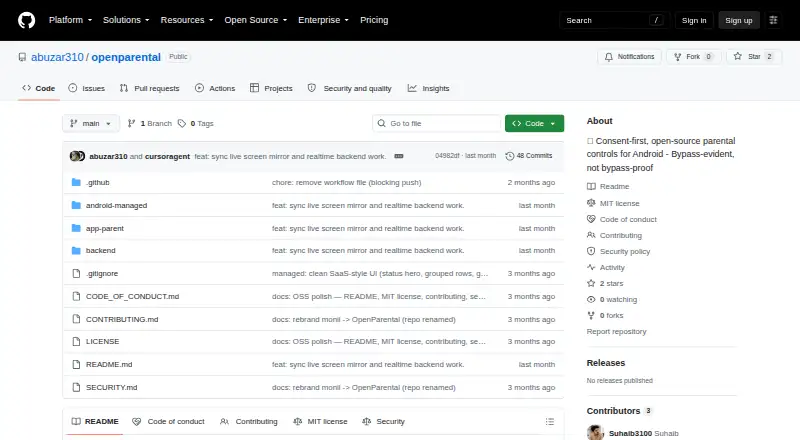
What OpenParental is
OpenParental is free, MIT-licensed parental-control software for Android, built around overt, consent-based supervision for parents and teenagers. A parent pairs a child’s device with a short code; the device receives its own scoped token. From the parent side, users can remotely lock or ping a device, create app blocklists, set per-app daily limits, and configure schedules. The child app reports periodic location, daily per-app usage, newly installed apps, and tamper events to a dashboard or alert feed. Alerts cover tampering, a device going dark, new apps, and unblock requests. The child app has a visible interface that explains its purpose and the information it reports. The project says bypass actions can trigger alerts within minutes, although the child app can be disabled. It describes live screen viewing through a setup-time MediaProjection grant. The system uses a self-hosted NestJS backend with PostgreSQL, Redis, and FCM, a Kotlin Android child app distributed as a sideloaded APK, and a Flutter parent app described as having a Play Store track. Its setup requirements include Node 20+ and Docker for the backend, JDK 17 and Android Studio for the child app, and Flutter 3.22+ for the parent app.
Who it suits
OpenParental suits parents and teenagers who want overt, consent-based Android supervision with app limits, schedules, reports, and location updates. It is also suited to users able to operate a self-hosted backend and build or install the separate apps.
What it does well
- Parents can set app blocklists, per-app daily limits, and schedules.
- Reports include location, app usage, new apps, and tamper events.
- Visible child-app interface explains its purpose and reporting.
- The repository identifies the project as MIT licensed.
What to know first
- Content filtering is listed as unavailable.
- The child app is distributed as a sideloaded APK.
- The backend setup requires Node 20+ and Docker.
- The child app can be disabled, despite intended bypass alerts.
Limits
Content filtering is unavailable, and the project says the child app can be disabled; bypass actions are intended to trigger alerts within minutes.
Plans
| Plan | Billed and limits | Price |
|---|---|---|
| OpenParental | Open-source parental controls for Android · MIT licensed | Free |
As github.com lists them, read 8 Oct 2026. The maker's own page has the final word.
Getting started
- Prepare a self-hosted backend with Node 20+ and Docker.
- Set up the backend with PostgreSQL 16 and Redis 7.
- Build or install the Kotlin child app using JDK 17 and Android Studio; the app is distributed as a sideloaded APK.
- Set up the Flutter parent app using Flutter 3.22+; it is described as having a Play Store track.
- Create a short pairing code in the parent app and have the child app claim it.
Verdict
Choose OpenParental if you want open-source, consent-based Android supervision with app controls, schedules, reports, and location updates, and can manage its self-hosted setup. Content filtering is listed as unavailable, and the child app can be disabled.
Questions
Is OpenParental free and open source?
Yes. It is listed as free and is open source under the MIT license.
Which devices and platforms does it support?
The device platform is Android. The child app is Kotlin for Android, while the parent app is Flutter.
What controls can parents use?
Parents can remotely lock or ping a device, block apps, set per-app daily limits, and configure schedules.
Does it filter content?
No. Content filtering is listed as unavailable.
How is the child device paired?
A parent creates a short pairing code for the child app to claim, and the device receives its own scoped token.
How is the project deployed?
The README describes a self-hosted backend using Node 20+, Docker, PostgreSQL 16, and Redis 7.
Facts from OpenParental's own pages
- Activity reports
- Yes · github.com, 22 Sept 2026
- Alerts
- Alerts cover tampering, a device going dark, new apps, and unblock requests. · github.com, 8 Oct 2026
- App blocking
- Yes · github.com, 22 Sept 2026
- App controls
- Parents can set app blocklists, per-app daily limits, and schedules. · github.com, 8 Oct 2026
- Apps
- The child app is a sideloaded Kotlin Android app and the parent app is Flutter, described as having a Play Store track. · github.com, 8 Oct 2026
- Architecture
- The repository describes a NestJS backend with PostgreSQL, Redis, and FCM, a Kotlin Android child app, and a Flutter parent app. · github.com, 8 Oct 2026
- Bypass behavior
- The project says the child can turn the app off, but bypasses such as disabling accessibility or force-stopping should trigger a parent alert within minutes. · github.com, 8 Oct 2026
- Bypass limitation
- The project says the child app can be disabled, but bypass actions are intended to trigger parent alerts within minutes. · github.com, 8 Oct 2026
- Consent
- The child app has a visible interface that explains what it does and shows what it reports. · github.com, 8 Oct 2026
- Content filtering
- The documented DNS content filter uses Android VpnService and says it does not inspect traffic or use a man-in-the-middle. · github.com, 8 Oct 2026
- Controls
- The parent can remotely lock or ping a device and configure app blocklists, per-app daily limits, and schedules. · github.com, 8 Oct 2026
- Deployment
- The README describes a self-hosted backend using Node 20+, Docker, PostgreSQL 16, and Redis 7. · github.com, 8 Oct 2026
- Device platforms
- android · github.com, 22 Sept 2026
- Distribution
- The child app is described as a sideloaded APK, while the parent app is described as being on a Play Store track. · github.com, 8 Oct 2026
- Integrations
- Firebase Cloud Messaging is an optional integration for push notifications; without Firebase, devices poll every 60 seconds. · github.com, 8 Oct 2026
- License
- The repository identifies the project as MIT licensed and credits Suhaib, © 2026. · github.com, 8 Oct 2026
- License and maker
- The repository lists an MIT license and credits Suhaib with copyright in 2026. · github.com, 8 Oct 2026
- Live screen
- The README describes live screen viewing using a setup-time MediaProjection grant and JPEG frames sent over Socket.IO. · github.com, 8 Oct 2026
- Location tracking
- Yes · github.com, 22 Sept 2026
- Monitoring
- The child app reports periodic location, daily per-app usage, newly installed apps, and tamper events to the parent dashboard or alert feed. · github.com, 8 Oct 2026
- Pairing
- A parent creates a short pairing code that the child app claims, and the device receives its own scoped token. · github.com, 8 Oct 2026
- Privacy limits
- The project says it does not use covert audio, camera, ambient recording, covert screen capture, server-side storage of minors’ photos, Device Owner, or device wipe. · github.com, 8 Oct 2026
- Purpose
- OpenParental is consent-first, open-source parental-control software for Android. · github.com, 8 Oct 2026
- Screen-time schedules
- Yes · github.com, 22 Sept 2026
Where OpenParental stands on Freedom251
- Parental control apps#32 of 107