Freedom251 › Curriculum Management Software
OpenCurriculum
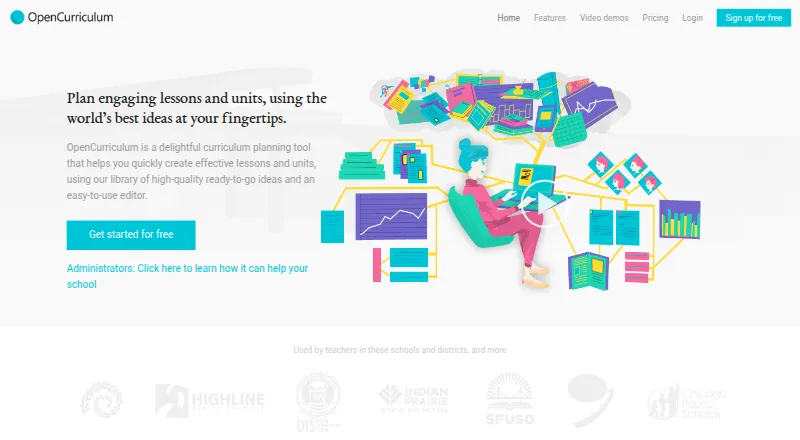
What OpenCurriculum is
OpenCurriculum is a web-based curriculum planning tool for creating lessons and units from a library of ready-to-go ideas and an editor. Its library includes hundreds of lessons, strategies, activities, formative assessments, discussion questions, and worksheets contributed by teachers, researchers, and publishers. Planning views cover courses, units, and lessons in planner, calendar, and semester or academic-term formats. A standards picker supports national and state standards as well as school-created learning targets. Teams can share materials with permissions, organize department or PLC Groups and Libraries, and search across a school. Listed integrations include Google Drive and Google Calendar. Reporting tracks standards, planning processes, vocabulary, learning objectives, and assessments across plans. School leaders can use custom templates, school-wide learning outcomes, course catalogs, and activity templates. Teacher and Team plans are free; School costs $5 per user per month with a 10-user minimum. Network pricing is custom. OpenCurriculum describes itself as a 501(c)(3) nonprofit.
Who it suits
It suits individual teachers and curriculum designers, as well as departments, schools, colleges, districts, or university clusters. The plan limits and collaboration tools help distinguish smaller teams from larger organizations.
What it does well
- Library includes hundreds of teaching resources.
- Planner, calendar, and academic-term views.
- Aligns plans to standards or school learning targets.
- Google Drive and Google Calendar integrations.
- Eligible affected-area schools can access paid features free.
What to know first
- Teacher plan is limited to 10 courses.
- Team plan is limited to 50 courses.
- School plan requires at least 10 users.
Limits
The free Teacher plan allows one user and up to 10 courses, with 200 MB of file storage. The free Team plan supports up to 10 users and 50 courses, with 1.5 GB total file storage. School costs $5 a month, billed at $5 per user per month with a 10-user minimum; it includes unlimited courses and 1 GB of file storage per user.
Plans
| Plan | Billed and limits | Price |
|---|---|---|
| Teacher | 1 user · 10-course limit · 200 MB storage | Free |
| Free | up to 3 courses · unlimited units per course · up to 3 libraries · fully featured planner | Free |
| Team | up to 10 users · 50-course limit · 1.5 GB total storage | Free |
| District | monthly · unlimited users · unlimited courses and libraries · custom URL · branded interface · Insights analytics | $1,250 a month |
| Personal | monthly · unlimited courses and libraries · collaboration with free-tier users · 3-business-day email support | $15 a month |
| Silver implementation | one-time · Bronze review · API access for self-importing · import of 200 pages and 2,000 files | $3,000, paid once |
| School | per user, per month; minimum 10 users · 10–200 users · unlimited courses · unlimited libraries · 1 GB storage per user | $5 a month |
| Bronze implementation | one-time; included in District plan · technology and materials review · implementation roadmap | $500, paid once |
The first 8 of 11 plans, as opencurriculum.org lists them, read 15 Oct 2026. The maker's own page has the final word. Every plan
Getting started
- Visit https://opencurriculum.org/.
- Choose the Teacher or Team free plan, or review School and Network plans for a larger group.
- Create courses, units, and lessons using the editor and resource library.
- Use planner, calendar, or semester and academic-term views to organize plans.
- Set standards or school-created learning targets, then share materials and collaborate with a group.
OpenCurriculum is a web-based curriculum planning tool for building lessons and units with an editor and a library of ready-to-use teaching materials. It is best suited to educators and institutions that need standards-aligned planning and shared curriculum resources. Its free individual and team plans make it approachable, while the School plan’s 10-user minimum and per-user charge call for a close look at seat needs.
Overview
OpenCurriculum brings planning, standards alignment, resources and collaboration into one curriculum workspace. Educators can organize courses, units and lessons, then use planning views and standards tools to connect day-to-day work with learning goals. The product also extends to school-level templates, outcomes and course catalogs, making it relevant beyond individual lesson creation.
The organization describes itself as a 501(c)(3) nonprofit. It also offers all paid features free to schools serving students affected by conflict, disaster or extreme poverty who would otherwise go unserved.
Key features
Planning and resources
Planner, calendar and semester or academic-term views provide different ways to follow courses, units and lessons. That range can help educators shift between near-term scheduling and broader curriculum planning without changing tools. The resource library contains hundreds of lessons, strategies, activities, formative assessments, discussion questions and worksheets contributed by teachers, researchers and publishers. Ready-made material can give planning a useful starting point, though the value depends on whether those resources suit a school’s needs.
Standards and collaboration
A standards picker supports national and state standards as well as school-created learning targets, useful for aligning plans to either external requirements or local priorities. Sharing permissions, department or PLC Groups, searchable school materials and Libraries for cataloging resources support coordinated work. Google Drive and Google Calendar integrations are also included in the plan comparison.
Insights and school-wide planning
Reporting tracks standards, planning processes, vocabulary, learning objectives and assessments across plans. For schools trying to understand how curriculum is being implemented, that breadth is more useful than a lesson-only view. Custom templates, school-wide learning outcomes, course catalogs and activity templates give leadership tools for expressing a school’s philosophy and learning model through shared planning structures.
Pricing
OpenCurriculum has two free plans and paid options for larger organizations. The free plans differ in users, course caps and storage, so the right starting point depends on whether planning is individual or shared.
- Teacher: free for 1 user, with a 10-course limit and 200 MB file storage. It suits an individual teacher or curriculum designer, but the course cap may constrain broader planning.
- Team: free for up to 10 users, with a 50-course limit and 1.5 GB total file storage. Small departments can collaborate without a subscription, though storage is shared and courses are capped.
- School: $5 a month, billed at $5 / user, per month, with a minimum of 10 users and a maximum of 200 users. It includes unlimited courses and 1 GB of file storage per user. This fits schools and colleges that need room to grow beyond the free course limits, but the 10-seat floor means smaller teams pay for more users than they may need.
- Network: custom pricing based on your needs for more than 200 users, with unlimited courses, 1 GB of file storage per user and discounted bulk pricing. It is aimed at larger school districts or university clusters.
Teacher and Team include general-inquiries support; School includes three-day business email support, and Network includes priority support. Schools in the stated conflict-, disaster- or extreme-poverty-affected circumstances can receive all paid features free if their students would otherwise go unserved.
Platforms
OpenCurriculum is available on the web. The product supports PDF curriculum exports and lists LMS integrations, which can help schools connect planning to existing teaching workflows.
Who it's for
Individual educators can begin with Teacher, while small schools or departments can share the free Team plan. School is the more natural fit for schools and colleges that need unlimited courses, standards reporting and school-wide planning structures and can meet its 10-user minimum. Districts and university clusters with more than 200 users can consider Network. Those needing a very small paid team should weigh the School minimum against the free-plan caps.
Pros and cons
- Pro: Free plans cover both solo and small-team use, with distinct user, course and storage allowances.
- Pro: Planning views, standards alignment, resource libraries and collaboration tools support a connected curriculum workflow.
- Pro: School adds unlimited courses and per-user storage, alongside reporting and school-wide planning capabilities.
- Con: Teacher is capped at 10 courses and Team at 50, so growing programs may need to move to a paid plan.
- Con: School requires at least 10 users at $5 / user, per month, which may be an awkward fit for a smaller paid group.
- Con: Team’s 1.5 GB storage is shared across users, unlike School’s 1 GB per user.
Alternatives
For other options, browse Curriculum Management Software. Outcomap is a web-based freemium alternative with a free plan capped at one map, five AI map generations and edits per month, and PDF exports up to five pages; choose it when that map-based scope fits better than OpenCurriculum’s course planning. Its Pro plan is $7.50 a year, billed $90.
PeopleGrove Engagement Hub is a paid web option with a free plan. mapEDU is another web-based freemium option with a free plan. Modern Campus CMS is a paid alternative available on Android, iOS, web, API and self-hosted platforms. Kuali Curriculum Management is a paid web and API option with pricing available through a personalized demo. Akari offers a paid web curriculum management solution by demo request. Atlas is a paid web option with a free standards library that schools can add to or customize, and a public sharing page for $500 a year. CourseLoop is a paid alternative available on web and API.
Verdict
OpenCurriculum is a strong fit for educators and institutions that want planning, standards alignment and shared teaching resources in one web workspace, especially when a free plan covers their scale or a school can use the School plan’s full seat minimum. Its course caps make the free tiers less suitable for expanding programs, while the 10-user School threshold is a meaningful cost commitment. Choose it for connected curriculum planning; look elsewhere if you need a small paid team without that minimum.
Verdict
OpenCurriculum combines planning views, standards alignment, resource libraries, and collaboration features for educators. Compare the free plan limits with School’s 10-user minimum and per-user charge before choosing a plan.
Questions
Does OpenCurriculum have a free plan?
Yes. Teacher is free for one user and up to 10 courses. Team is free for up to 10 users and 50 courses.
How much does the School plan cost?
It costs $5 a month, billed at $5 per user per month. The minimum is 10 users.
What does Network cost?
Network uses custom pricing based on needs. It is for more than 200 users and includes discounted bulk pricing.
Which platform does OpenCurriculum support?
The listed platform is web.
Does it integrate with Google services?
The plan comparison lists Google Drive and Google Calendar integration.
Who is eligible for free paid features?
The site says schools serving students affected by conflict, disaster, or extreme poverty who would otherwise go unserved can receive all paid features free.
Facts from OpenCurriculum's own pages
- Address
- The site lists a mailing address at 3740 Cedargate Way, Sacramento, CA 95834, USA. · opencurriculum.org, 29 Sept 2026
- Alignment insights
- Insights analyzes curriculum alignment and identifies gaps and opportunities. · opencurriculum.org, 15 Oct 2026
- API access
- API access for self-importing is sold as part of the Silver implementation option. · opencurriculum.org, 15 Oct 2026
- API roadmap
- A 2013 company post describes a planned developer API for OER objects, native content types, and external URLs, but gives no current public endpoint or SDK. · opencurriculum.org, 15 Oct 2026
- Collaboration
- The platform supports likes, replies, discussion threads, notifications, and shared curriculum communication. · opencurriculum.org, 15 Oct 2026
- Company facts
- LinkedIn lists OpenCurriculum as a nonprofit founded in 2011, headquartered in Mountain View, California, with 2–10 employees. · linkedin.com, 15 Oct 2026
- Content licence
- OpenCurriculum’s terms generally license site content under Creative Commons Attribution-ShareAlike 4.0, with separately licensed material excluded. · opencurriculum.org, 15 Oct 2026
- Curriculum insights
- The site says reporting features track standards, planning processes, vocabulary, learning objectives, and assessments across plans. · opencurriculum.org, 29 Sept 2026
- Curriculum planning
- The district product supports collaborative creation of curriculum plans and maps. · opencurriculum.org, 15 Oct 2026
- Eligibility offer
- The site says all paid features are free for schools serving students in conflict-, disaster-, or extreme-poverty-affected areas who would otherwise go unserved. · opencurriculum.org, 29 Sept 2026
- Exports
- Users can download plans as Word or PDF files and export curricula in an open format. · opencurriculum.org, 15 Oct 2026
- Flow documentation
- Flow’s repository includes setup steps, environment variables, Firebase collections, emulator commands, and a development server command. · github.com, 15 Oct 2026
- Flow extensibility
- Flow supports LTI 1.3, embeddable iframe blocks, and click-based interactive events. · github.com, 15 Oct 2026
- Flow licence status
- The Flow repository calls itself open source but says it has not selected an open-source licence. · github.com, 15 Oct 2026
- Headquarters
- Sacramento, California, USA · opencurriculum.org, 23 Sept 2026
- Imports
- OpenCurriculum describes importing Word, PDF, Excel, ZIP, and CSV curriculum materials. · opencurriculum.org, 15 Oct 2026
- Independent description
- A Carnegie Mellon recruiting PDF described OpenCurriculum as a GitHub-like system for communities to create and share K–12 curriculum materials. · cs.cmu.edu, 15 Oct 2026
- Independent Flow description
- A Tools Competition report described OpenCurriculum Flow as a free, open-source learning-science experiment builder with vetted curricula, A/B testing, RCT support, code-free authoring, and shareable datasets. · toolscompetition.org, 15 Oct 2026
- Independent technical scope
- The same Carnegie Mellon document described planned Python infrastructure with concurrency management, Git-like revision control, and user profiles and feeds. · cs.cmu.edu, 15 Oct 2026
- Integrations
- The plan matrix lists Google Drive and Google Calendar integration, while district pages also mention Dropbox links and LMS use. · w.opencurriculum.org, 15 Oct 2026
- Intended users
- The listed plans target individual teachers or curriculum designers, small schools and departments, schools and colleges, and larger school districts or university clusters. · opencurriculum.org, 29 Sept 2026
- Legal status
- The maker identifies itself as OpenCurriculum, Inc., a 501(c)(3) nonprofit organization. · opencurriculum.org, 15 Oct 2026
- Limit: review evidence
- Trustburn states that company information is unverified and that OpenCurriculum has not responded to negative reviews; the page contains no detailed negative product review. · trustburn.com, 15 Oct 2026
- Mission
- OpenCurriculum says its mission is to bring openness and innovation to K–12 curriculum worldwide. · opencurriculum.org, 15 Oct 2026
Where OpenCurriculum stands on Freedom251
- Curriculum Management Software#2 of 27