Freedom251 › AI Dubbing Software
Open Dubbing
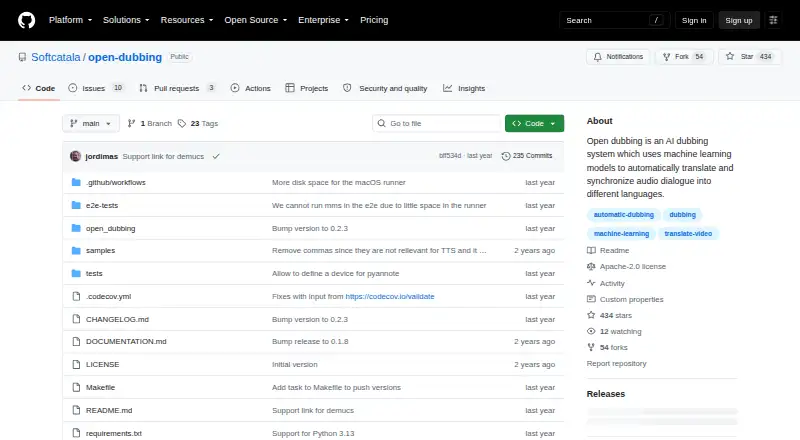
What Open Dubbing is
Open Dubbing is an experimental command-line tool that uses machine learning to translate spoken dialogue and synchronize dubbed speech with video. Its workflow separates speech from background audio, segments speech and identifies speakers, transcribes and translates dialogue, synthesizes voices, and assembles the dubbed video. Users can revise generated utterance metadata, including translated text, voice gender, and speed, then rebuild the video with an update option. The tool can add original-language or dubbed subtitles as streams in the output video.
The project can run locally and is published under the Apache-2.0 license. Speech recognition options include faster-whisper and Whisper implementations through Hugging Face Transformers. Translation can use Meta NLLB or an Apertium-compatible API; voice synthesis options include MMS, Coqui, OpenAI, Microsoft Edge, configured command-line tools, and compatible APIs. Available languages depend on the selected translation and speech systems. FFmpeg is required, while Coqui TTS also requires espeak-ng. Linux and macOS installation instructions are provided; Windows works, though it has not been tested extensively. Softcatala also offers a free test service for dubbing English or Spanish videos into Catalan. The project warns that automatic stages can introduce errors, and support for multiple video input formats remains roadmap work.
Who it suits
Open Dubbing suits technically comfortable users who want to run an open-source dubbing workflow locally and choose among documented speech, translation, and synthesis systems. The hosted test service may suit people who want to submit English or Spanish MP4 videos for Catalan dubbing, within its upload limits.
What it does well
- Runs locally using open-source models.
- Identifies speakers and supports speaker matching.
- Utterance text, voice gender, and speed can be edited.
- Can add original-language or dubbed subtitles to output video.
- Free hosted test service accepts English or Spanish videos for Catalan dubbing.
What to know first
- FFmpeg is required for installation.
- Windows works but has not been tested extensively.
- The hosted service accepts MP4 videos up to 2 GB or 60 minutes.
- Automatic dubbing stages can introduce errors.
Limits
The free hosted service accepts MP4 uploads up to 2 GB or 60 minutes. The project cautions that errors can occur at multiple automatic dubbing stages, and multiple video input formats are roadmap work.
Getting started
- Visit the project repository on GitHub.
- Install the tool using the pip command in its README.
- Install FFmpeg; install espeak-ng as well if using Coqui TTS.
- Use the documented instructions for Linux or macOS, or Windows with the stated testing caveat.
- Alternatively, use Softcatala’s free hosted test service for English or Spanish MP4 videos dubbed into Catalan.
Verdict
Choose Open Dubbing if you want a local, open-source command-line workflow with editable utterances and configurable speech, translation, and voice options. Look elsewhere if you need a polished interface or dependable error-free automatic dubbing; the project describes itself as experimental and warns that errors may occur.
Questions
Is Open Dubbing free and open source?
Yes. It is free and published under the Apache-2.0 license.
Which systems does it support?
The listed platforms are Linux, macOS, self-hosted, and Windows. The README provides Linux and macOS installation instructions and says Windows works but has not been tested extensively.
What does the hosted service support?
Softcatala’s free test service dubs English or Spanish videos into Catalan. It supports MP4 uploads up to 2 GB or 60 minutes.
What dependencies does installation require?
FFmpeg is required. espeak-ng is additionally needed when using Coqui TTS.
Can users choose languages and voices?
Speech recognition, translation, and voice synthesis have several documented options. Available languages depend on the selected translation and speech synthesis systems.
Does it provide an API?
API access is listed, and the documented voice synthesis options include compatible APIs.
Facts from Open Dubbing's own pages
- Dependencies
- The README says FFmpeg is required, and espeak-ng is additionally needed when using Coqui TTS. · github.com, 9 Oct 2026
- Editing
- Users can edit generated utterance metadata, including translated text, voice gender, and speed, then rebuild the dubbed video. · github.com, 10 Oct 2026
- Founded
- 1998 · github.com, 28 Sept 2026
- Headquarters
- Meliana, Valencia, Spain · github.com, 28 Sept 2026
- Hosted service
- Softcatalà offers a free test dubbing service for English or Spanish videos dubbed into Catalan, with a 2 GB or 60-minute upload limit and MP4 format support. · softcatala.org, 10 Oct 2026
- Hosted service support
- The hosted service says processing time depends on the queue and that users receive an email when dubbing is complete. · softcatala.org, 10 Oct 2026
- Installation
- The README gives a pip installation command and lists FFmpeg as an additional dependency on Linux, macOS, and Windows. · github.com, 10 Oct 2026
- Interface
- The project describes itself as an experimental command-line tool. · github.com, 9 Oct 2026
- Languages
- Available source and target languages depend on the selected speech synthesis and translation systems. · github.com, 10 Oct 2026
- License
- The repository is published under the Apache-2.0 license. · github.com, 10 Oct 2026
- Limitations
- The project describes itself as experimental and warns that errors can occur at each stage of automatic dubbing. · github.com, 10 Oct 2026
- Live service
- Softcatala’s public dubbing service is free, accepts English or Spanish videos for Catalan dubbing, and labels itself a test service that may produce errors. · softcatala.org, 9 Oct 2026
- Local execution
- The README says it is built on open-source models and can run locally. · github.com, 9 Oct 2026
- Local use
- The project is built on open source models and can run locally as a command-line tool. · github.com, 10 Oct 2026
- Purpose
- Open Dubbing is an experimental AI dubbing system that automatically translates and synchronizes dialogue into other languages. · github.com, 10 Oct 2026
- Speech processing
- Its documented workflow separates speech from background audio, identifies speakers, transcribes and translates dialogue, synthesizes speech, and assembles the dubbed video. · github.com, 9 Oct 2026
- Speech recognition
- Speech-to-text options include faster-whisper and Hugging Face Transformers implementations of Whisper. · github.com, 10 Oct 2026
- Subtitles
- The command-line tool can add original-language or dubbed subtitles as streams in the output video. · github.com, 10 Oct 2026
- Supported systems
- The README gives installation instructions for Linux and macOS and says Windows works but has not been tested extensively. · github.com, 9 Oct 2026
- Translation
- The documented translation engines are Meta NLLB and the Apertium-compatible API. · github.com, 10 Oct 2026
- Voice synthesis
- Supported text-to-speech options include MMS, Coqui, OpenAI, Microsoft Edge, custom command-line tools, and custom APIs. · github.com, 10 Oct 2026
- Workflow
- It separates speech from background audio, segments speech and identifies speakers, transcribes and translates dialogue, synthesizes voices, and assembles the dubbed video. · github.com, 10 Oct 2026
Where Open Dubbing stands on Freedom251
- AI Dubbing Software#13 of 26