Freedom251 › Network Provisioning Software
NVIDIA Config Manager
What NVIDIA Config Manager is
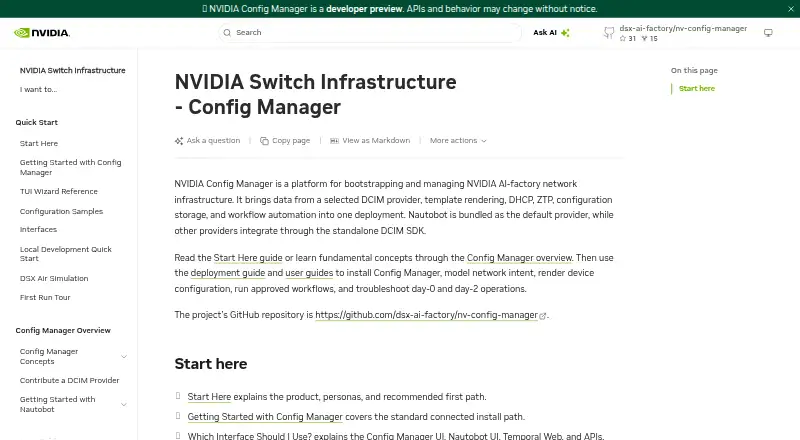
NVIDIA Config Manager is an open-source platform for automating the bootstrapping and operation of NVIDIA AI-factory network infrastructure. It is deployed with Helm on Kubernetes, using an installer with interactive TUI and headless CLI workflows. Documented network tasks include configuration backup and deployment, cable and hardware validation, password rotation, reprovisioning, and operating system or firmware upgrades. The platform combines workflow orchestration, template rendering, PostgreSQL-backed configuration storage, zero-touch provisioning, and Kea DHCP configuration generation. Nautobot is the bundled default DCIM provider; other providers can connect through the provider-neutral DCIM SDK. Browser authentication uses an OIDC proxy, while API clients authenticate with bearer tokens. Approval workflows and an audit trail cover configuration changes. Airgapped deployment bundles can include charts, images, manifests, and an offline installer. A standard deployment requires Kubernetes access, kubectl, Helm 3.x, Python 3.13 or later, and uv. The repository marks Config Manager as Developer Preview and says it is not recommended for production use. Its listed plan is free.
Who it suits
Config Manager is aimed at network infrastructure administrators who deploy and maintain the platform, and operators who run workflows and manage network operations. Its deployment options include cloud-hosted and on-premises Kubernetes.
What it does well
- Supports cloud-hosted and on-premises Kubernetes deployments.
- Includes zero-touch provisioning and configuration storage.
- Documents approval workflows and configuration audit trails.
- Offers an airgapped deployment bundle.
- Provides API access with bearer-token authentication.
What to know first
- Developer Preview; not recommended for production use.
- Requires Kubernetes, kubectl, Helm 3.x, Python 3.13 or later, and uv.
- Large production sizing specifies 96 vCPUs and 256 GB RAM.
Limits
The listed plan is in Developer Preview and is not recommended for production use. A standard deployment requires Kubernetes access, kubectl, Helm 3.x, Python 3.13 or later, and uv.
Plans
| Plan | Billed and limits | Price |
|---|---|---|
| Apache 2.0 open-source license | Developer Preview · not recommended for production use | Free |
As docs.nvidia.com lists them, read 4 Oct 2026. The maker's own page has the final word.
Getting started
- Open the NVIDIA Config Manager documentation site.
- Prepare Kubernetes access, kubectl, Helm 3.x, Python 3.13 or later, and uv.
- Deploy the platform with Helm on a Kubernetes cluster.
- Use the installer’s interactive TUI or headless CLI workflow.
- For an airgapped deployment, use a bundle that can include the chart, images, dependency charts and manifests, and offline installer.
Overview
NVIDIA Config Manager is a network operations platform for bootstrapping and maintaining NVIDIA AI-factory infrastructure. It best suits network administrators and operators already prepared to deploy software on Kubernetes. Its broad workflow coverage and open-source license are appealing, but Developer Preview status makes it unsuitable for production use today.
Key features
Config Manager brings provisioning and recurring maintenance into a single workflow system. Zero-touch provisioning, device inventory, configuration backup and deployment, and reprovisioning cover equipment setup and lifecycle work. Operators can also validate cabling and hardware, rotate passwords, and upgrade operating systems or firmware. That range can consolidate routine work for teams managing NVIDIA AI-factory networks, though it does not eliminate the operational burden of running the platform itself.
Workflow orchestration and template rendering support repeatable operations. Configuration is stored in PostgreSQL, and the platform generates Kea DHCP configuration. Nautobot is the default DCIM provider; teams using another provider can integrate it through the provider-neutral DCIM SDK. Browser authentication uses an OIDC proxy, while API clients use bearer tokens. Approval workflows and an audit trail for configuration changes provide useful governance for day-two operations.
Installation uses Helm on a Kubernetes cluster, with either an interactive TUI or headless CLI installer. Cloud-hosted and on-premises Kubernetes deployments are documented. For offline sites, an airgapped bundle can include the chart, container images, dependency charts and manifests, and installer package. The standard requirements—Kubernetes access, kubectl, Helm 3.x, Python 3.13 or later, and uv—make this a better fit for infrastructure teams with Kubernetes experience than for organizations seeking a turnkey network appliance. Some workflows also use Docker and Kind. The large production or high-availability validation profile calls for 96 total vCPUs, 256 GB RAM, and at least three nodes, a substantial footprint even before considering the preview warning.
Pricing
Config Manager is open source under the Apache 2.0 license. Its free plan costs nothing and is marked Developer Preview, not recommended for production use. There is no free trial, and the stated offer is a free plan rather than a time-limited evaluation. This is a strong fit for teams assessing the software or building a non-production deployment; the preview status is the key trade-off, not a paid tier with reduced capabilities.
Platforms
Config Manager is listed for API, Linux, self-hosted, and web use. In practice, deployment is centered on Kubernetes with Helm rather than a conventional desktop installation.
Who it's for
The primary users are network infrastructure administrators who deploy and maintain the platform, and operators who run workflows and manage network operations. It is most relevant to teams responsible for NVIDIA AI-factory networking that can support Kubernetes and accept preview software in non-production settings. Organizations requiring production-ready deployment should look elsewhere for now.
Pros and cons
- Broad network workflow coverage: provisioning, validation, configuration backup, password rotation, reprovisioning, and OS or firmware upgrades address both setup and ongoing operations.
- Open, adaptable deployment: Apache 2.0 licensing, cloud or on-premises Kubernetes options, and an airgapped bundle suit teams needing control over hosting and connectivity.
- Integration and change controls: the DCIM SDK supports providers beyond default Nautobot, while approvals and an audit trail help govern configuration changes.
- Substantial operational prerequisites: Helm-based Kubernetes deployment and the large validation profile demand infrastructure expertise and resources.
- Preview limitation: the repository does not recommend production use, which rules it out for teams needing a production-ready network operations platform.
Alternatives
For broader network-provisioning options, browse Network Provisioning Software.
- PacketFence is worth comparing if you want a freemium option with a free trial; its self-hosted GPL v2+ edition offers unlimited devices and full source code.
- UniFi Network suits readers seeking free network software with a license-free Site Manager and a Network Server that can be self-hosted or run on UniFi hardware.
- TP-Link Omada SDN is a fit for centralized management of up to 1,500 devices at no additional expense, with capacity dependent on the PC or server hardware.
- Arista NG Firewall is a free alternative for readers focused on basic security and connectivity features with limited capabilities.
- Cambium cnMaestro offers a free Essentials tier for up to 10,000 devices and 10 management users, and a free trial.
- RUCKUS Cloudpath Enrollment System is a paid option with user-based subscription tiers and support included.
- Infoblox Cloud Network Automation uses token-based licensing, with tokens purchased as an allowance over an agreement term.
- EfficientIP SOLIDserver DDI is another paid option offered through hardware and virtual appliances.
Verdict
Choose NVIDIA Config Manager if your team manages NVIDIA AI-factory network infrastructure, wants open-source workflow automation, and can evaluate it outside production on Kubernetes. Its mix of provisioning, maintenance, integrations, and change controls is the main reason to consider it. Look elsewhere if production readiness is required: the Developer Preview warning is decisive.
Verdict
Config Manager covers network provisioning and ongoing operations with workflow, change-control, and deployment options. Its Developer Preview status and stated requirements are important considerations before deployment.
Questions
How much does NVIDIA Config Manager cost?
The listed plan is free. It is open source under Apache 2.0.
Where can it be deployed?
Documented deployment models include cloud-hosted and on-premises Kubernetes deployments. The platform is deployed with Helm.
What does a standard deployment require?
It requires Kubernetes access, kubectl, Helm 3.x, Python 3.13 or later, and uv. Some deployment workflows also use Docker and Kind.
Is it ready for production?
The repository describes it as in Developer Preview and not recommended for production use.
How do API clients authenticate?
API clients can authenticate with bearer tokens. Browser authentication uses an OIDC proxy.
Which DCIM providers does it support?
Nautobot is the bundled default provider. Other providers can integrate through the provider-neutral DCIM SDK.
Facts from NVIDIA Config Manager's own pages
- Authentication
- Browser authentication uses an OIDC proxy, while API clients can authenticate with bearer tokens. · docs.nvidia.com, 4 Oct 2026
- Change controls
- The platform supports approval workflows for day-two changes and documents an audit trail for configuration changes. · docs.nvidia.com, 4 Oct 2026
- Core services
- The platform includes workflow orchestration, template rendering, PostgreSQL-backed configuration storage, zero-touch provisioning, and Kea DHCP configuration generation. · docs.nvidia.com, 4 Oct 2026
- DCIM integration
- Nautobot is the bundled default DCIM provider, and other providers can integrate through the provider-neutral DCIM SDK. · docs.nvidia.com, 4 Oct 2026
- Deployment
- The platform is deployed with Helm on a Kubernetes cluster, with an installer offering interactive TUI and headless CLI workflows. · github.com, 4 Oct 2026
- Hosting
- Documented deployment models include cloud-hosted and on-premises Kubernetes deployments. · docs.nvidia.com, 4 Oct 2026
- Intended users
- The documented primary personas are network infrastructure administrators who deploy and maintain the platform and operators who run workflows and manage network operations. · docs.nvidia.com, 4 Oct 2026
- Network operations
- Documented workflows include configuration backup and deployment, cable and hardware validation, password rotation, reprovisioning, and operating system or firmware upgrades. · docs.nvidia.com, 4 Oct 2026
- Offline deployment
- An airgapped deployment bundle can include the Helm chart, container images, dependency charts and manifests, and an offline installer package. · docs.nvidia.com, 4 Oct 2026
- Preview status
- The repository describes Config Manager as in Developer Preview and not recommended for production use. · github.com, 4 Oct 2026
- Purpose
- NVIDIA Config Manager automates bootstrapping and operation of NVIDIA AI-factory network infrastructure. · docs.nvidia.com, 4 Oct 2026
- Requirements
- A standard deployment requires Kubernetes access, kubectl, Helm 3.x, Python 3.13 or later, and uv; some deployment workflows also use Docker and Kind. · docs.nvidia.com, 4 Oct 2026
- Scale
- The documented large sizing profile for production or high-availability validation specifies 96 total vCPUs, 256 GB total RAM, and at least three nodes. · docs.nvidia.com, 4 Oct 2026
- Support and security reporting
- The repository links to a support policy and instructs users to report security vulnerabilities through its private disclosure process rather than public GitHub issues. · github.com, 4 Oct 2026
Where NVIDIA Config Manager stands on Freedom251
- Network Provisioning Software#3 of 24