Freedom251 › Minecraft Backup Software
Nice Backup
What Nice Backup is
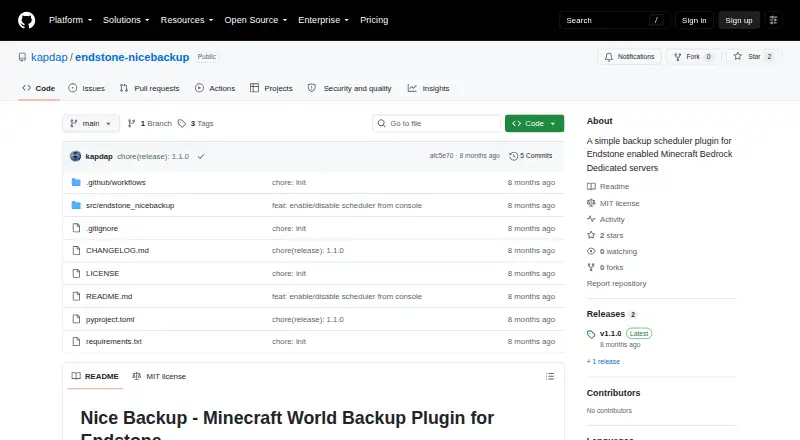
Nice Backup is a free, open-source Endstone plugin that backs up Minecraft Bedrock Dedicated Server worlds without stopping the server. It creates .mcworld files for importing into Minecraft Bedrock Edition clients and includes all files under the world directory, including resource packs and behavior packs. Backups run daily at 3 AM by default, with cron expressions available to customize the schedule. An operator can also start one manually with /nice_backup from the server console or in-game. Compression can be enabled or disabled. The default retention setting keeps the three most recent backups, while configurable rules can retain them by count, days, hours, weeks, or months. To copy world data while the server continues running, the plugin uses its save hold, save query, and save resume commands. The maker warns of possible brief lag spikes during backups and says worlds of multiple gigabytes have not been extensively tested. Installation requires placing a .whl release file in the server's bedrock_server/plugins directory and restarting the server. The project is licensed under MIT; its releases page lists v1.1.0.
Who it suits
It suits operators of Minecraft Bedrock Dedicated Servers using Endstone who want scheduled or manually triggered world backups stored locally. Operators of large worlds should take note of the maker's testing caveat.
What it does well
- Backs up worlds while the server remains running
- Schedules backups daily or with cron expressions
- Includes resource packs and behavior packs
- Supports configurable retention rules
- Free and open source under MIT
What to know first
- Backups may cause a brief lag spike
- Multi-gigabyte worlds have not been extensively tested
- Installation requires a server restart
Limits
The default policy retains only the three most recent backups, although retention can be changed by count or time period. The maker says multi-gigabyte worlds have not been extensively tested, and backups may briefly affect player performance.
Getting started
- Download the .whl release file from the project website
- Place the file in Endstone’s bedrock_server/plugins directory
- Restart the Endstone server
- Use the default daily 3 AM schedule or configure a cron expression
- Trigger a backup manually with /nice_backup in the console or in-game
Verdict
Nice Backup offers configurable local world backups for Endstone servers, including manual runs and retention options. Plan backup times around the possible lag spike, especially since very large worlds have not been extensively tested.
Questions
What does Nice Backup back up?
It copies all files under the world directory, including resource packs and behavior packs.
Where are backups stored and in what format?
Backups are stored locally as .mcworld files for import into Minecraft Bedrock Edition clients.
Can I change when backups run?
Yes. Backups run daily at 3 AM by default, and cron expressions can customize the schedule.
How can I start a backup manually?
Run /nice_backup in the server console or from in-game.
Is Nice Backup free and open source?
Yes. It is free, open source, and licensed under the MIT License.
Facts from Nice Backup's own pages
- Backup contents
- The plugin backs up all files under the world directory, including resource packs and behavior packs. · github.com, 8 Oct 2026
- Backup format
- Backups are saved as .mcworld files for importing into Minecraft Bedrock Edition clients. · github.com, 8 Oct 2026
- Compression
- Backup file compression can be enabled or disabled. · github.com, 8 Oct 2026
- How backups work
- The plugin uses the server's save hold, save query, and save resume commands to copy world data while the server remains running. · github.com, 8 Oct 2026
- How it works
- It uses the server's save hold, save query, and save resume commands to create backups while the server continues running. · github.com, 8 Oct 2026
- Installation
- Installation uses a .whl release file placed in the Endstone server's bedrock_server/plugins directory, followed by a server restart. · github.com, 8 Oct 2026
- Integrations
- The maker lists Discord or email notifications and AWS S3 or Google Drive storage as possible future ideas. · github.com, 8 Oct 2026
- Large worlds
- The maker says the plugin has not been extensively tested with worlds of multiple gigabytes. · github.com, 8 Oct 2026
- License
- The project states that it is licensed under the MIT License. · github.com, 8 Oct 2026
- Manual backups
- An operator can trigger a backup with the /nice_backup command in the server console or in-game. · github.com, 8 Oct 2026
- Performance caveat
- Players may experience a brief lag spike during a backup, so the project suggests scheduling backups during low activity. · github.com, 8 Oct 2026
- Performance note
- The maker warns that players may experience a brief lag spike during backups and suggests scheduling them during low activity. · github.com, 8 Oct 2026
- Purpose
- Nice Backup is an Endstone plugin that automatically backs up Minecraft Bedrock Dedicated Server worlds without stopping the server. · github.com, 8 Oct 2026
- Release
- The GitHub releases page lists v1.1.0 as the latest release. · github.com, 8 Oct 2026
- Retention
- The default policy retains the last three backups; configurable rules support keeping backups by count, days, hours, weeks, or months. · github.com, 8 Oct 2026
- Scheduling
- Backups run daily at 3 AM by default, and the schedule can be customized with cron expressions. · github.com, 8 Oct 2026
Where Nice Backup stands on Freedom251
- Minecraft Backup Software#26 of 30