Freedom251 › Password Management Software

Netwrix Password Secure
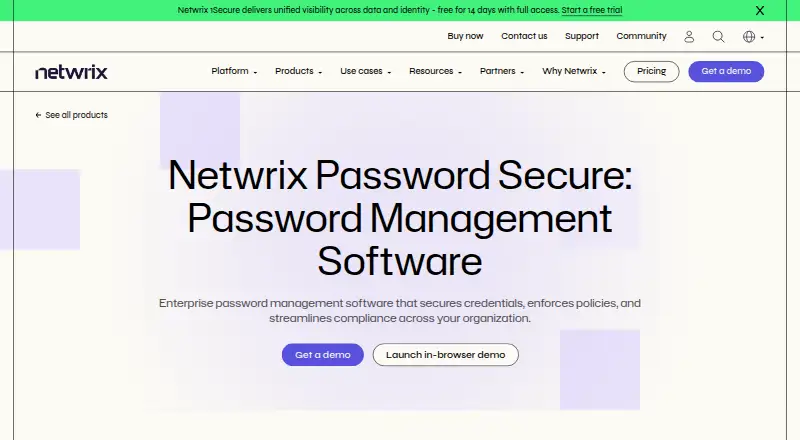
What Netwrix Password Secure is
Netwrix Password Secure is an on-premises password management product for centralized, end-to-end encrypted password management and secure team sharing. It includes business and delegated administration, Active Directory auditing, lifecycle automation, reporting, and password self-service. The listed platforms are web, Windows, macOS, Linux, iOS, and Android, with a Chrome extension also supported. The Self-service plan is $60 a year per enabled Active Directory user, with a minimum one-year purchase commitment. A separate Password Secure self-service listing is $60 a year, billed annually, for customer-hosted deployment with up to 250 identities. Other capabilities extend into data governance and monitoring: structured and unstructured data discovery, rules-based classification, exposure and permission analysis, remediation workflows, configuration monitoring, real-time alerts, and compliance reports. Audit templates, risk assessment, compliance frameworks, and API access are also listed. The product combines password administration with a broader set of auditing and data-management functions.
Who it suits
It suits organizations needing shared password management with administrative controls and Active Directory auditing. Its discovery, classification, and monitoring functions may also suit teams managing sensitive data and compliance work.
What it does well
- Centralized end-to-end encrypted password management.
- Secure team sharing and delegated administration.
- Supports web, desktop, mobile, and Chrome extension.
- Includes data discovery and compliance reporting.
What to know first
- No free plan is listed.
- Self-service has a one-year minimum commitment.
- Customer-hosted listing supports up to 250 identities.
Limits
The Self-service plan costs $60 per enabled Active Directory user per year and has a one-year minimum purchase commitment. The separate Password Secure self-service listing is $60 per year, billed annually, and is described for teams of up to 250 identities.
Plans
| Plan | Billed and limits | Price |
|---|---|---|
| Self-service | Minimum purchase commitment is one year; self-service pricing starts at $60 per enabled Active Directory user + cloud-on · Centralized end-to-end encrypted password management · Secure team sharing · Full IT control | $60 a year |
| Password Secure self-service | $60 per enabled Active Directory user + cloud-only Entra ID user per year · Self-service plans are for teams of up to 250 identities | $60 a year |
As netwrix.com lists them, read 23 Sept 2026. The maker's own page has the final word.
Getting started
- Visit https://netwrix.com/en/products/password-secure/.
- Choose between the listed Self-service and Password Secure self-service plan descriptions.
- For the Self-service plan, account for the one-year minimum commitment and $60 per enabled Active Directory user per year.
- For the separate self-service listing, note annual billing, customer-hosted deployment, and the 250-identity team limit.
- Use the listed web, Windows, macOS, Linux, iOS, Android, or Chrome extension access route.
Verdict
Netwrix Password Secure combines team password management and administrative controls with auditing, discovery, and compliance features. Review the plan terms and the broader feature scope to see whether it fits your organization.
Questions
Is Netwrix Password Secure free?
No. It is listed as a paid product with no free plan.
How much does it cost?
The Self-service plan is $60 per enabled Active Directory user per year, with a one-year minimum purchase commitment. A separate Password Secure self-service listing is $60 per year, billed annually.
Which platforms are listed?
Web, Windows, macOS, Linux, iOS, and Android are listed, along with a Chrome extension.
Can it be deployed on premises?
Yes. Deployment is listed as on premises, and the separate self-service plan describes customer-hosted deployment.
What team size is listed for the separate self-service plan?
It is described as available for teams with up to 250 identities.
What administration features are included?
Listed features include business and delegated administration, Active Directory auditing, lifecycle automation, reporting, and password self-service.
Facts from Netwrix Password Secure's own pages
- Android app backend requirement
- Google Play says the Android app requires an existing Netwrix Password Secure backend. · play.google.com, 21 Oct 2026
- Android store listing
- The Google Play listing shows more than 5,000 downloads; it did not show a rating or rating count in the opened page. · play.google.com, 21 Oct 2026
- API
- The API is accessed through C# and JavaScript SDK wrappers, with API calls implemented asynchronously. · docs-dev.netwrix.com, 21 Oct 2026
- Auditing
- The product records credential access, updates and sharing actions for audit and reporting purposes. · netwrix.com, 21 Oct 2026
- Business admin controls
- Yes · netwrix.com, 16 Sept 2026
- Central vault
- The product stores user, administrator and service credentials in an encrypted central vault. · netwrix.com, 21 Oct 2026
- Changelog
- The 26.6.100 release added French localization and logbook visibility controls and fixed a vulnerability that could let authenticated users invoke sensitive server operations. · docs.netwrix.com, 21 Oct 2026
- Company founded
- Netwrix says it was founded in 2006. · netwrix.com, 21 Oct 2026
- Company headquarters and size
- LinkedIn lists Netwrix Corporation's headquarters as Remote and company size as 501–1,000 employees. · linkedin.com, 21 Oct 2026
- Company ownership
- Netwrix's company history says it received a majority investment from TA Associates in 2020. · netwrix.com, 21 Oct 2026
- Compliance claims
- The maker says credential actions are logged for audit and reporting to support GDPR, HIPAA, SOX and CMMC requirements. · netwrix.com, 21 Oct 2026
- Database requirement
- The documented deployment uses Microsoft SQL Server for storage, with SQL Express available for smaller installations. · docs.netwrix.com, 21 Oct 2026
- Deployment
- The vendor describes on-premises, self-hosted cloud and hybrid deployment options. · netwrix.com, 21 Oct 2026
- Deployment scale
- The installation guide describes a three-tier client, application server and database server architecture, while allowing single-server installs for small or test environments. · docs.netwrix.com, 21 Oct 2026
- Documentation depth
- The public documentation includes installation, requirements, client, web application, browser extension, configuration, maintenance, FAQ and end-user guides. · docs.netwrix.com, 21 Oct 2026
- Documented applications
- The product supports configured logins for RDP, SSH, general SSO and web applications. · docs.netwrix.com, 21 Oct 2026
- Encryption
- The mobile security documentation lists AES-256 and RSA-4096 encryption, PBKDF2 with up to 100,000 iterations and end-to-end encryption for app clients. · docs.netwrix.com, 21 Oct 2026
- Founded
- 2006 · netwrix.com, 28 Sept 2026
- Free plan
- No · netwrix.com, 16 Sept 2026
- Headquarters
- 6160 Warren Parkway, Suite 100, Frisco, TX, US 75034 · netwrix.com, 28 Sept 2026
- Integrations
- Capterra lists Google Chrome, Microsoft Edge, Firefox and Remote Desktop Manager as integrations. · capterra.com, 21 Oct 2026
- Limit: Gartner reviewer report
- A Gartner Peer Insights reviewer criticized absent TOTP integration, unreliable offline access, occasional backend update failures and a slow, unstable client. · gartner.com, 21 Oct 2026
- Limit: interface and setup
- Capterra reviewers describe the interface as dated or unintuitive and say initial setup or advanced permission settings can take time to learn. · capterra.com, 21 Oct 2026
- Limit: mobile app usability
- An Apple App Store reviewer said the app's dated interface and usability problems led their organization not to deploy it to end users. · apps.apple.com, 21 Oct 2026
Where Netwrix Password Secure stands on Freedom251
- Password Management Software#31 of 38
- Password Managers#87 of 104