Freedom251 › Domain registrars
Namecheap Logo Maker
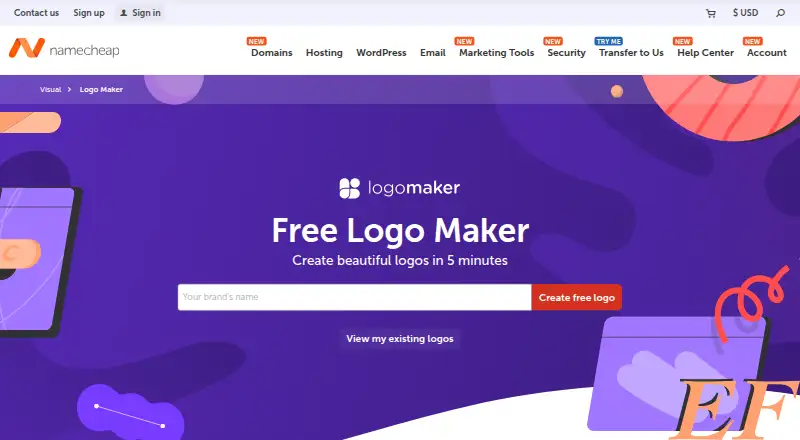
What Namecheap Logo Maker is
Namecheap Logo Maker is a web tool for generating and customizing logos with AI. Start with a brand name, then choose fonts, colors, and icons; you can also adjust the color palette and slogan. Its library offers thousands of icons free to use. Before downloading, preview a design on a website, T-shirt, or business card. Logo files are available as PNG and SVG in a variety of sizes, and Namecheap says the downloads have no watermarks. The Free plan costs nothing and allows unlimited logo designs, with PNG and SVG downloads. You can begin creating without signing in, but a Namecheap account is needed to save, share, or download a logo. Signed-in users can create links to share logo ideas, and the page says logos can be imported into Namecheap Site Maker and Card Maker. Namecheap describes its Visual creative tools as intended for small businesses, entrepreneurs, and freelancers. Its support team is available 24/7 through live chat and tickets. Namecheap also says it cannot provide legal help with copyright or trademarking a logo.
Who it suits
It suits small businesses, entrepreneurs, and freelancers who need to create and refine a logo in a browser. It is also a fit for people who want to preview designs on everyday branded items before downloading PNG or SVG files.
What it does well
- Unlimited logo designs on the Free plan
- Thousands of free-to-use icons
- PNG and SVG downloads in varied sizes
- Preview designs on websites, T-shirts, and business cards
- No watermarks on logos, according to Namecheap
- Import logos into Namecheap Site Maker and Card Maker
What to know first
- A Namecheap account is required to save, share, or download logos
- Namecheap cannot provide copyright or trademark legal help
Limits
The Free plan costs nothing and includes unlimited logo designs and PNG and SVG downloads. Saving, sharing, and downloading require a Namecheap account.
Plans
| Plan | Billed and limits | Price |
|---|---|---|
| Free | Unlimited logo designs · PNG and SVG downloads · Namecheap account required to save, share, or download | Free |
As namecheap.com lists them, read 11 Oct 2026. The maker's own page has the final word.
Getting started
- Open https://www.namecheap.com/logo-maker/ in a web browser
- Enter a brand name and select fonts, colors, and icons
- Customize the palette, slogan, fonts, colors, or icons
- Preview the logo on a website, T-shirt, or business card
- Create a Namecheap account to save, share, or download the logo
Verdict
Choose Namecheap Logo Maker if you want a free web tool to create and customize logos, preview mockups, and download PNG or SVG files. Look elsewhere for legal guidance on copyright or trademarks, which Namecheap says it cannot provide.
Questions
How much does Namecheap Logo Maker cost?
The Free plan costs nothing.
Is there a free plan or trial?
There is a Free plan with unlimited logo designs and PNG and SVG downloads. There is no free trial.
Which platforms does it support?
Namecheap Logo Maker is available on the web.
Do I need an account to use it?
You can create logos without signing in, but a Namecheap account is required to save, share, or download them.
What file formats can I download?
Downloads include PNG and SVG files in a variety of sizes. Namecheap says it does not add watermarks.
Can it help with copyright or trademarks?
Namecheap says it cannot provide legal help with copyright or trademarking a logo.
Facts from Namecheap Logo Maker's own pages
- Account requirement
- Users can create logos without signing in, but need a Namecheap account to save, share, or download them. · namecheap.com, 11 Oct 2026
- Audience
- Namecheap describes its Visual creative tools as intended for small businesses, entrepreneurs, and freelancers. · namecheap.com, 11 Oct 2026
- Copyright and trademarks
- Namecheap says Logo Maker cannot provide legal help with copyright or trademarking a logo. · namecheap.com, 11 Oct 2026
- Design options
- Users can customize logo colors, fonts, icons, color palettes, and slogans. · namecheap.com, 11 Oct 2026
- Downloads
- Logo downloads include PNG and SVG files in a variety of sizes. · namecheap.com, 11 Oct 2026
- Headquarters
- Phoenix, Arizona, USA · namecheap.com, 28 Sept 2026
- Icon library
- The tool offers thousands of icons that are free to use. · namecheap.com, 11 Oct 2026
- Integrations
- The page says users can import logos into Namecheap Site Maker and Card Maker. · namecheap.com, 11 Oct 2026
- Mockups
- Users can preview logos on websites, T-shirts, and business cards before downloading. · namecheap.com, 11 Oct 2026
- Purpose
- Namecheap Logo Maker uses AI to create custom logos from a brand name, selected fonts, colors, and icons. · namecheap.com, 11 Oct 2026
- Sharing
- Users can create links to share logo ideas, and signing in is required to share or download logos. · namecheap.com, 11 Oct 2026
- Support
- Namecheap says its support team is available 24/7 and provides live chat and ticket support. · namecheap.com, 11 Oct 2026
- Watermarks
- Namecheap says Logo Maker does not add watermarks to logos. · namecheap.com, 11 Oct 2026
Where Namecheap Logo Maker stands on Freedom251
- Domain registrars#13 of 48
- Logo Designing Softwares Software#14 of 23
- Logo Design Software#31 of 45