Freedom251 › Career Guidance Software
myfuture
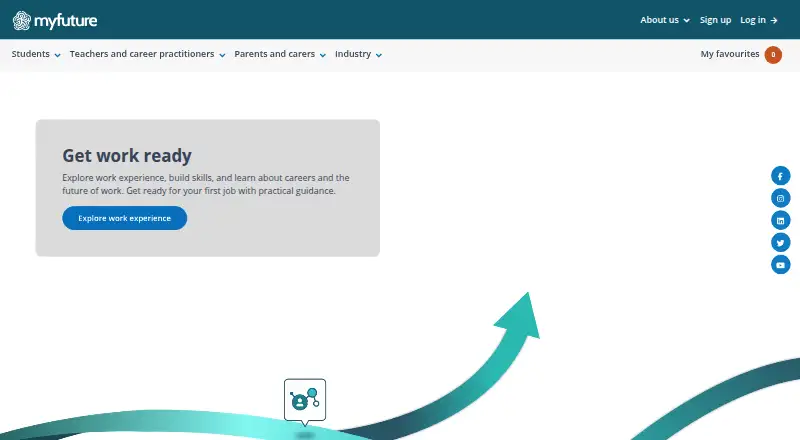
What myfuture is
myfuture is a free website for exploring career pathways and developing self-knowledge for career decisions. Its career profile activities help users consider interests, skills, and values, then suggest occupations. The site provides profiles of more than 350 occupations, including information about tasks, skill levels, and the labour market. Users can explore higher education and vocational education and training courses, along with industries, career articles and stories, career bullseyes, job-seeker resources, and user-guide videos. Registered users can download or export profile results and save favourite courses, occupations, industries, articles, and stories. A myfuture account is needed for these personalised features; users can sign in through a state or territory education network or with a myfuture username and password. Resources are provided for students, teachers, career practitioners, parents, carers, and other mentors. The service says its career information is informed by career theory and research and uses Australian Government data sources. Education Services Australia manages the site, and Australian state and territory governments are listed as funders. myfuture is presented as a website, not a dedicated mobile or desktop app.
Who it suits
myfuture suits students and others exploring occupations, courses, and career pathways. Its resources also serve teachers, career practitioners, parents, carers, and mentors supporting career decisions.
What it does well
- Free career information service.
- Profiles cover more than 350 occupations.
- Career profile activities suggest occupations.
- Registered users can save favourites and export results.
- Includes higher education and vocational course exploration.
What to know first
- An account is needed for personalised features.
- Presented as a website, not a dedicated app.
- No free trial is listed.
Limits
The service is free. An account is needed for personalised features such as saving favourites and exporting or downloading profile results.
Plans
| Plan | Billed and limits | Price |
|---|---|---|
| myfuture | Free career information service; account needed for personalised features | Free |
As myfuture.edu.au lists them, read 8 Oct 2026. The maker's own page has the final word.
Getting started
- Open https://myfuture.edu.au/.
- Explore career information and course resources on the website.
- Use a state or territory education network to log in, or sign in with a myfuture username and password.
- Register or log in to save favourites and export or download career profile results.
myfuture is an Australian career-exploration website combining self-assessment, occupation information and course search. It suits students and the adults who guide them, especially anyone comparing study options with possible careers. Its breadth and public funding make it a strong no-cost starting point, while its Australia-focused data and account-gated personalisation narrow its usefulness elsewhere.
Overview
Managed by Education Services Australia, a national not-for-profit owned by Australian education ministers, myfuture has operated since 2010 from Melbourne. Its purpose is practical: help people understand their interests, skills and values, then connect that self-knowledge with career pathways. The service draws on Australian Government data and says its career information is underpinned by career theory and research. State and territory governments fund it, and it qualified for the Safer Technologies 4 Schools Product Badge Program in 2023.
The site covers both pathway planning and education matching. You can investigate occupations, compare higher-education and vocational courses, and use supporting material aimed at decisions rather than a single test result. Because the information and labour-market context are Australian, readers choosing careers in another country should treat the occupation guidance as a local reference rather than a universal database.
Key features
Career profile
Profile activities examine interests, skills and values and produce suggested occupations. That gives undecided students a structured way to generate options, but suggestions are a starting point for exploration, not a substitute for advice or experience. Registered users can export or download their results, which is useful when discussing choices with a teacher, parent or counsellor.
Occupation and course exploration
More than 350 occupation profiles include tasks, skill levels and labour-market information. This combination helps readers test whether an appealing job matches its day-to-day work and entry demands. Course search spans both higher education and vocational education and training, so users can compare university and vocational routes in one service.
Supporting resources
Industries, career articles and stories, career bullseyes, job-seeker resources and user-guide videos add context around the core tools. Favourites let account holders save courses, occupations, industries, articles and stories for later comparison. A help centre, contact page and glossary provide practical support, while login is available through a state or territory education network or a myfuture username and password.
Pricing
myfuture — free. The free plan is the entire service: career information, pathway planning and education matching cost nothing, with no free trial because there is no paid trial period. An account is required for personalised features such as saving favourites and exporting or downloading profile results. There are no published seat limits, quotas or renewal charges, making it suitable for individual learners, families and education staff who need broad access without procurement costs.
The trade-off is that the service offers one free tier rather than paid levels with extra functionality. Organisations seeking a separately licensed package or non-Australian data should look elsewhere.
Platforms
myfuture is delivered through a web browser. It is presented as a website, with no dedicated mobile or desktop application stated. That keeps access device-independent where a browser is available, but users wanting an installable app will need an alternative.
Who it's for
Students are the clearest audience, whether they are beginning career discovery or comparing vocational and higher-education courses. Teachers, career practitioners, parents, carers and other mentors can use the profiles, saved resources and downloadable results to structure conversations. Job seekers may benefit from the job-seeker resources and labour-market context. It is less suitable for people who need country-specific guidance outside Australia, or for organisations requiring a formal multi-seat product with published administration controls.
Pros and cons
Pros
- Broad free coverage: occupation profiles, course exploration and pathway tools are available at no cost.
- Useful Australian context: task, skill-level and labour-market information supports more grounded choices than interest matching alone.
- Multiple education routes: higher education and vocational training appear in the same exploration workflow.
- Shareable personal work: registered users can save favourites and export or download profile results for guidance conversations.
- Support for advisers: resources and videos address teachers, practitioners, parents and mentors as well as students.
Cons
- Australia-centric: Government data and local course information limit relevance for users planning careers elsewhere.
- Personalisation needs an account: users must log in to retain favourites or take profile results with them.
- Browser only: no dedicated mobile or desktop app is stated.
- One-tier offering: there is no paid upgrade for readers who want a different service model or additional published controls.
Alternatives
For a wider set of career-guidance products, browse Career Guidance Software.
- PeopleHawk is the better choice if you want Android or iOS access, a freemium model and a paid Ireland/UK readiness pathway alongside its free test.
- BridgeU fits schools seeking a free web service with no annual licence fees, per-student charges or subscription renewals; access is arranged through BridgeU.
- CareerExplorer suits readers wanting a free assessment with an optional annually billed membership for additional tools, resources, guidance and support.
- CareerOneStop is a free web and API option for online career tools and information.
- MAPP Career Assessment is preferable when a free account can lead to a one-time $149.95 executive report with extended trait and job-area results.
- My Next Move is another free web career-exploration tool.
- Orchard is aimed at users who want AI-credit-based guidance, including a free one-time allowance or a $10-per-year annual plan with monthly credits.
- Pathly is worth considering for free student accounts or paid solo and counsellor workflows.
Verdict
Choose myfuture if you are in Australia and want a comprehensive, publicly funded way to connect self-assessment with occupations and study options without paying. Its main advantage is the combination of breadth, labour-market context and support for advisers. Look elsewhere if your decisions concern another country, you require a native mobile app, or you need a multi-seat product with more formal plan controls.
Verdict
myfuture brings career profiles, course exploration, and related resources together at no cost. Personalised profile tools require an account, and the service is presented as a website.
Questions
Is myfuture free?
Yes. Its free plan is listed as free.
Is there a free trial?
No. The listed free trial is no; the service has a free plan.
What platforms does myfuture support?
It is presented as a website. No dedicated mobile or desktop app is stated.
Do I need an account?
An account is needed for personalised features, including saving favourites and exporting or downloading profile results.
Who manages myfuture?
Education Services Australia manages the service. It is a national not-for-profit company owned by state, territory and Australian Government education ministers.
What career information can I explore?
The site offers profiles of more than 350 occupations, course exploration, industries, career articles and stories, career bullseyes and job-seeker resources.
Facts from myfuture's own pages
- Account access
- Users can log in through their state or territory education network or with a myfuture username and password. · myfuture.edu.au, 8 Oct 2026
- Audience
- The service provides resources for students and for teachers, career practitioners, parents, carers and other mentors. · myfuture.edu.au, 8 Oct 2026
- Career profile
- My career profile activities explore interests, skills and values and generate suggested occupations. · myfuture.edu.au, 8 Oct 2026
- Career resources
- The site includes industries, career articles and stories, career bullseyes, job-seeker resources and user-guide videos. · myfuture.edu.au, 8 Oct 2026
- Courses
- Users can explore higher education and vocational education and training courses. · myfuture.edu.au, 8 Oct 2026
- Founded
- 2010 · myfuture.edu.au, 28 Sept 2026
- Funding
- The site lists Australian state and territory governments as funders. · myfuture.edu.au, 8 Oct 2026
- Headquarters
- Melbourne, Victoria, Australia · myfuture.edu.au, 28 Sept 2026
- Management
- myfuture is managed by Education Services Australia, a national not-for-profit company owned by state, territory and Australian Government education ministers. · myfuture.edu.au, 8 Oct 2026
- Occupations
- The site offers profiles of more than 350 occupations with task, skill-level and labour-market information. · myfuture.edu.au, 8 Oct 2026
- Personalisation
- Registered users can export or download their profile results and save favourite courses, occupations, industries, articles and stories. · myfuture.edu.au, 8 Oct 2026
- Platform
- myfuture is presented as a website, and the opened pages do not state that it has a dedicated mobile or desktop app. · myfuture.edu.au, 8 Oct 2026
- Purpose
- myfuture provides resources to explore career pathways and tools to develop self-knowledge for career decision-making. · myfuture.edu.au, 8 Oct 2026
- Security badge
- The site says myfuture qualified for the Safer Technologies 4 Schools Product Badge Program in 2023. · myfuture.edu.au, 8 Oct 2026
- Service basis
- myfuture says its career information is underpinned by career theory and research and uses Australian Government data sources. · myfuture.edu.au, 8 Oct 2026
- Support
- The site provides a help centre, contact-us page, glossary and user-guide videos. · myfuture.edu.au, 8 Oct 2026
Where myfuture stands on Freedom251
- Career Guidance Software#9 of 29