Freedom251 › Chemistry Simulation Software
MyChemLab AI
What MyChemLab AI is
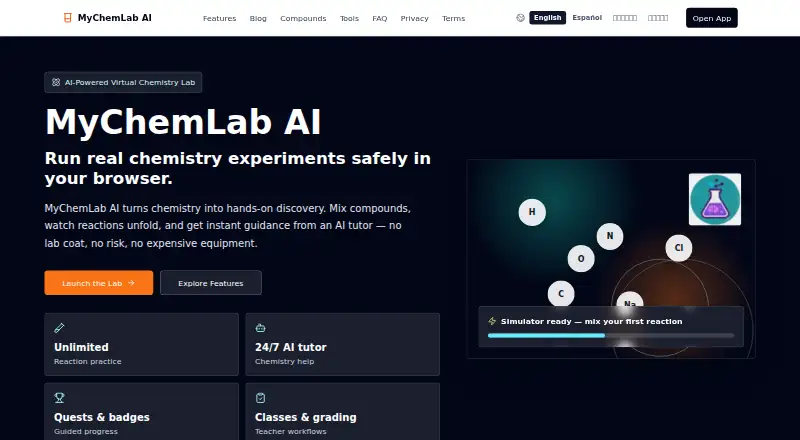
MyChemLab AI is a web-based virtual chemistry lab for K-12 students, teachers, and curious learners of all ages. Learners can mix compounds in virtual experiments and observe reaction changes through visuals. The experiment library covers subjects such as acids and bases, precipitation, and gas reactions. Dr. Sam, the AI tutor, explains chemistry concepts and guides learners through problems step by step. Experiments happen in a virtual environment, without real chemicals or equipment.
The service is available in English, Spanish, Hindi, and Tamil, and opens in a browser without a download or installation. Teachers can create classes, assign labs and quests, track student progress, and use AI to grade work and draft feedback for review; teacher verification is required to unlock these classroom tools. The core virtual lab and AI tutor are included in the Free plan at no cost. MyChemLab AI was created by Samanyu Sathyamoorthi, a student at California High School in San Ramon, California. Its privacy policy says it collects account details and learning activity, does not sell personal information or use student data for advertising, and may process prompts and conversations through AI providers to deliver features. It says user content is not used to train third-party AI models.
Who it suits
MyChemLab AI suits K-12 learners who want to explore chemistry through virtual experiments and guided explanations. Teachers can use its classroom tools to assign activities, follow progress, and prepare grades and feedback, subject to teacher verification.
What it does well
- Virtual experiments avoid real chemicals and equipment.
- Experiment library covers acids, bases, precipitation, and gas reactions.
- Dr. Sam guides learners through problems step by step.
- Interface and tutor are available in four languages.
- Runs in a browser without installation.
- Free plan includes the core lab and AI tutor.
What to know first
- Teacher verification is required to unlock classroom tools.
- Prompts and conversations may be processed by AI providers.
Plans
| Plan | Billed and limits | Price |
|---|---|---|
| Free | Core virtual lab and AI tutor available at no cost | Free |
As mychemlab.ai lists them, read 7 Oct 2026. The maker's own page has the final word.
Getting started
- Open https://www.mychemlab.ai/ in a browser.
- Choose the virtual lab and an experiment from its library.
- Mix compounds and observe the reaction visuals.
- Ask Dr. Sam for explanations or step-by-step problem guidance.
- For classroom tools, complete teacher verification to create classes and assign labs or quests.
Verdict
Choose MyChemLab AI for browser-based chemistry activities with visual reaction simulations and an AI tutor, especially for K-12 learning. Teachers seeking class management and grading tools need to complete teacher verification to unlock them.
Questions
Is MyChemLab AI free?
Yes. Its Free plan costs nothing and includes the core virtual lab and AI tutor.
What platforms does it support?
It runs on the web in a browser and requires no download or installation.
Which languages are available?
The interface and AI tutor are available in English, Spanish, Hindi, and Tamil.
Can teachers use classroom features?
Teachers can create classes, assign labs and quests, track progress, and use AI grading and feedback drafts. Teacher verification is required to unlock these tools.
Does it use real chemicals?
No. Experiments run in a virtual environment without real chemicals or equipment.
How does it handle student data and AI prompts?
The privacy policy says it does not sell personal information or use student data for advertising. Prompts and conversations may be processed by AI providers, and user content is not used to train third-party AI models.
Facts from MyChemLab AI's own pages
- Access
- The app opens in a browser and requires no download or installation. · mychemlab.ai, 7 Oct 2026
- AI data handling
- The privacy policy says prompts and conversations may be processed by AI providers to deliver features, and user content is not used to train third-party AI models. · app.mychemlab.ai, 7 Oct 2026
- AI tutor
- Dr. Sam explains chemistry concepts and guides learners through problems step by step. · mychemlab.ai, 7 Oct 2026
- Audience
- The product is designed for K-12 students, teachers, and curious learners of all ages. · mychemlab.ai, 7 Oct 2026
- Classroom access limit
- Teacher verification is required to unlock classroom tools. · mychemlab.ai, 7 Oct 2026
- Creator
- The maker says MyChemLab AI was created by Samanyu Sathyamoorthi, a student at California High School in San Ramon, California. · mychemlab.ai, 7 Oct 2026
- Languages
- The site says its interface and AI tutor are available in English, Spanish, Hindi, and Tamil. · mychemlab.ai, 7 Oct 2026
- Product
- MyChemLab AI is a browser based virtual chemistry lab where learners mix compounds, observe reactions, and get guidance from an AI tutor. · mychemlab.ai, 7 Oct 2026
- Safety
- Experiments run in a virtual environment without real chemicals or equipment. · mychemlab.ai, 7 Oct 2026
- Security
- The privacy policy describes encryption in transit and at rest, access controls, and regular security reviews. · app.mychemlab.ai, 7 Oct 2026
- Student data
- The privacy policy says the service collects account details, questions, experiments, simulations, and learning progress, and does not sell personal information or use student data for advertising. · app.mychemlab.ai, 7 Oct 2026
- Support
- The maker lists [email protected] for privacy and student account questions. · app.mychemlab.ai, 7 Oct 2026
- Teacher tools
- Teachers can create classes, assign labs and quests, track student progress, and use AI to grade work and draft feedback for review. · mychemlab.ai, 7 Oct 2026
- Virtual experiments
- The lab offers a library of experiments covering topics such as acids and bases, precipitation, and gas reactions, with visuals for reaction changes. · mychemlab.ai, 7 Oct 2026
Where MyChemLab AI stands on Freedom251
- Chemistry Simulation Software#15 of 33