Freedom251 › Media Player Software
mpv.net
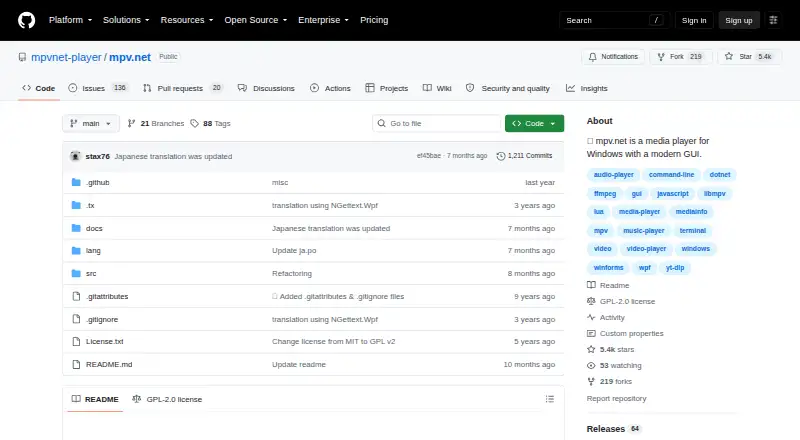
What mpv.net is
mpv.net is a free Windows media player based on mpv, with a graphical interface for playing video and audio or viewing images. Its built-in decoders mean external codecs do not need to be installed. The project says almost all mpv features are available, with differences described in its manual; otherwise, the official mpv manual applies. Listed video capabilities include high quality scaling, color management, frame timing, interpolation, HDR, and DXVA2 video decoding acceleration. It also supports network playback and subtitles. Users can adjust the player with searchable configuration and input editors, customizable themes and context menus, and global keyboard shortcuts. For automation, it supports Lua and JavaScript scripts, JSON IPC control by external programs, and an extension API for C#, VB.NET, and F#. Internet streaming through yt-dlp requires installing that tool and making it available through PATH or the mpv.net executable folder. Browser extensions can open content in the player, and files can be enqueued from File Explorer. Stable and beta portable and setup downloads are linked through GitHub. The documented requirements are Windows 10 or higher and .NET Desktop Runtime 10.0. The manual says window-free mode is unsupported, so the main window remains visible when music is played from a terminal.
Who it suits
mpv.net suits Windows users looking for a configurable player for video, audio, and images, including users who want scripting or external-program control. Internet streaming users need to set up yt-dlp separately.
What it does well
- Plays video and audio and displays images
- Built-in decoders avoid external codec installation
- Supports subtitles and network playback
- Offers scripting and an extension API
- Free to use
What to know first
- Windows 10 or higher is required
- Requires .NET Desktop Runtime 10.0
- Internet streaming requires yt-dlp
- Window-free mode is unsupported
Limits
Internet streaming requires yt-dlp to be installed and available to mpv.net. Window-free mode is unsupported, so the main window remains visible when music is played from a terminal.
Plans
| Plan | Billed and limits | Price |
|---|---|---|
| mpv.net | Windows 10 or higher · .NET Desktop Runtime 10.0 required · internet streaming requires yt-dlp | Free |
As github.com lists them, read 11 Oct 2026. The maker's own page has the final word.
Getting started
- Open the mpv.net GitHub website
- Use Windows 10 or higher
- Install .NET Desktop Runtime 10.0
- Download a stable or beta portable or setup build
- Install yt-dlp and add it to PATH or the mpv.net executable folder for internet streaming
- Add browser extensions or File Explorer integrations if needed
Verdict
mpv.net offers a broad set of playback and configuration options in a free Windows player. Check its runtime requirements and yt-dlp setup if internet streaming is needed.
Questions
Is mpv.net free?
Yes. mpv.net has a free plan priced at $0 and is listed under the GPL-2.0 license.
Which platforms does mpv.net support?
It supports Windows, with documented requirements of Windows 10 or higher and .NET Desktop Runtime 10.0.
Does mpv.net need external codecs?
No. Its built-in decoders handle video, audio and image playback without separate codec installation.
How does internet streaming work?
Streaming uses yt-dlp. You must install yt-dlp and place it on PATH or in the mpv.net executable folder.
Can other programs control mpv.net?
Yes. JSON IPC enables control by external programs, and an extension API is available for C#, VB.NET and F#.
Facts from mpv.net's own pages
- Automation
- It supports Lua and JavaScript scripts, JSON IPC for control by external programs, and an extension API for C#, VB.NET, and F#. · github.com, 11 Oct 2026
- Browser integrations
- The manual describes Chrome and Firefox extensions for opening content with mpv.net; the Play with mpv Chrome extension also requires a companion app to communicate with it. · github.com, 11 Oct 2026
- Compatibility
- The project says almost all mpv features are available and the official mpv manual applies, with differences documented in its manual. · github.com, 11 Oct 2026
- Configuration
- It includes searchable configuration and input editors, customizable themes and context menus, and global keyboard shortcuts. · github.com, 11 Oct 2026
- Downloads
- The manual links to stable and beta portable and setup downloads through GitHub. · github.com, 11 Oct 2026
- File Explorer
- Files can be enqueued from File Explorer, and the manual describes Open with++ for adding Play with mpv.net and Add to mpv.net playlist context menu actions. · github.com, 11 Oct 2026
- Free plan
- Yes · github.com, 21 Sept 2026
- Hardware acceleration
- Yes · github.com, 21 Sept 2026
- License
- The repository lists the project under the GPL-2.0 license. · github.com, 11 Oct 2026
- License model
- free · github.com, 21 Sept 2026
- Limitations
- The manual says window-free mode is unsupported and the main window remains visible even when music is played from a terminal. · github.com, 11 Oct 2026
- Media support
- It can be used as a video player, audio player, and image viewer, with built-in decoders so external codecs do not need to be installed. · github.com, 11 Oct 2026
- Network playback
- Yes · github.com, 21 Sept 2026
- Supported platforms
- windows · github.com, 21 Sept 2026
- Playback features
- Listed video capabilities include high quality scaling, color management, frame timing, interpolation, HDR, and DXVA2 video decoding acceleration. · github.com, 11 Oct 2026
- Purpose
- mpv.net is a Windows media player with a modern graphical interface, based on mpv. · github.com, 11 Oct 2026
- Requirements
- The documented requirements are Windows 10 or higher and .NET Desktop Runtime 10.0. · github.com, 11 Oct 2026
- Streaming integration
- Internet streaming is supported through yt-dlp, which must be installed and added to PATH or placed in the mpv.net executable folder. · github.com, 11 Oct 2026
- Subtitle support
- Yes · github.com, 21 Sept 2026
- Support
- The manual directs mpv.net bug reports, feature requests, and advanced questions to GitHub Issues, and recommends trying the newest beta before requesting help. · github.com, 11 Oct 2026
Where mpv.net stands on Freedom251
- Media Player Software#56 of 76
- Video Player Software#32 of 42