Freedom251 › Photo Slideshow Makers
Movavi Slideshow Maker
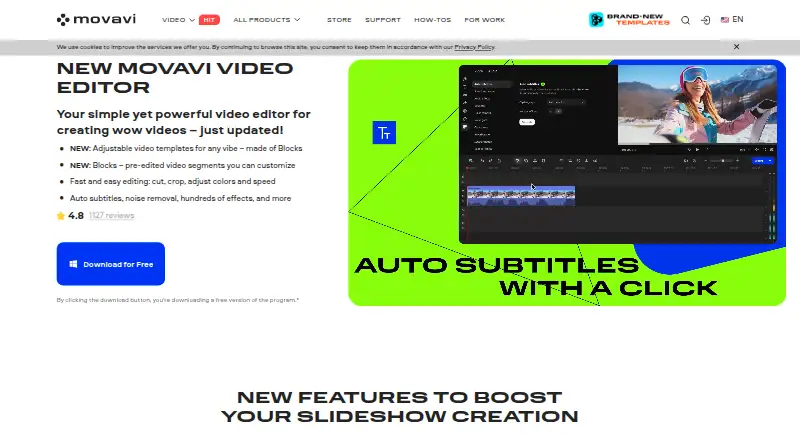
What Movavi Slideshow Maker is
Movavi Slideshow Maker is desktop software for turning photos and videos into music-backed slideshows. You can start with Slideshow Wizard or work manually, then add titles, transitions, effects, and items from its built-in templates, filters, stickers, and sound library. The product page lists editing tools for cropping, color enhancement, background removal, matching a soundtrack to beats, and making frame-precise video cuts. It places no limit on the number of media files in a slideshow, supports captions and audio uploads, and exports to a broad range of video formats. Finished work can be saved locally or uploaded from the app to YouTube, Vimeo, or Google Drive. The software runs on Windows and macOS; the Mac version requires macOS 12.0 or later. Movavi describes the software as aimed at beginner content creators who may need ideas and experience. A seven-day trial is available, with output watermarked and audio saving limited to half its length. Plans include a monthly subscription and a lifetime option. One license key activates one computer unless the offer says otherwise.
Who it suits
It suits beginner content creators who want guided or manual slideshow editing with built-in titles, effects, and audio tools. It may also fit users who want to save locally or upload finished slideshows to YouTube, Vimeo, or Google Drive.
What it does well
- Slideshow Wizard offers a guided way to assemble a project.
- The product allows any number of media files.
- Includes cropping, color enhancement, and background removal.
- Exports to a wide range of video formats.
- Finished slideshows can be uploaded to three listed services.
What to know first
- The seven-day trial watermarks output and limits saved audio length.
- A license key activates the program on one computer unless an offer says otherwise.
- The Mac version requires macOS 12.0 or higher.
Limits
The seven-day trial adds a watermark to output slideshows and allows saving only half of the audio length. One license key activates the program on one computer unless the offer states otherwise.
Plans
| Plan | Billed and limits | Price |
|---|---|---|
| Slideshow Maker | 1-month subscription · Movavi Effects full access · 7-day trial, then $49.95/month auto-renewal · 14-day money-back guarantee | $24.95 a month |
| Slideshow Maker | 1 year · Movavi Effects full access · 7-day trial, then $49.95/month auto-renewal · 14-day money-back guarantee | $44.95 a year |
| Slideshow Maker Plus | Lifetime · Extended effects pack: 298 stickers · 11 overlay effects · 6 intro videos · 6 outros · 14-day money-back guarantee | $99.95, paid once |
As movavi.com lists them, read 3 Oct 2026. The maker's own page has the final word.
Getting started
- Visit the Movavi Slideshow Maker website.
- Choose the Windows or macOS version; Mac requires macOS 12.0 or higher.
- Start with the seven-day trial or select a listed plan.
- Assemble a slideshow with Slideshow Wizard or edit manually.
- Add photos or videos, then use titles, transitions, effects, and audio tools.
- Save locally or upload to YouTube, Vimeo, or Google Drive.
Verdict
Choose Movavi Slideshow Maker if you want a desktop workflow with guided assembly, manual editing, and built-in effects. Look elsewhere if the trial's watermark or audio restriction is a barrier, or if you need a license activated on multiple computers.
Questions
Is there a free plan?
No. Movavi offers a seven-day free trial.
How much does it cost?
Slideshow Maker is listed at $24.95 a month for a one-month subscription, with a seven-day trial and then $49.95/month auto-renewal. Slideshow Maker Plus is $99.95, paid once for a lifetime license.
Which computers does it support?
It is available for Windows and macOS. The Mac version requires macOS 12.0 or higher.
Where can I send a finished slideshow?
The app supports local downloads and uploads to YouTube, Vimeo, or Google Drive.
What happens during the trial?
The seven-day trial adds a watermark to output and allows saving only half the audio length.
What support and refund terms are listed?
The purchase page includes free technical support and says eligible purchases can receive a full refund within 14 days if unresolved technical or other problems occur.
Facts from Movavi Slideshow Maker's own pages
- Audience
- Movavi describes its software as designed for beginner content creators who may lack ideas and experience. · movavi.com, 3 Oct 2026
- Editing features
- The product page lists cropping, color enhancement, background removal, soundtrack beat matching, and frame-precise video cuts. · movavi.com, 3 Oct 2026
- Founded
- 2004 · movavi.com, 28 Sept 2026
- Headquarters
- Limassol, Cyprus · movavi.com, 28 Sept 2026
- Integrations
- The product page says users can upload slideshows to YouTube, Vimeo, or Google Drive from the app; Movavi's privacy policy says Slideshow Maker uses the YouTube API to add content to a YouTube channel. · movavi.com, 3 Oct 2026
- License limit
- One license key activates the program on one computer unless the offer states otherwise. · movavi.com, 3 Oct 2026
- Payment security
- Movavi says payments are processed through the 2Checkout payment gateway, which it describes as protecting payment and personal information. · movavi.com, 3 Oct 2026
- Privacy safeguards
- Movavi's privacy policy says it uses administrative and technical safeguards, including limiting access to authorized personnel and restricting internet database access to an encrypted VPN. · movavi.com, 3 Oct 2026
- Purpose
- Movavi Slideshow Maker creates video slideshows from photos and videos with music, titles, transitions, and effects. · movavi.com, 3 Oct 2026
- Support and refunds
- The purchase page includes free technical support and says eligible purchases can receive a full refund within 14 days if unresolved technical or other problems occur. · movavi.com, 3 Oct 2026
- Supported systems
- Movavi lists Slideshow Maker for Windows and Mac; its Mac requirements specify macOS 12.0 or higher. · movavi.com, 3 Oct 2026
- Templates and effects
- The product offers built-in templates, filters, transitions, titles, stickers, and a built-in sound library. · movavi.com, 3 Oct 2026
- Trial limits
- The 7-day trial adds a watermark to output slideshows and allows saving only half the audio length. · movavi.com, 3 Oct 2026
- Workflows
- Users can assemble slideshows with Slideshow Wizard or edit manually, and the site says there is no limit on the number of media files. · movavi.com, 3 Oct 2026
Where Movavi Slideshow Maker stands on Freedom251
- Photo Slideshow Makers#15 of 24