Freedom251 › PC Benchmark Software
MotionMark
by MotionMark
What MotionMark is
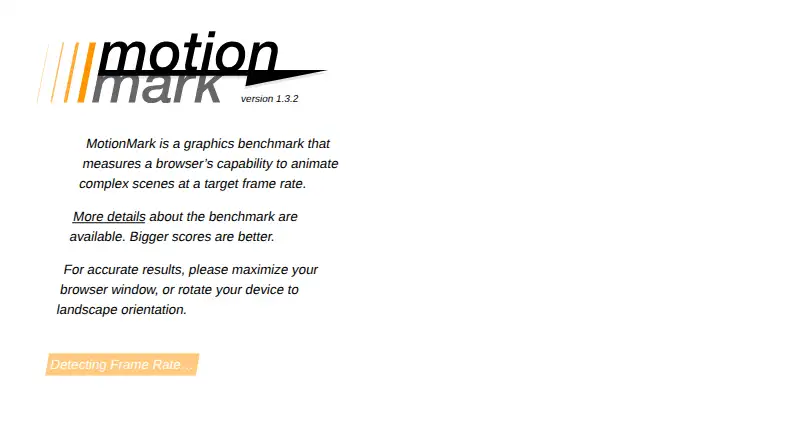
MotionMark is a free, open-source browser benchmark that measures how well a browser animates complex scenes at a target frame rate. Its tests stress graphics systems rather than JavaScript, using CSS, SVG, Canvas, HTML text rendering, and image operations. The core suite includes Multiply, Canvas Arcs, Leaves, Canvas Paths, Canvas Lines, Images, Design, and Suits. MotionMark adjusts the number of drawn elements according to measured frame rate and identifies where animation falls below the target. It reports one score calculated as the geometric mean of test scores. Drawing areas adapt to small mobile, medium tablet or laptop, and large desktop screens. The web tool supports custom profiles, JSON result export, and command-line or automation use. For more consistent runs, maximize desktop browser windows or use landscape orientation on mobile. High-refresh-rate requestAnimationFrame behavior can affect results; comparisons should use a 60Hz refresh rate.
Who it suits
MotionMark suits browser engine developers and others comparing graphics performance across web browsers and devices. Its modular design also supports writing additional tests and controllers.
What it does well
- Free and open source
- Runs in web browsers
- Supports custom test profiles
- Exports results as JSON
- Includes command-line automation
What to know first
- Scores can vary on high-refresh-rate screens
- Comparisons require consistent 60Hz refresh rates
- Results depend on device screen size
Verdict
MotionMark focuses specifically on browser graphics animation, with adaptive workloads and a single aggregate score. Follow its display and refresh-rate guidance when comparing runs.
Facts from MotionMark's own pages
- CLI or automation
- Yes · browserbench.org, 22 Sept 2026
- Comparison limit
- The about page advises setting the screen refresh rate to 60Hz when comparing browser scores across browsers. · browserbench.org, 11 Oct 2026
- Custom test profiles
- Yes · browserbench.org, 22 Sept 2026
- Device sizes
- It adjusts the drawing area for small mobile screens, medium tablet and laptop screens, and large desktop screens. · browserbench.org, 11 Oct 2026
- Founded
- 2016 · browserbench.org, 4 Oct 2026
- Governance
- The WebKit team opened MotionMark to browser community collaboration under a new governance model in 2023. · webkit.org, 11 Oct 2026
- Graphics focus
- The tests are designed to stress the graphics system rather than JavaScript. · browserbench.org, 11 Oct 2026
- Intended users
- WebKit says the benchmark is intended to help browser engine developers collaboratively improve MotionMark and browser graphics performance. · webkit.org, 11 Oct 2026
- Modular design
- The benchmark’s modular design makes it easy to write new tests and use different controllers, which can assist web engine performance work. · browserbench.org, 11 Oct 2026
- Operating systems
- Web browsers on a wide variety of devices · browserbench.org, 22 Sept 2026
- Project repository
- The MotionMark project is hosted in the WebKit GitHub organization, where its repository lists a README, license, and governance file. · github.com, 11 Oct 2026
- Purpose
- MotionMark is a graphics benchmark that measures a browser’s capability to animate complex scenes at a target frame rate. · browserbench.org, 11 Oct 2026
- Refresh-rate caveat
- Scores can be affected by browsers’ different handling of requestAnimationFrame on high-refresh-rate screens. · browserbench.org, 11 Oct 2026
- Refresh rate limitation
- Scores can be affected by differences in how browsers schedule requestAnimationFrame callbacks on high refresh rate screens. · browserbench.org, 11 Oct 2026
- Rendering methods
- The benchmark uses CSS, SVG, and Canvas drawing operations. · browserbench.org, 11 Oct 2026
- Rendering techniques
- The core suite tests drawing operations using CSS, SVG, Canvas, and HTML text rendering. · browserbench.org, 11 Oct 2026
- Repository
- The WebKit/MotionMark repository describes the project as a browser benchmark. · github.com, 11 Oct 2026
- Result export formats
- JSON · browserbench.org, 22 Sept 2026
- Run guidance
- The site advises maximizing the browser window or rotating a device to landscape orientation for accurate results. · browserbench.org, 11 Oct 2026
- Scoring
- It reports a single run score calculated as the geometric mean of the scores from its tests. · browserbench.org, 11 Oct 2026
- Screen sizes
- It adjusts the drawing area to small, medium, or large sizes based on the device’s screen dimensions. · browserbench.org, 11 Oct 2026
- Test design
- The benchmark adjusts the number of elements drawn based on measured frame rate and reports where the browser starts to fail to animate at the target rate. · browserbench.org, 11 Oct 2026
- Test suite
- The core suite includes Multiply, Canvas Arcs, Leaves, Canvas Paths, Canvas Lines, Images, Design, and Suits. · browserbench.org, 11 Oct 2026
- Usage guidance
- For accurate results, the maker recommends landscape orientation on mobile devices and maximizing the browser window on laptops and desktops. · browserbench.org, 11 Oct 2026
Where MotionMark stands on Freedom251
- PC Benchmark Software#73 of 73
- PC benchmark tools#70 of 70