Freedom251 › Screen Magnifier Software
Mole-Win
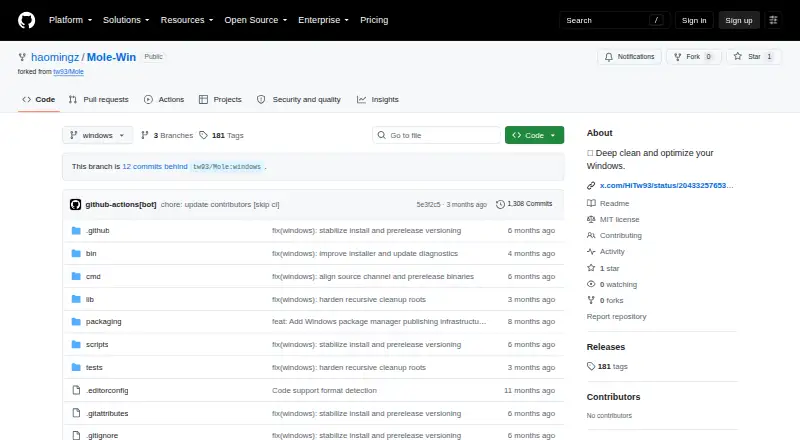
What Mole-Win is
Mole-Win is a free Windows toolkit for cleaning, optimization, disk analysis, and system monitoring. It scans temporary files, caches, and browser leftovers, while its uninstaller removes applications and associated AppData, preferences, logs, registry entries, extensions, and plugins. A disk analyzer visualizes storage usage and helps locate large files. The status command provides a real-time dashboard covering system health, hardware information, CPU, memory, disk, and network metrics. Its purge command finds project build artifacts such as node_modules, target, build, and dist. Optimize can clear caches, refresh Windows Search indexing, optimize startup programs, and run listed repairs. Dry-run previews are available for cleanup and optimization, but deletion is permanent. Mole-Win supports Windows 10/11 and requires PowerShell 5.1 or later. Installation uses PowerShell instructions, including a one-line installer, and a Git source channel. The Windows version is experimental and not mature.
Who it suits
It suits Windows 10/11 users who need cleanup, project-artifact removal, disk visibility, or system monitoring. Developers may value its project purge command and users comfortable with PowerShell can follow the installation instructions.
What it does well
- Scans temporary files, caches, and browser leftovers
- Removes applications and related hidden leftovers
- Visualizes disk usage and large files
- Provides real-time hardware and performance metrics
- Offers dry-run previews before cleanup
What to know first
- Windows version is experimental and not mature
- Deletion is permanent
- Requires PowerShell 5.1 or later
- Several Windows features are unavailable
Limits
The Windows port lacks installer-file cleanup, PowerShell completion setup, nightly updates, and optimize whitelist controls. The project describes this port as experimental and advises against using it on computers containing important data.
Getting started
- Open the Mole-Win GitHub repository
- Use the PowerShell one-line installer or follow the manual installation instructions
- Run it on Windows 10 or Windows 11 with PowerShell 5.1 or later
- Use a dry-run preview before cleanup or optimization
- Review the results before any permanent deletion
Verdict
Mole-Win combines cleanup, uninstall, project housekeeping, disk analysis, and monitoring in one free Windows toolkit. Its experimental status, permanent deletion warning, and missing Windows features deserve attention before use on important computers.
Questions
Is Mole-Win free?
Yes. Mole-Win has a free plan and is identified as MIT licensed.
Which Windows versions are supported?
It is designed for Windows 10 and Windows 11 and requires PowerShell 5.1 or later.
How can Mole-Win be installed?
The README provides a PowerShell one-line installer and manual installation instructions. Installation and updates use a Git source channel.
Does Mole-Win offer a preview before deletion?
Cleanup and optimization support dry-run previews. The README warns that deletion is permanent.
What commands help developers?
The purge command finds build artifacts including node_modules, target, build, and dist.
Facts from Mole-Win's own pages
- App removal
- Its uninstaller removes apps and related AppData, preferences, and hidden remnants. · github.com, 11 Oct 2026
- Cleanup
- It scans and removes temporary files, caches, and browser leftovers. · github.com, 11 Oct 2026
- Disk analysis
- The analyzer visualizes disk usage and helps manage large files. · github.com, 11 Oct 2026
- Distribution
- The Windows version uses a Git source channel for installation and updates; the README says it does not use Homebrew or stable release installs. · github.com, 11 Oct 2026
- Experimental status
- The project warns that the Windows version is not mature and advises against using it on computers that are critical or contain important data. · github.com, 11 Oct 2026
- Feature gaps
- The Windows port lacks a dedicated installer-file cleanup command, PowerShell completion setup, nightly updates, and optimize whitelist controls. · github.com, 11 Oct 2026
- Installation
- The README provides a PowerShell one-line installer and manual installation instructions. · github.com, 11 Oct 2026
- License
- The repository identifies the project as MIT licensed. · github.com, 11 Oct 2026
- Limitations
- The README describes the Windows version as experimental and says it is not mature. · github.com, 11 Oct 2026
- Monitoring
- The status command provides a real-time dashboard with system health, hardware information, and performance metrics. · github.com, 11 Oct 2026
- Optimization
- The optimize command can clear caches, refresh Windows Search indexing, optimize startup programs, and perform listed system repairs. · github.com, 11 Oct 2026
- Project cleanup
- The purge command finds project build artifacts such as node_modules, target, build, and dist for cleanup. · github.com, 11 Oct 2026
- Purpose
- Mole is a toolkit for deep cleaning and optimizing Windows. · github.com, 11 Oct 2026
- Requirements
- Mole-Win is designed for Windows 10/11 and requires PowerShell 5.1 or later. · github.com, 11 Oct 2026
- Safety controls
- Cleanup and optimization support dry-run previews, and the README warns that file deletion is permanent. · github.com, 11 Oct 2026
- Support
- The README directs users to the contributing guide and invites them to open issues or pull requests. · github.com, 11 Oct 2026
- Supported OS
- The Windows version is designed for Windows 10/11 and requires PowerShell 5.1 or later. · github.com, 11 Oct 2026
- System monitoring
- The status command displays real-time system health and CPU, memory, disk, and network metrics. · github.com, 11 Oct 2026
- Uninstaller
- The uninstaller removes apps and related leftovers, including AppData, preferences, logs, registry entries, extensions, and plugins. · github.com, 11 Oct 2026
- Windows limitations
- The README lists the installer cleanup command, PowerShell completion setup, nightly updates, and optimize whitelist as unavailable on Windows. · github.com, 11 Oct 2026
Where Mole-Win stands on Freedom251
- Screen Magnifier Software#3 of 22
- Software Uninstaller Tools#20 of 35
- Uninstallers#25 of 35
- Uninstaller apps#26 of 36