Freedom251 › Photo Calendar Software

Mixbook
What Mixbook is
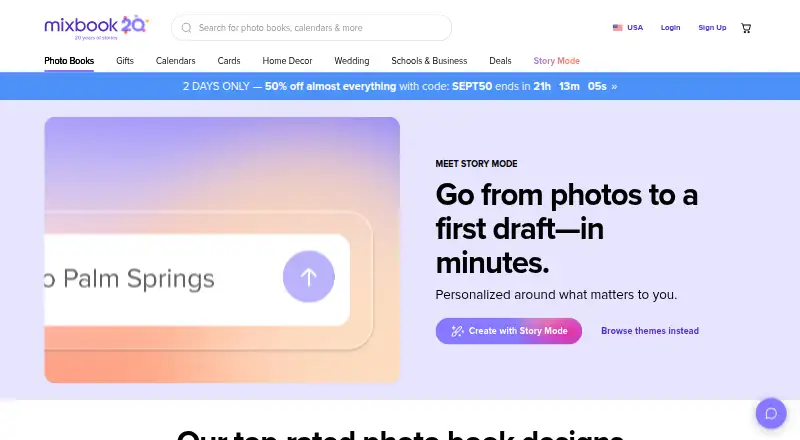
Mixbook lets people create customizable printed photo books and other personalized photo products on the web or through its iOS app. Its Story Mode uses AI to organize photos, build layouts, optionally add captions, and generate three book versions. Mixbook Studio lets users adjust fonts, backgrounds, colors, shapes, stickers, layouts, and text. Projects can import photos from Facebook, SmugMug, and Google Photos. Standard softcover and hardcover books support up to 400 pages; Signature Hardcover Layflat supports up to 100 pages, and Premium Hardcover Layflat up to 90. Starting prices are 14.99 USD one-time for a softcover book, 29.99 USD one-time for hardcover, 74.99 USD one-time for Layflat, and 99.99 USD one-time for a Luxe Album. Mixbook says created photo books are backed up for later reprinting. Books are presented for travel, family, weddings, baby memories, portfolios, cookbooks, and other projects. Collaborators must have Mixbook accounts. The app is for iPhone and iPad and runs best on iOS 16.0 or later; Android is coming soon.
Who it suits
Mixbook suits people creating printed photo books for family, travel, weddings, or other memory-keeping projects. It may also suit users who want to customize layouts or invite collaborators who have Mixbook accounts.
What it does well
- AI Story Mode generates three book versions
- Imports photos from Facebook, SmugMug, and Google Photos
- Standard books support up to 400 pages
- Mixbook says books are backed up for reprinting
- Offers web and iOS access
What to know first
- Android app is coming soon
- Collaborators must have Mixbook accounts
- No PDF export
- Mobile app runs best on iOS 16.0 or later
Limits
Softcover and hardcover books support up to 400 pages. Signature Hardcover Layflat supports up to 100 pages, and Premium Hardcover Layflat up to 90 pages. Mixbook+ is $9.99 a month through Apple, for the iOS app and U.S. customers.
Plans
| Plan | Billed and limits | Price |
|---|---|---|
| Softcover photo book | starting price includes 20 pages · up to 400 pages · 6×6 to 10×10 sizes | $14.99, paid once |
| Hardcover photo book | starting price includes 20 pages · up to 400 pages · 8×6 to 14×11 sizes | $29.99, paid once |
| Layflat photo book | starting price · up to 100 pages · thick pages lie flat | $74.99, paid once |
| Mixbook+ | monthly subscription through Apple · iOS app only · United States customers · cancel anytime | $9.99 a month |
| Luxe Album | starting price · up to 90 pages · ultra-thick pages · optional keepsake box | $99.99, paid once |
As mixbook.com lists them, read 1 Oct 2026. The maker's own page has the final word.
Getting started
- Open https://www.mixbook.com/photo-books in a web browser, or use the iOS app on iPhone or iPad.
- Start a photo book project and import photos from Facebook, SmugMug, or Google Photos if needed.
- Use Story Mode for AI-assisted layouts and book versions, or customize the project in Mixbook Studio.
- Invite collaborators to the project; each collaborator needs a Mixbook account.
- Choose a book format and place an order for a printed book.
Verdict
Mixbook combines guided AI book creation with detailed Studio customization and several printed book formats. Check the page limits and iOS-only mobile availability against your project needs.
Questions
Is Mixbook free?
Mixbook has a free plan. Printed photo books have one-time starting prices: 14.99 USD for softcover and 29.99 USD for hardcover.
How much do the other photo book formats cost?
Layflat photo books start at $74.99, paid once, and Luxe Albums start at $99.99, paid once.
Which platforms does Mixbook support?
Mixbook is available on the web and iOS. Its app supports iPhone and iPad and runs best on iOS 16.0 or later; Android is coming soon.
Can I work on a book with other people?
Yes. Users can invite collaborators, and everyone collaborating must have a Mixbook account.
Can Mixbook import photos from other services?
Projects can import photos directly from Facebook, SmugMug, and Google Photos.
What is Mixbook+?
Mixbook+ costs $9.99 a month, billed monthly through Apple. It is for the iOS app and U.S. customers, and can be canceled anytime.
Facts from Mixbook's own pages
- AI privacy
- Photos uploaded through Story Mode are not used by Mixbook’s AI vendors to train their models and are shared only with service providers needed to create the book. · help.mixbook.com, 1 Oct 2026
- Audience
- Mixbook presents its books as suitable for travel, year-in-review, family, wedding, baby, portfolio, cookbook, and other memory-keeping projects. · mixbook.com, 1 Oct 2026
- Collaboration
- Users can invite collaborators to a project, and everyone collaborating must have a Mixbook account. · mixbook.com, 1 Oct 2026
- Customization
- Mixbook Studio lets users customize fonts, backgrounds, colors, shapes, stickers, layouts, and text. · mixbook.com, 1 Oct 2026
- Digital backups
- Mixbook says every photo book created with it is backed up so customers can reprint projects later. · mixbook.com, 1 Oct 2026
- Founded
- 2006 · mixbook.com, 28 Sept 2026
- Materials
- Mixbook says most papers are FSC-certified and all packaging is 100% curbside recyclable. · mixbook.com, 1 Oct 2026
- Mobile support
- The Mixbook app is currently available for iPhones and iPads running best on iOS 16.0 or later, while Android is coming soon. · help.mixbook.com, 1 Oct 2026
- Page limits
- Standard softcover and hardcover books support up to 400 pages; Signature Hardcover Layflat supports up to 100 pages and Premium Hardcover Layflat up to 90 pages. · mixbook.com, 1 Oct 2026
- Payment security
- Checkout information is protected with SSL, Mixbook does not store credit card information on its servers, and saved cards are stored through its payment processor. · help.mixbook.com, 1 Oct 2026
- Photo imports
- Projects can import photos directly from Facebook, SmugMug, and Google Photos. · help.mixbook.com, 1 Oct 2026
- Product
- Mixbook lets people create customizable printed photo books and other personalized photo products online and through its mobile app. · mixbook.com, 1 Oct 2026
- Story Mode
- Story Mode is an AI-powered creator that organizes photos, creates layouts, writes optional captions, and generates three book versions. · mixbook.com, 1 Oct 2026
- Support
- Mixbook offers customer support by email and 24/7 chat. · help.mixbook.com, 1 Oct 2026
Where Mixbook stands on Freedom251
- Photo Calendar Software#3 of 26
- Photo Printing Software#10 of 30
- Photo Book Software#12 of 32