Freedom251 › Minecraft Schematic Tools
Minecraft Schematic Viewer
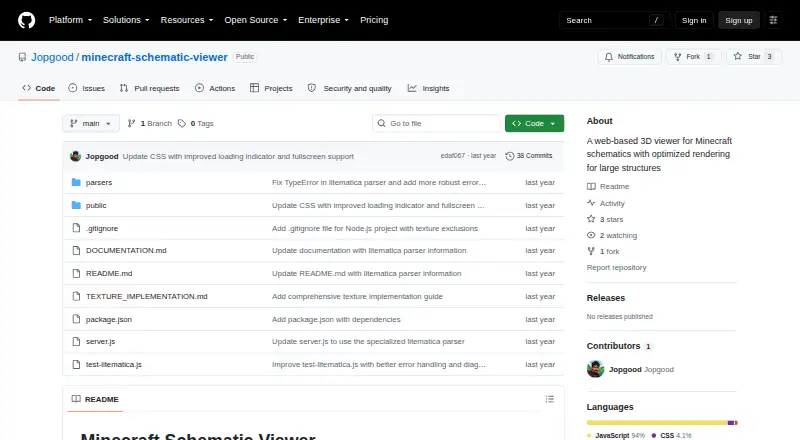
What Minecraft Schematic Viewer is
Minecraft Schematic Viewer is a free, open-source web application for viewing Minecraft schematic files in 3D. It supports MCEdit .schematic, WorldEdit .schem, and Litematica .litematic and .nbt files, with preview and format-conversion capabilities. Three.js and WebGL render the models, while controls let you rotate, pan, zoom, reset the camera, switch wireframe or textures, and inspect layers individually. Listed rendering optimizations include texture atlases, instanced rendering, occlusion culling, and spatial partitioning. A dedicated Litematica parser handles format variants and includes error recovery and debugging tools. The documented setup uses a cloned repository, npm install, and npm start, with a Node.js/Express backend and HTML, JavaScript, and Three.js frontend. Chrome is recommended; Firefox and Edge are compatible, while Safari has partial support. Schematics over one million blocks may perform poorly, and complex or newer blocks may not render correctly.
Who it suits
It suits Minecraft builders who need browser-based 3D inspection or conversion of supported schematic files. Self-hosting users comfortable with the documented Node.js setup may find it appropriate.
What it does well
- Supports four common schematic extensions
- Offers 3D preview and format conversion
- Includes layer, wireframe, and texture views
- Litematica parser has recovery and debugging tools
- Open source under the MIT License
What to know first
- Files over one million blocks may slow performance
- Complex stairs and slabs may render imperfectly
- Some newer blocks may display incorrectly
- Safari support is only partial
Verdict
Minecraft Schematic Viewer provides broad file support and detailed 3D inspection controls for schematic work. Review its rendering and file-size limits before relying on it for complex or very large builds.
Facts from Minecraft Schematic Viewer's own pages
- 3D rendering
- It visualizes schematics with Three.js and WebGL. · github.com, 11 Oct 2026
- Architecture
- The documentation describes a Node.js/Express backend for uploads and parsing, with an HTML/JavaScript/Three.js frontend. · github.com, 11 Oct 2026
- Block compatibility
- Some newer block types from Minecraft versions 1.16 and later might not render correctly. · github.com, 11 Oct 2026
- Browser support
- The README recommends Chrome and lists Firefox and Edge as compatible, with partial support for Safari. · github.com, 11 Oct 2026
- File formats
- It supports MCEdit .schematic, WorldEdit .schem, and Litematica .litematic/.nbt files. · github.com, 11 Oct 2026
- Installation
- The README instructs users to clone the repository, run npm install, and start the application with npm start. · github.com, 11 Oct 2026
- Large file limit
- Schematics larger than one million blocks may cause performance issues. · github.com, 11 Oct 2026
- License
- The repository lists the project under the MIT License. · github.com, 11 Oct 2026
- Litematica parsing
- Its specialized Litematica parser handles format variants and includes error recovery and debugging tools. · github.com, 11 Oct 2026
- Litematica support
- Its specialized Litematica parser includes error recovery and debugging tools for analyzing problematic files. · github.com, 11 Oct 2026
- Maker
- The GitHub repository is owned by the account Jopgood; the profile does not state a company name, headquarters, or founding date. · github.com, 11 Oct 2026
- Purpose
- Minecraft Schematic Viewer is a web-based 3D viewer for Minecraft schematic files. · github.com, 11 Oct 2026
- Rendering features
- The project lists texture atlases, instanced rendering, occlusion culling, and spatial partitioning among its performance optimizations. · github.com, 11 Oct 2026
- Rendering limits
- Perfect rendering of complex blocks such as stairs and slabs is unsupported, and redstone components appear as simple blocks. · github.com, 11 Oct 2026
- Rendering optimizations
- Listed optimizations include texture atlases, instanced rendering, occlusion culling, layer-based viewing, and octree spatial partitioning. · github.com, 11 Oct 2026
- Viewing controls
- Users can rotate, pan, zoom, reset the camera, switch wireframe and textures, and view the schematic layer by layer. · github.com, 11 Oct 2026
- Viewing features
- Users can inspect schematics layer by layer, toggle wireframe and textures, and rotate, pan, zoom, or reset the view. · github.com, 11 Oct 2026
Where Minecraft Schematic Viewer stands on Freedom251
- Minecraft Schematic Tools#39 of 42