Freedom251 › Banner Design Software
Milagro
What Milagro is
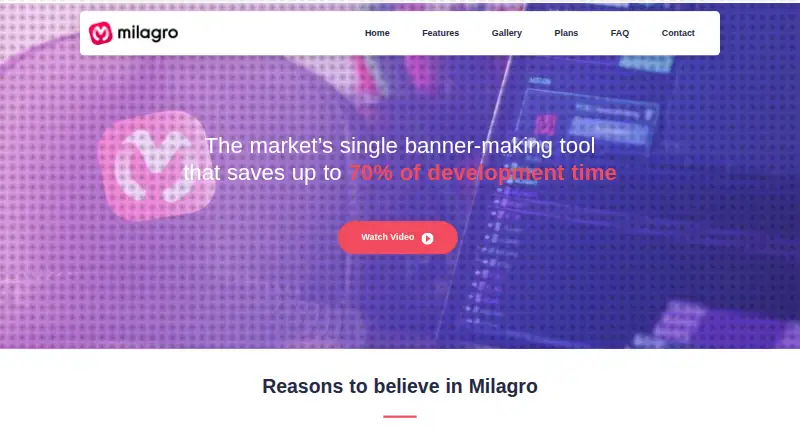
Milagro is motion development software for producing animated HTML banners, GIFs and videos. Its timeline interface brings animation controls into a visual workflow, with keyframes, easing options and opening and closing presets. Designers can create several banners at once and reuse animations across formats. The maker says Milagro can automate up to 70% of banner production time and can be used without programming knowledge.
The software opens its own .mlg project files and PSDs, and imports PNG, JPG, GIF, animated GIF and static SVG images. PSD imports cannot contain layer blend modes, artboards or animations. Finished work can be exported as HTML, animated GIF, MP4 or MOV video. When generating a pack, Milagro adds clicktags and checks whether a piece exceeds the file size limit. Milagro Studio can receive production tasks through an API connection to project management software. Individual Plans and Team Plans are available, with pricing on request. The company is based in São Paulo, Brazil, and offers website chat, email and phone contact. Training can be arranged through its help center or contact channel.
Who it suits
Milagro suits designers and teams producing animated advertising banners in multiple formats, especially when they want a visual workflow without programming. Its batch banner work and project-management API connection may also suit production teams handling incoming tasks.
What it does well
- Creates HTML banners, animated GIFs and videos.
- Timeline supports keyframes, easing and animation presets.
- Works on multiple banners and reuses animations across formats.
- Imports common image formats and PSD files.
- Pack generation adds clicktags and checks file size limits.
- Studio can receive tasks through a project-management API.
What to know first
- PSD imports exclude files with blend modes, artboards or animations.
- Pricing is available on request.
- Individual and Team plan limits are not shown.
Limits
PSD files with layer blend modes, artboards or animations cannot be imported. The plans page does not show plan limits.
Plans
| Plan | Billed and limits | Price |
|---|---|---|
| Individual Plans | No price or limits shown on the opened plans page | On request |
| Team Plans | No price or limits shown on the opened plans page | On request |
As milagro.cc lists them, read 8 Oct 2026. The maker's own page has the final word.
Getting started
- Visit https://milagro.cc/ to contact the maker or request pricing.
- Choose between Individual Plans and Team Plans.
- Open .mlg or eligible PSD projects, or import PNG, JPG, GIF, animated GIF or static SVG images.
- Build animations in the timeline and prepare HTML, GIF or video output.
- Use website chat, email or phone for assistance or training.
Verdict
Choose Milagro if you need a visual tool for producing animated banners and related GIF or video outputs without programming. Its multiple-banner workflow and project-management API can fit production work, but buyers who need published prices or plan limits should ask the maker before choosing a plan.
Questions
How much does Milagro cost?
Pricing is on request. The plans page lists Individual Plans and Team Plans.
What can Milagro export?
It can produce HTML, animated GIFs and videos, including MP4 and MOV.
Which files can it import?
It opens .mlg and PSD files, and can import PNG, JPG, GIF, animated GIF and static SVG images. PSDs with layer blend modes, artboards or animations are excluded.
Does using Milagro require programming knowledge?
The maker says designers do not need programming knowledge to use it.
Can Milagro connect to project management software?
Milagro Studio connects by API with project management software to receive production tasks.
How can I contact Milagro or arrange training?
The maker offers website chat, [email protected] and +55 11 3081-4328. Its FAQ directs users to the help center or contact channel to schedule training.
Facts from Milagro's own pages
- Animation
- The user guide describes keyframe animation controls, easing options, and a library of opening and closing presets. · docs.milagro.cc, 4 Oct 2026
- Automation
- The home page says the software automates up to 70% of the banner making process. · milagro.cc, 8 Oct 2026
- Batch production
- The home page says users can work on multiple banners at once and replicate animations in different formats. · milagro.cc, 8 Oct 2026
- Business plans
- The plans page lists Individual Plans and Team Plans but displays no prices or plan limits in the opened page. · milagro.cc, 4 Oct 2026
- Company history
- The About page says the team began thinking of a scalable production solution in response to the shift from Flash to HTML5 in 2015. · milagro.cc, 8 Oct 2026
- Company location
- The contact page lists an address in Pinheiros, São Paulo, Brazil. · milagro.cc, 8 Oct 2026
- Export checks
- The user guide says generating a pack adds clicktags and checks whether a piece exceeds the file size limit. · docs.milagro.cc, 8 Oct 2026
- Headquarters
- São Paulo, Brazil · milagro.cc, 28 Sept 2026
- Interface
- The home page describes an intuitive timeline interface for creating designs with animations. · milagro.cc, 8 Oct 2026
- Multiple banners
- The maker says users can work on multiple banners at the same time and replicate animations in different formats. · milagro.cc, 4 Oct 2026
- No programming required
- The maker says designers do not need to know programming to use Milagro. · milagro.cc, 4 Oct 2026
- Outputs
- The home page says Milagro creates HTML banners, animated GIFs, and videos. · milagro.cc, 8 Oct 2026
- Pricing categories
- The plans page lists Individual Plans and Team Plans but shows no prices or plan limits in the opened page. · milagro.cc, 8 Oct 2026
- Product
- Milagro describes itself as motion development software for creating digital media and banners. · milagro.cc, 8 Oct 2026
- Programming knowledge
- The About page says designers do not need to know programming to use Milagro. · milagro.cc, 8 Oct 2026
- Project management
- The user guide says Milagro Studio connects by API with project management software to receive production tasks. · docs.milagro.cc, 4 Oct 2026
- PSD import
- The user guide says PSD files must not contain layer blend modes, artboards, or animations to be imported. · docs.milagro.cc, 8 Oct 2026
- Support
- The contact page offers chat, email, and phone contact, and the FAQ points users to a help center. · milagro.cc, 8 Oct 2026
- Supported inputs
- The user guide says Milagro opens its own .mlg files and PSD files, and can import PNG, JPG, GIF, animated GIF, and static SVG images. · docs.milagro.cc, 4 Oct 2026
- Time savings
- The maker says Milagro can save up to 70% of banner development time. · milagro.cc, 4 Oct 2026
- Training
- The FAQ says users can ask about scheduling a training course. · milagro.cc, 8 Oct 2026
Where Milagro stands on Freedom251
- Banner Design Software#24 of 25