Freedom251 › Database Migration Tools
migrate-mongo
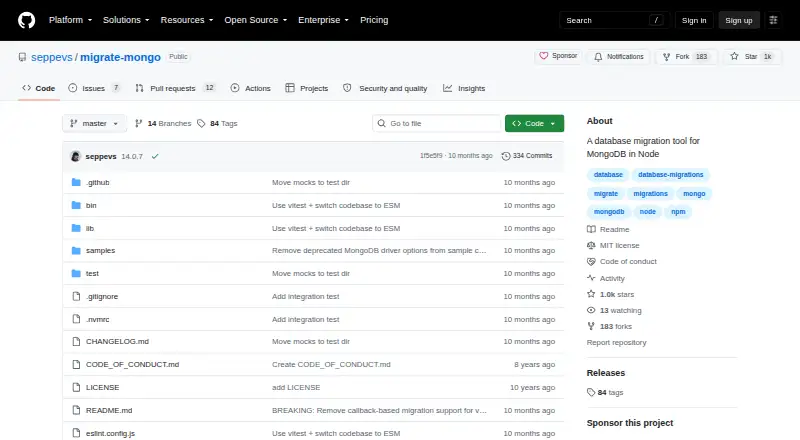
What migrate-mongo is
migrate-mongo is a code-based migration tool for MongoDB projects built with Node.js. Its command-line interface can initialize a project, create migration files, run pending migrations, roll back the last applied migration, and display migration status. Migration scripts can define `up` and `down` functions to apply changes and, where possible, reverse them. The tool records applied migrations in a configurable MongoDB changelog collection, and its configuration can set up a lock collection with a time to live.
New projects use CommonJS by default, with ECMAScript Modules also supported. Migration scripts can use Node.js modules and npm packages installed in the project. They can also use MongoDB transactions through the supplied MongoClient; this requires MongoDB 4.0 or higher and migrate-mongo 7.0.0 or higher. An optional file-hash setting allows changed migration files to run again when the scripts are safe to rerun. Actions other than initialization accept options for a custom configuration file and migrations directory. The project is free, open source, and MIT-licensed, with Linux and self-hosted platforms. Its listed requirements are Node.js 20 or higher and MongoDB 4.x through 7.x. If a migration fails, it stops before running the remaining pending migrations.
Who it suits
migrate-mongo suits developers maintaining MongoDB databases in Node.js projects who want migration commands and code-defined changes. It can fit Linux or self-hosted environments and supports reversible scripts where rollback is possible.
What it does well
- Free, open-source software under the MIT license.
- CLI supports creating, applying, undoing, and checking migrations.
- Migration scripts can define `up` and `down` functions.
- Tracks applied changes in a configurable MongoDB collection.
- Supports CommonJS and ECMAScript Modules.
- Migration scripts can use installed npm packages.
What to know first
- Requires Node.js 20 or higher.
- Listed MongoDB requirements cover versions 4.x through 7.x.
- Transactions require MongoDB 4.0 or higher and migrate-mongo 7.0.0 or higher.
- A failed migration stops the remaining pending migrations.
Plans
| Plan | Billed and limits | Price |
|---|---|---|
| migrate-mongo | MIT-licensed · Node.js >=20.0.0 · MongoDB 4.x, 5.x, 6.x, or 7.x | Free |
As github.com lists them, read 4 Oct 2026. The maker's own page has the final word.
Getting started
- Open the migrate-mongo GitHub project website.
- Use a Linux or self-hosted environment with Node.js 20 or higher and a listed MongoDB version.
- Initialize a project with the CLI.
- Create migration files and define their changes.
- Apply pending migrations or check migration status with the CLI.
Verdict
Choose migrate-mongo if your Node.js project needs code-based MongoDB migrations with status tracking and rollback functions. Consider the listed Node.js and MongoDB requirements, and note that a failed migration halts the pending queue.
Questions
Is migrate-mongo free?
Yes. The project is free and open source under the MIT license.
Which platforms does it support?
The listed platforms are Linux and self-hosted.
Which Node.js and MongoDB versions are required?
The listed requirements are Node.js 20 or higher and MongoDB 4.x through 7.x.
Does it support rollback?
Yes. Migration scripts can provide `down` functions, and the CLI can undo the last applied migration. Reversal depends on the migration.
Can migrations use MongoDB transactions?
Yes, through the supplied MongoClient. This requires MongoDB 4.0 or higher and migrate-mongo 7.0.0 or higher.
Who maintains the package?
The package metadata names Sebastian Van Sande as its author.
Facts from migrate-mongo's own pages
- Customization
- Actions other than init accept options for a custom configuration file and a custom migrations directory. · github.com, 4 Oct 2026
- Error behavior
- If a migration fails, migrate-mongo stops without continuing through the remaining pending migrations. · github.com, 4 Oct 2026
- File hashes
- An optional file-hash setting lets changed migration files run again, provided scripts are written to be safely rerunnable. · github.com, 4 Oct 2026
- Integrations
- Migration scripts can use Node.js modules and installed npm packages from the migration project's package.json. · github.com, 4 Oct 2026
- License
- The repository identifies the project as MIT licensed. · github.com, 4 Oct 2026
- Locking
- The configuration supports a lock collection and a lock TTL, with a TTL value of 0 disabling the feature. · github.com, 4 Oct 2026
- Maintainer
- The package metadata names Sebastian Van Sande as author. · github.com, 4 Oct 2026
- Migration commands
- Its CLI can initialize a project, create migrations, apply pending migrations, undo the last applied migration, and show migration status. · github.com, 4 Oct 2026
- Migration tracking
- Applied changes are recorded in a configurable MongoDB changelog collection. · github.com, 4 Oct 2026
- Module formats
- New projects default to CommonJS, with ECMAScript Modules also supported. · github.com, 4 Oct 2026
- Purpose
- migrate-mongo is a database migration tool for MongoDB running in Node.js. · github.com, 4 Oct 2026
- Requirements
- The README lists Node.js 20 or higher and MongoDB versions 4.x through 7.x as requirements. · github.com, 4 Oct 2026
- Reversible migrations
- Migration scripts provide up and down functions for applying and, where possible, rolling back changes. · github.com, 4 Oct 2026
- Transactions
- Migration scripts can use MongoDB's Transactions API through the supplied MongoClient, requiring MongoDB 4.0 or higher and migrate-mongo 7.0.0 or higher. · github.com, 4 Oct 2026
Where migrate-mongo stands on Freedom251
- Database Migration Tools#16 of 32