Freedom251 › Robotics Education Software

Micromelon Robotics Platform
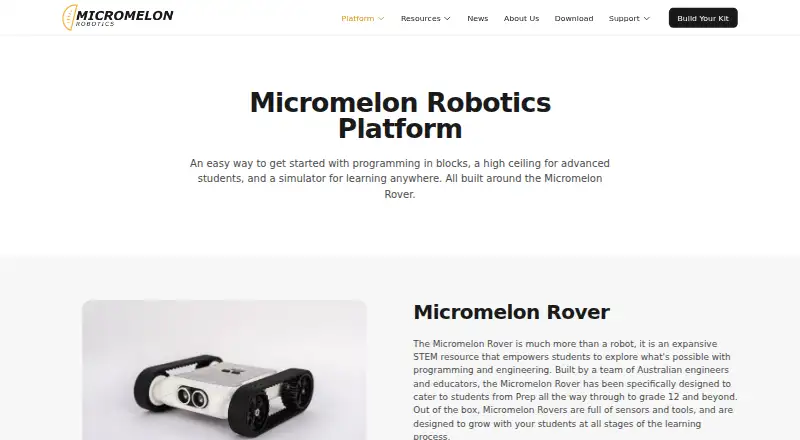
What Micromelon Robotics Platform is
Micromelon Robotics Platform combines educational robotics hardware, coding software, a simulator, and teaching resources for schools. The Micromelon Rover is designed for learners from Prep through Grade 12 and beyond. Students can start with simplified blocks in Junior, progress through block, text, or mixed modes in the Code Editor, and later use Python in external environments. The editor translates blocks and Python in both directions. Teachers can set class programming modes, mute or disable robots, hide student screens, share their screen, view student work, and use a Quick Join Code. The 3D Robot Simulator lets students program a virtual Rover without physical hardware. Micromelon-Py provides an API for physical and simulated rovers and works with VS Code, PyCharm, and Jupyter Notebooks. Students can sign in with school Microsoft or Google accounts, or use teacher-created username-only accounts requiring no personal information. Annual student licences cover both Code Editor and Simulator; teacher accounts are free. School pricing is by quote, and a one-month trial offers unlimited access.
Who it suits
Micromelon suits schools teaching engineering and robotics across mixed learner levels. It supports classroom management, virtual practice, and progression from blocks to Python.
What it does well
- Block, text, and mixed coding modes
- 3D simulator works without physical hardware
- Teacher classroom controls
- Username-only accounts require no personal information
- One licence covers editor and simulator
What to know first
- Pricing requires a school quote
- Rover connection requires Bluetooth 4.0 LE
- VS Code plugin is marked coming soon
- No free plan
Limits
The trial lasts 30 days and provides unlimited access to the Code Editor and Robot Simulator. Student access is licensed annually; a student licence covers both tools, while the Site Licence covers unlimited students across a school.
Plans
| Plan | Billed and limits | Price |
|---|---|---|
| Student Licences | Annual licence; price provided by quote · One licence per student · covers Code Editor and Robot Simulator | On request |
| Site Licence | Annual licence; price provided by quote · Unlimited students across the whole school · best value for 200+ students | On request |
As micromelon.com lists them, read 9 Oct 2026. The maker's own page has the final word.
Getting started
- Open the Micromelon platform website
- Request a tailored school quote or start the 30-day trial
- Create student sign-ins with school Microsoft or Google accounts, or teacher-created usernames
- Use Junior on iPad or Android for simplified blocks
- Open the Code Editor on a listed device and select block, text or mixed mode
- Run the Simulator on Windows or macOS, or connect a Rover using Bluetooth 4.0 LE
- Use Micromelon-Py with VS Code, PyCharm or Jupyter Notebooks
Verdict
Micromelon combines classroom controls, coding progression, a simulator, hardware support, and teaching resources. Schools should request a tailored quote and check device and Bluetooth requirements before deployment.
Questions
Is there a free plan?
No. The platform offers a 30-day trial, and teacher accounts are free.
How is student licensing structured?
Student Licences are annual, with one licence per student covering the Code Editor and Robot Simulator. A Site Licence covers unlimited students across the whole school.
Which devices support the tools?
The Code Editor is listed for macOS, Windows, iPad, Android and Chromebook. The Simulator is listed for Windows and macOS, while Junior is listed for iPad and Android.
Can students use Python?
Yes. The Code Editor supports block, text and mixed modes with two-way translation, and Micromelon-Py provides a Python API for physical and simulated rovers.
How can students sign in?
They can use school Microsoft or Google accounts, or teacher-created username-only accounts that require no personal information.
Facts from Micromelon Robotics Platform's own pages
- Blocks and Python
- The Code Editor supports block, text, and mixed modes, with live two-way translation between blocks and Python. · micromelon.com, 9 Oct 2026
- Classroom controls
- Teachers can mute or disable student robots, hide screens, share their screen, view student work, and set a class programming mode. · micromelon.com, 9 Oct 2026
- Classroom tools
- Teachers can mute or disable robots, hide student screens, share their screen, view student work and use a Quick Join Code. · micromelon.com, 9 Oct 2026
- Code Editor
- The Code Editor translates blocks and Python side by side and offers block, text and mixed modes. · micromelon.com, 9 Oct 2026
- Coding pathway
- Students can progress from Junior’s simplified blocks through the Code Editor’s block and Python modes to Python in external environments. · micromelon.com, 9 Oct 2026
- Company
- Micromelon Robotics Pty Ltd describes its work as building educational tools and resources to make teaching engineering and robotics in schools simpler and more aligned with industry attributes. · micromelon.com, 9 Oct 2026
- Company registration
- The site identifies the company as Micromelon Robotics Pty Ltd and displays ABN 56 623 302 296. · micromelon.com, 9 Oct 2026
- Device support
- The Code Editor is listed for macOS, Windows, iPad, Android and Chromebook; the Simulator is listed for Windows and macOS; Junior is listed for iPad and Android. · micromelon.com, 9 Oct 2026
- Integrations
- Students can sign in with school Microsoft or Google accounts, and the Python library works with environments including VS Code, PyCharm, and Jupyter Notebooks. · micromelon.com, 9 Oct 2026
- Learners
- The Rover is designed for students from Prep through Grade 12 and beyond. · micromelon.com, 9 Oct 2026
- License model
- A single annual student licence covers both the Code Editor and Robot Simulator, while teacher accounts are free. · micromelon.com, 9 Oct 2026
- Not yet available
- The VS Code plugin is marked as coming soon. · micromelon.com, 9 Oct 2026
- Pricing
- The maker offers tailored school pricing by quote; its kit page labels quotes free and no obligation, typically returned within one business day. · micromelon.com, 9 Oct 2026
- Privacy
- The Code Editor supports teacher-created username-only student accounts that require no personal information. · micromelon.com, 9 Oct 2026
- Purpose
- Micromelon combines educational robotics hardware, coding software, a simulator and teaching resources for school learning. · micromelon.com, 9 Oct 2026
- Python API
- Micromelon-Py is a Python module with an API for connecting to and controlling physical and simulated rovers. · micromelon.com, 9 Oct 2026
- Quote process
- The store offers a free, no-obligation quote tailored to school needs and says responses typically arrive within one business day. · micromelon.com, 9 Oct 2026
- Resources
- The site offers free activities, sensor guides, build instructions, and other teaching resources. · micromelon.com, 9 Oct 2026
- Sign-in
- Students can sign in with school Microsoft or Google accounts, or teachers can create username-only accounts that require no personal information. · micromelon.com, 9 Oct 2026
- Simulator
- The 3D Robot Simulator lets students program a virtual Rover and practice without physical hardware. · micromelon.com, 9 Oct 2026
- Software licensing
- A single annual student licence covers both the Code Editor and Robot Simulator, while teacher accounts are free. · micromelon.com, 9 Oct 2026
- Software requirement
- Connecting a Rover requires Bluetooth 4.0 LE, built in or through a USB adapter. · micromelon.com, 9 Oct 2026
- Support
- Micromelon says it typically responds to contact enquiries within one business day. · micromelon.com, 9 Oct 2026
- Trial
- The site offers one month free with unlimited access to the Code Editor and Robot Simulator. · micromelon.com, 9 Oct 2026
Where Micromelon Robotics Platform stands on Freedom251
- Robotics Education Software#21 of 26