Freedom251 › AI chatbots and assistants

Meta AI
by Meta AI
What Meta AI is
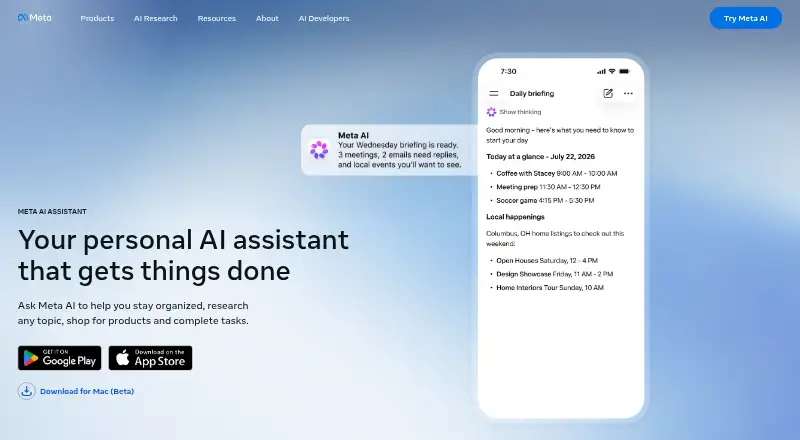
Meta AI is an assistant for answering questions, helping with tasks, and generating images. It can search the web and accept file uploads, and its image tools can edit photos by changing backgrounds or removing objects. The assistant is available on Android, iOS, macOS, and the web, and can also be accessed through WhatsApp, Instagram, Messenger, Facebook, and Threads. The Meta AI app supports voice conversations, including while users multitask. Users can ask it to remember details; it may also use information shared on Meta products to tailor responses. The app has a Discover feed for exploring and sharing examples of AI use, with nothing posted there unless the user chooses to share it. WhatsApp says personal messages and calls are end-to-end encrypted, and that Private Processing can respond to messages without Meta or WhatsApp reading them. WhatsApp also describes incognito chats as processed in a secure environment inaccessible to Meta and deleted when the chat ends. Meta AI is free for everyday use, though usage limits are being tested on some compute-intensive features. Availability of WhatsApp features may vary.
Who it suits
Meta AI suits people who want an assistant for questions, tasks, web search, file uploads, image creation, or photo edits. It may also fit users who prefer voice interaction or access through Meta apps.
What it does well
- Free for everyday use
- Available on web, macOS, Android, and iOS
- Can search the web and accept file uploads
- Generates images and edits photos
- Supports voice conversations and app integrations
What to know first
- Usage limits are being tested on some intensive features
- WhatsApp features may not be available to all users
Limits
Meta AI is free for everyday use, with usage limits being tested on some compute-intensive features. WhatsApp says Meta AI features may not be available to all users.
Plans
| Plan | Billed and limits | Price |
|---|---|---|
| Meta AI | Free for everyday use · usage limits are being tested on some compute-intensive features | Free |
As ai.meta.com lists them, read 11 Oct 2026. The maker's own page has the final word.
Getting started
- Visit the Meta AI website at https://ai.meta.com/meta-ai/assistant/.
- Choose web access or an available app platform: Android, iOS, or macOS.
- Use Meta AI through WhatsApp, Instagram, Messenger, Facebook, or Threads.
- Start with the free plan for everyday use.
Meta AI is a free assistant for questions, everyday tasks, web searches, files, and image work. It is best suited to people already using Meta’s apps who want the assistant available in those conversations and feeds. Its broad toolkit is appealing, but changing limits and uneven feature availability make it less suitable when predictable access is essential.
Overview
Meta AI combines conversational help with web search, file uploads, image generation, and photo editing. It can change image backgrounds and remove objects, so it handles practical visual jobs as well as information requests. For general personal use, that range makes the free service a capable first stop.
The service is deeply integrated with WhatsApp, Instagram, Messenger, Facebook, and Threads, in addition to dedicated mobile and web access. That makes it convenient for existing Meta users, while people wanting an assistant separate from a social ecosystem may prefer an alternative.
Key features
Questions, search, and files
Meta AI answers questions, helps with tasks, searches the web, and accepts file uploads. Those functions cover common planning, lookup, and reference needs in one place. The published capabilities do not establish specialist research workflows or advanced document-analysis features, so demanding professional work may require a more focused tool.
Images and photo editing
Image generation is paired with useful edits such as background replacement and object removal. That combination suits quick creative work and social content. Usage limits are being tested on some compute-intensive features, however, so heavy image use may be less consistent than occasional creation.
Voice and personalization
The Meta AI app supports voice conversations and lets users keep using voice while multitasking. Users can ask it to remember details, and it can use information shared on Meta products to tailor answers. Personalization can reduce repetition, but readers who prefer to keep assistant context outside Meta’s services should weigh that integration carefully.
Discover and WhatsApp privacy
The app’s Discover feed lets people explore how others use AI; posts are not shared unless the user chooses to publish them. WhatsApp says personal messages and calls remain end-to-end encrypted, while Private Processing can generate responses without Meta or WhatsApp reading the messages. Incognito chats with Meta AI are processed in a secure environment Meta cannot access and disappear when the chat ends. WhatsApp also notes that Meta AI features may not be available to every user.
Pricing
Meta AI — free. The plan is free for everyday use, with usage limits being tested on some compute-intensive features. There are no paid tiers or seat terms given, making it easy for individuals to try without a subscription. The trade-off is that intensive image or other demanding workloads may encounter limits, so it is less appropriate for users who need guaranteed high-volume access.
Platforms
Meta AI is available on Android, iOS, macOS, and the web. It is also built into WhatsApp, Instagram, Messenger, Facebook, and Threads. Dedicated apps and voice support favor mobile use, while web and macOS access cover larger-screen workflows.
Who it's for
Choose Meta AI if you want a no-cost general assistant for questions, searches, files, images, and quick photo edits, especially if you already communicate through Meta products. It is also a sensible option for users who value voice interaction and personalized answers across those services.
Look elsewhere if your work depends on stable quotas for compute-heavy features, broad availability in every account, or an assistant that does not draw on a Meta-centered experience. The listed capabilities support everyday versatility, not a guaranteed specialist workflow.
Pros and cons
- Pros: Free everyday access; web search and file uploads alongside question answering; image generation plus background and object edits; voice conversations with multitasking; integration across five major Meta apps; privacy controls described for WhatsApp incognito chats and Private Processing.
- Cons: Limits are being tested on compute-intensive features; WhatsApp says features may not reach all users; personalization draws on information shared across Meta products; the strongest convenience depends on being in Meta’s ecosystem.
Alternatives
Browse AI chatbots and assistants for a wider comparison. Pick ChatGPT instead if you want Windows support and a free plan with limited uploads and slower, limited image generation. Microsoft Copilot suits users who want Windows and Microsoft 365 options, though free access is capacity- and usage-limited. Choose Perplexity when a research-focused service with limited daily free use and a $20-per-month Pro tier fits better. Claude is an alternative with projects and broad platform coverage; its free plan limits usage and allows up to five projects. Gemini offers a free plan with image generation and editing, Deep Research, Gemini Live, Canvas, and Gems. Qwen Chat is free to use and open to all. Poe provides a free plan with a 200k-token context length. Open WebUI is a free, self-hosted option with listed branding conditions.
Verdict
Meta AI is a strong choice for Meta users who want a free, multi-purpose assistant embedded in familiar apps, with image and voice tools included. Choose another service when dependable high-volume access, a more independent platform, or a clearly specialized workflow matters more than ecosystem convenience.
Verdict
Meta AI combines question answering, task help, web search, file uploads, image generation, and photo editing. It is available across several platforms and Meta apps, with free everyday use subject to feature limits being tested.
Questions
Is Meta AI free?
Yes. The listed Meta AI plan costs nothing, and the plan is free for everyday use.
Which platforms support Meta AI?
Meta AI is available on Android, iOS, macOS, and the web. It is also available through WhatsApp, Instagram, Messenger, Facebook, and Threads.
Can Meta AI search the web and handle files?
Yes. Web search and file uploads are listed capabilities.
Can Meta AI generate or edit images?
Yes. It can generate images and edit photos, including changing backgrounds or removing objects.
Who makes Meta AI?
The maker is Meta AI, founded in 2004 and headquartered in Menlo Park, California.
Does Meta AI have usage limits?
Usage limits are being tested on some compute-intensive features. WhatsApp also says its Meta AI features may not be available to all users.
Facts from Meta AI's own pages
- Assistant
- Meta AI is an assistant for answering questions, helping with tasks, and generating images. · ai.meta.com, 11 Oct 2026
- Discover feed
- The Meta AI app includes a Discover feed for sharing and exploring how others use AI, and nothing is shared there unless the user chooses to post it. · about.fb.com, 11 Oct 2026
- Feature availability
- WhatsApp notes that Meta AI features may not be available to all users. · whatsapp.com, 11 Oct 2026
- File uploads
- Yes · ai.meta.com, 20 Sept 2026
- Founded
- 2004 · ai.meta.com, 28 Sept 2026
- Free plan
- Yes · ai.meta.com, 20 Sept 2026
- Headquarters
- Menlo Park, California · ai.meta.com, 28 Sept 2026
- Image generation
- Yes · ai.meta.com, 20 Sept 2026
- Image tools
- Meta AI can generate images and edit photos, including changing backgrounds or removing objects. · ai.meta.com, 11 Oct 2026
- Incognito chats
- WhatsApp says incognito chats with Meta AI are processed in a secure environment that Meta cannot access and disappear when the user exits the chat. · whatsapp.com, 11 Oct 2026
- Integrations
- Meta AI is available through WhatsApp, Instagram, Messenger, Facebook, and Threads. · ai.meta.com, 11 Oct 2026
- Maker
- Meta’s company history page says Facebook launched in 2004. · meta.com, 11 Oct 2026
- Mobile apps
- Yes · ai.meta.com, 20 Sept 2026
- Personalization
- Users can ask Meta AI to remember details, and it can draw on information they have shared on Meta products for personalized answers. · about.fb.com, 11 Oct 2026
- Platforms
- Meta AI is available on the web, in its iOS and Android apps, and as a desktop app for Mac. · ai.meta.com, 11 Oct 2026
- Voice
- The Meta AI app supports voice conversations and can use voice while the user multitasks. · about.fb.com, 11 Oct 2026
- Web search
- Meta says Meta AI can search across the web to provide recommendations and help users explore topics. · about.fb.com, 11 Oct 2026
- WhatsApp privacy
- WhatsApp says personal messages and calls are end-to-end encrypted, and Private Processing can generate responses to messages without Meta or WhatsApp reading them. · whatsapp.com, 11 Oct 2026
Where Meta AI stands on Freedom251
- AI chatbots and assistants#7 of 65