Freedom251 › Lyrics-to-Song Generators

MeloLab AI Remix
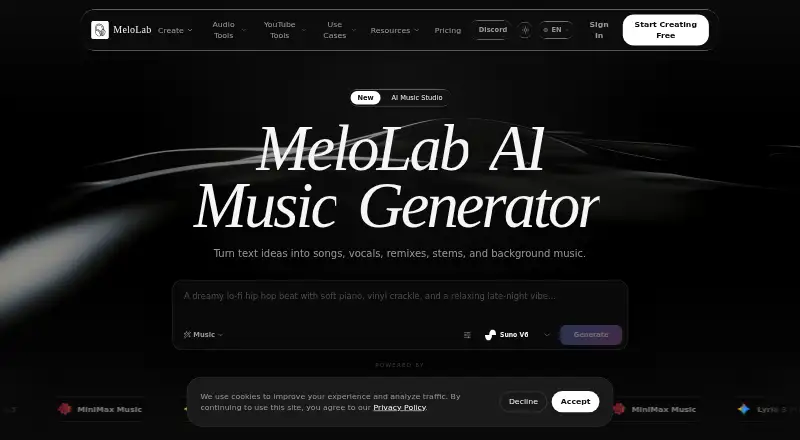
What MeloLab AI Remix is
MeloLab AI Remix is a web-based music workspace for turning ideas and existing tracks into songs, stems, vocals, and production assets. Its AI Remix tool can create a new version of a song by changing its genre, mood, tempo, or instrumentation. Users can start with an MP3 or WAV upload or select a track from their MeloLab library. The workflow can separate vocals, drums, bass, and instruments so they can be remixed, rearranged, or replaced independently. Mashup mode blends elements from different songs, such as vocals from one track and an instrumental from another. The browser-based AI Studio includes a multi-track editor, EQ, compressor, reverb, automation lanes, and stem controls. Listed AI models are ACE Step Remix and MiniMax Cover; the remix page says the tool works with SoundCloud, YouTube, Spotify, and Twitch. Exports include MP3, WAV, FLAC, and M4A. The free plan has eight lifetime credits and personal-use rights only. Plus and Pro include commercial-use rights for eligible music.
Who it suits
MeloLab may suit musicians and producers, as well as content creators, film and video makers, and game and app developers. The free plan is limited to personal use; creators seeking commercial-use rights need Plus or Pro.
What it does well
- Remix by genre, mood, tempo, or instrumentation
- Separate vocals, drums, bass, and instruments
- Mashup mode combines elements from multiple songs
- Exports MP3, WAV, FLAC, and M4A
- Plus and Pro include eligible commercial-use rights
What to know first
- Free plan has eight lifetime credits
- Free plan is personal use only
- Free plan stores songs for seven days
Limits
The Free plan includes eight lifetime credits, one concurrent generation, seven-day song storage, personal use only, and YouTube conversion up to 15 minutes. Plus costs $149 a year, billed as $149/year, and includes 400 credits per month and 30-day song storage. Pro costs $33.25 a year, billed as $399/year, and includes 1200 credits per month and fair-use long-term storage.
Plans
| Plan | Billed and limits | Price |
|---|---|---|
| Free | $0/mo · 8 lifetime credits · 1 concurrent generation · personal use · 7-day storage · community support | Free |
| Plus | Billed as $149/year · 400 credits/month · 3 concurrent generations · commercial rights for eligible music · priority queue · 30-day post-subscription storage | $12.42 a month |
| 300 credits | 300 credits · up to 300 AI song results · pack credits never expire | $19.99, paid once |
| 300-credit pack | One-time purchase · 300 credits · credits never expire | $19.99, paid once |
| Pro | Billed as $399/year · 1200 credits/month · 5 concurrent generations · commercial rights for eligible music · highest priority · fair-use long-term storage | $33.25 a month |
| 1000-credit pack | One-time purchase · 1000 credits · credits never expire | $59.99, paid once |
| 1000 credits | 1000 credits · up to 1000 AI song results · pack credits never expire | $59.99, paid once |
| 100 credits | 100 credits · up to 100 AI song results · pack credits never expire | $7.99, paid once |
The first 8 of 9 plans, as melolab.ai lists them, read 21 Oct 2026. The maker's own page has the final word. Every plan
Getting started
- Open the MeloLab website in a browser.
- Create or select a track in the MeloLab library, or prepare an MP3 or WAV upload.
- Use AI Remix to choose changes to genre, mood, tempo, or instrumentation.
- Use stem editing or Mashup mode to arrange track elements.
- Continue in the browser-based AI Studio and export as MP3, WAV, FLAC, or M4A.
- Choose a plan according to credit needs and whether eligible commercial-use rights are needed.
Verdict
MeloLab AI Remix offers track transformation, stem work, and mashups alongside a browser-based production studio. Check the plan’s credit allowance, storage period, and usage rights against your intended workflow.
Questions
Is MeloLab AI Remix free?
Yes. The Free plan costs nothing and includes eight lifetime credits. Paid options include one-time credit packs and annual Plus and Pro plans.
How much do the plans cost?
The listed one-time packs are 7.99 USD for 100 credits, 19.99 USD for 300 credits, and 59.99 USD for 1000 credits. Plus is $149 a year, billed as $149/year; Pro is $33.25 a year, billed as $399/year.
Can I use Free-plan music commercially?
No. The Free plan is personal use only. Plus and Pro include commercial-use rights for eligible music.
What platforms does MeloLab support?
MeloLab is available on the web. Its remix page says the tool works with SoundCloud, YouTube, Spotify, and Twitch.
What export formats are available?
Exports are available in MP3, WAV, FLAC, and M4A.
Who can I contact for support?
MeloLab lists [email protected] for product support and [email protected] for billing questions.
Facts from MeloLab AI Remix's own pages
- AI models
- The remix page names ACE Step Remix and MiniMax Cover as available remix models. · melolab.ai, 21 Oct 2026
- AI remix
- AI Remix can change a song’s genre, mood, tempo, or instrumentation and generate a new version. · melolab.ai, 4 Oct 2026
- AI remix workflow
- The remix tool accepts MP3 or WAV uploads or library tracks, then lets users describe genre, mood, tempo and instrumentation changes. · melolab.ai, 21 Oct 2026
- API authentication
- The public API uses bearer API keys and requires an Idempotency-Key on generation requests. · melolab.ai, 21 Oct 2026
- API capabilities
- Documented API areas include profiles, credits, usage, models, asynchronous generations, jobs, library search, playlists and tracks. · melolab.ai, 21 Oct 2026
- API rate limits
- The API documentation states 600 read requests per minute, 12 generation requests per minute and 120 authentication requests per minute per IP. · melolab.ai, 21 Oct 2026
- API SDK examples
- Documentation provides cURL, JavaScript and Python request examples. · melolab.ai, 21 Oct 2026
- API webhooks
- Developers can register HTTPS webhook endpoints for asynchronous job completion notifications. · melolab.ai, 21 Oct 2026
- Apple app developer
- The App Store listing names Dongguan Xinyuchen Technology Co., Ltd. as the app provider. · apps.apple.com, 21 Oct 2026
- Apple app requirements
- The App Store listing identifies an iPhone app requiring iOS 15 or later and lists a 102.8 MB download. · apps.apple.com, 21 Oct 2026
- Changelog news
- The August 2026 changelog records new YouTube-to-MIDI, Instrumental Maker and local Audio Editor workspaces. · melolab.ai, 21 Oct 2026
- Commercial licensing
- Paid plans include commercial-use rights for eligible generated music, while free outputs are personal-use only. · melolab.ai, 21 Oct 2026
- Commercial rights
- The Free plan is personal use only, while Plus and Pro include commercial use rights for eligible music. · melolab.ai, 4 Oct 2026
- Creator use cases
- MeloLab lists content creators, film and video makers, game and app developers, musicians, and producers as use cases. · melolab.ai, 4 Oct 2026
- Credit costs
- Official pricing lists generation costs such as Suno V6 at 6 credits, ACE Step Remix at 1, mashups at 10 and stem splitting at 4–8 credits. · melolab.ai, 21 Oct 2026
- Data collected
- The privacy policy says MeloLab collects account and payment information, generated content preferences, usage data, device information, and cookies. · melolab.ai, 4 Oct 2026
- DJ edits
- The service advertises extended intros, builds and drops for DJ-oriented versions. · melolab.ai, 21 Oct 2026
- Documentation depth
- The developer documentation includes endpoint scopes, error codes, webhook operations, polling examples and rate-limit behavior. · melolab.ai, 21 Oct 2026
- Export formats
- Independent directory research lists MP3, WAV, FLAC and M4A exports. · itechguides.com, 21 Oct 2026
- Inputs
- The remix tool accepts MP3 and WAV uploads or a track from the user’s MeloLab library. · melolab.ai, 4 Oct 2026
- Licence
- AIDiveForge classifies MeloLab as closed source with no publicly available source code. · aidiveforge.com, 21 Oct 2026
- Limit: automation
- AIDiveForge reports that teams cannot rely on a self-hosted pipeline and must export files manually for downstream automation. · aidiveforge.com, 21 Oct 2026
- Limit: credit ceiling
- AIDiveForge notes that credit and plan limits can constrain high-output production sprints. · aidiveforge.com, 21 Oct 2026
- Limit: young domain
- ScamAdviser reports that melolab.ai is a very young domain with hidden WHOIS ownership and low traffic rank. · scamadviser.com, 21 Oct 2026
Where MeloLab AI Remix stands on Freedom251
- Lyrics-to-Song Generators#5 of 29
- AI Music Remixing Tools#14 of 22