Freedom251 › Stock Music Libraries
Melody Loops
What Melody Loops is
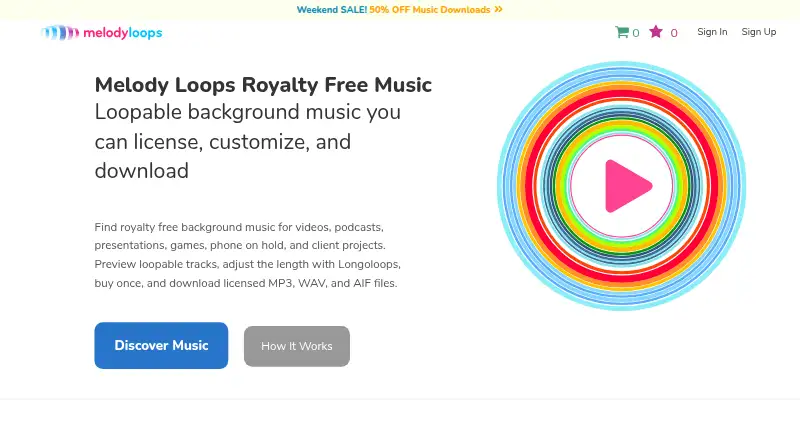
Melody Loops is a web service for finding, licensing, customizing, and downloading loopable royalty-free background music. Its listed uses include videos, podcasts, presentations, games, phone systems, and client projects. Music can be browsed by project, genre, style, mood, and instrument. The site also offers an AI playlist generator for personalized royalty-free playlists, with MP3 or WAV downloads in any length.
Its Longoloops feature creates custom-length MP3 or WAV versions, and previews can run from 5 seconds up to 1 hour. Listed download formats are MP3 at 320kb and 44kHz, WAV at 16bit and 44kHz, and AIFF at 16bit and 44kHz. Purchased tracks come with a lifetime license for repeated use across projects without a separate license fee for each project. Tracks can be edited, trimmed, or looped, but the music cannot be resold or redistributed on its own or released as a new music track.
Free tracks require attribution and are for non-commercial use; commercial or monetized projects need an appropriate license. Free music is listed as free and requires an account and credit. Download credits are sold as one-time payments, with 3, 10, 25, and 50 download options; credits are valid for 18 months, while licenses and downloads never expire. Downloaded files can be imported into software such as iMovie, PowerPoint, Premiere, and Vegas.
Who it suits
Melody Loops suits people who need background music for videos, podcasts, presentations, games, phone systems, or client projects. It is also useful for buyers who want to tailor music length or reuse a purchased track across projects under a lifetime license.
What it does well
- Browse music by project, genre, style, mood, or instrument.
- Longoloops creates custom-length MP3 or WAV versions.
- Previews range from 5 seconds up to 1 hour.
- Purchased tracks have a lifetime license for repeated project use.
- Downloads include MP3, WAV, and AIFF formats.
What to know first
- Free tracks require attribution and are for non-commercial use.
- Free music requires an account and credit.
- Purchased music cannot be resold or redistributed on its own.
Limits
Free tracks require attribution and are limited to non-commercial use; commercial or monetized projects need an appropriate license. Download credits are valid for 18 months, while licenses and downloads never expire.
Plans
| Plan | Billed and limits | Price |
|---|---|---|
| Free music | Free account required · credit required · free tracks for non-commercial use; commercial and monetized projects need an appropriate license | Free |
| 3 Downloads | One-time payment; no subscription · 3 track credits · valid for 18 months · licenses and downloads never expire | On request |
| 10 Downloads | One-time payment; no subscription · 10 track credits · valid for 18 months · licenses and downloads never expire | On request |
| 25 Downloads | One-time payment; no subscription · 25 track credits · valid for 18 months · licenses and downloads never expire | On request |
| 50 Downloads | One-time payment; no subscription · 50 track credits · valid for 18 months · licenses and downloads never expire | On request |
As melodyloops.com lists them, read 5 Oct 2026. The maker's own page has the final word.
Getting started
- Visit the Melody Loops website.
- Browse music by project, genre, style, mood, or instrument.
- Create a free account and use a credit to access free music, or select a download-credit option.
- Preview tracks and use Longoloops to make a custom-length MP3 or WAV version.
- Download the track and import it into software such as iMovie, PowerPoint, Premiere, or Vegas.
Melody Loops is a web-based library of loopable royalty-free background music with tools for previewing, licensing, resizing, and downloading tracks. It is a strong fit for creators producing videos, podcasts, presentations, games, phone systems, or client work who need music to match a precise runtime. The paid catalog is most compelling when the same track will appear in several projects; free music is suitable only when its attribution and usage conditions fit your release.
Overview
Melody Loops combines a categorized music search with customization tools rather than treating every download as a fixed-length file. Browse by project, genre, style, mood, or instrument, then preview candidates before using a credit. The Longoloops tool creates custom-length MP3 or WAV versions, with previews from five seconds to one hour. That is useful when a video, presentation, game scene, or phone message needs an exact duration and manual looping would be inconvenient.
A purchased track includes a lifetime license for repeated use across projects, so a creator does not pay a new license fee for every production. Editing, trimming, and looping are allowed. The license does not permit selling or redistributing the music by itself, or issuing it as a new music track; it is therefore aimed at music used inside finished projects, not at making a competing music product.
Key features
Search, formats, and workflow
Category filters and previews make the catalog practical to narrow before spending a download credit. Downloads come as MP3 (320kb, 44kHz), WAV (16bit, 44kHz), or AIFF (16bit, 44kHz). Files can be imported into applications including iMovie, PowerPoint, Premiere, and Vegas, which suits common editing and presentation workflows.
Custom lengths and playlists
Longoloops is the standout production feature: it generates a requested-length MP3 or WAV instead of leaving the editor to repeat and cut a standard file. Melody Loops also presents an AI playlist generator that creates personalized royalty-free playlists and provides MP3 or WAV downloads in any length. That can help when a project needs a set of background selections rather than one cue. SFX are included in the offering.
Licensing and account handling
Free tracks require attribution and are for non-commercial use; commercial or monetized work needs an appropriate license. That distinction matters for monetized channels, client deliverables, and business presentations, where a free download should not be treated as automatically cleared. Account and order data are stored on secure U.S. servers, with SSL used for data transmission. Checkout is a one-time payment handled by Paddle. Support is available by email and contact form.
Pricing
Melody Loops uses download credits rather than a recurring subscription for its paid bundles. The Free music option costs free and requires a free account and credit; free tracks are for non-commercial use, while commercial and monetized projects require an appropriate license. It is best for personal or otherwise non-commercial work that can carry attribution.
3 Downloads, 10 Downloads, 25 Downloads, and 50 Downloads use custom pricing and a one-time payment. Each bundle has no subscription, and its credits remain valid for 18 months. Licenses and downloads never expire. The three-download bundle fits occasional projects; larger bundles make more sense for producers with a continuing queue of deliverables. The trade-off is that unused credits have an 18-month validity window, so infrequent users should avoid buying more capacity than they can use.
Platforms
Melody Loops is available on the web. Downloaded files can then move into desktop and presentation software such as iMovie, PowerPoint, Premiere, and Vegas, but the service itself is not presented as a native desktop or mobile application.
Who it's for
Choose it for video makers, podcasters, presenters, game developers, phone-system producers, and agencies or freelancers delivering client projects. The custom-duration tool helps when timing is strict, while lifetime repeat-use licensing favors creators building a reusable music library. It is a weaker fit for commercial publishers seeking unrestricted free music, or for anyone intending to redistribute music as music.
Pros and cons
Pros
- Custom runtime generation: Longoloops can produce MP3 or WAV previews and files from five seconds to one hour, reducing manual looping and trimming.
- Lifetime project reuse: A purchased track can be used across projects without a new project-by-project license fee.
- Multiple delivery formats: MP3, WAV, and AIFF options cover compressed, production, and editing workflows.
- Focused discovery: Project, genre, style, mood, and instrument categories help target a suitable cue.
Cons
- Free-use restrictions: Attribution is required, and commercial or monetized projects need an appropriate license.
- Credit expiry: Paid credits are valid for 18 months, which can penalize buyers who work only occasionally.
- Redistribution prohibited: The paid license does not cover selling the music on its own or releasing it as a new track.
- Web-only access: There is no stated native app; production depends on downloaded files and compatible editing software.
Alternatives
Stock Music Libraries is the broader starting point when you want to compare multiple music catalogs rather than commit to one service.
Soundstripe is worth choosing if you need Android, iOS, macOS, API, or extension access, a free trial, or a Twitch-focused free extension alongside paid licensing.
RouteNote fits artists distributing music and keeping 85% of net revenue on its free plan, rather than creators primarily sourcing background cues.
Bensound is an alternative for selected free tracks with attribution or a yearly Business All Access plan.
Sonoton is aimed at commissioned broadcast and corporate-media licensing arrangements.
TuneTank suits users seeking a free tier with three downloads per month or a $7.00-per-month Pro subscription with unlimited music and sound effects.
Uppbeat offers three free downloads for individual channels and a paid Essentials tier with unlimited music and sound effects.
Free Music Archive is a free catalog where reuse depends on each work's license.
Free To Use provides free non-premium tracks for user-generated social content with attribution, while commercial use requires its paid Pro License.
Verdict
Melody Loops is a good choice for creators who need loopable background music shaped to exact lengths and licensed for repeated use across projects. Its formats, search categories, and one-time credit bundles support practical production workflows. Look elsewhere if your priority is unrestricted free music for commercial or monetized publishing, or if you need a native mobile or desktop app rather than a web service.
Verdict
Choose Melody Loops if you need loopable background music, custom track lengths, and licenses that cover repeated use across projects. Look elsewhere if you need free tracks for commercial or monetized work without obtaining an appropriate license.
Questions
Is Melody Loops free?
Free music is listed as free, but requires an account and credit. Free tracks are for non-commercial use and require attribution.
How do the paid download options work?
The site lists 3, 10, 25, and 50 download-credit options as one-time payments with no subscription. Their prices are not provided here; credits last 18 months, and licenses and downloads do not expire.
What download formats are available?
The site lists MP3 at 320kb and 44kHz, WAV at 16bit and 44kHz, and AIFF at 16bit and 44kHz.
Can I use a purchased track in multiple projects?
Yes. A purchased track includes a lifetime license for repeated use across projects without an additional license fee for each project.
Can I edit or redistribute a track?
You may edit, trim, or loop a purchased track. You may not resell or redistribute the music on its own or release it as a new music track.
Facts from Melody Loops's own pages
- AI playlist feature
- The site presents an AI music playlist generator that generates personalized royalty-free playlists and offers MP3 or WAV downloads in any length. · melodyloops.com, 5 Oct 2026
- Company
- The site identifies the company as Melody Loops LP and gives its mailing address in Edinburgh, Scotland. · melodyloops.com, 5 Oct 2026
- Formats
- The site lists MP3 at 320kb and 44kHz, WAV at 16bit and 44kHz, and AIFF at 16bit and 44kHz. · melodyloops.com, 5 Oct 2026
- Free music terms
- Free tracks require attribution, and the site directs users to obtain an appropriate license for commercial or monetized work. · melodyloops.com, 5 Oct 2026
- Integrations
- Melody Loops says downloaded files can be imported into software such as iMovie, PowerPoint, Premiere, and Vegas. · melodyloops.com, 5 Oct 2026
- License limits
- Users may edit, trim, or loop a purchased track but may not resell or redistribute the music on its own or release it as a new music track. · melodyloops.com, 5 Oct 2026
- Longoloops
- Longoloops can create custom-length MP3 or WAV versions, with previews available from 5 seconds up to 1 hour. · melodyloops.com, 5 Oct 2026
- Paid license
- A purchased track comes with a lifetime license for repeated use across projects without an additional license fee for each project. · melodyloops.com, 5 Oct 2026
- Payment
- The download-credit page says checkout is handled securely by Paddle and accepts a one-time payment. · melodyloops.com, 5 Oct 2026
- Product
- Melody Loops offers loopable royalty-free background music that users can preview, license, customize, and download. · melodyloops.com, 5 Oct 2026
- Search and discovery
- Music can be browsed by project, genre, style, mood, and instrument, and the homepage says music editors organize tracks by those kinds of categories. · melodyloops.com, 5 Oct 2026
- Security
- Its privacy policy says account and order data are stored on secure U.S. servers and that SSL encryption is used for data transmissions. · melodyloops.com, 5 Oct 2026
- Support
- The company offers support by email at [email protected] and through a contact form. · melodyloops.com, 5 Oct 2026
- Use cases
- The site lists videos, podcasts, presentations, games, phone systems, and client projects among its use cases. · melodyloops.com, 5 Oct 2026
Where Melody Loops stands on Freedom251
- Stock Music Libraries#14 of 60