Media.io Voice Changer
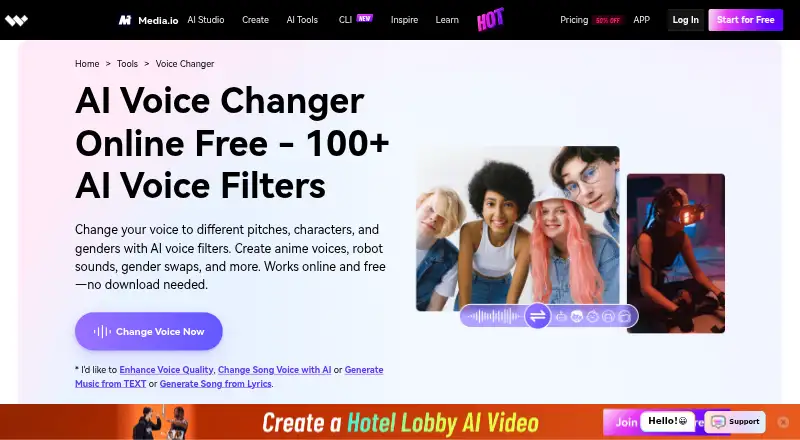
What Media.io Voice Changer is
Media.io Voice Changer is a browser-based tool for changing voices in uploaded audio or video. Its AI filters can alter pitch, character, and gender, with options such as anime and robot effects; the product page advertises more than 100 filters. The workflow is to upload a file, choose an effect, then download the result. Users can also edit and customize audio after applying an effect. Supported examples include MP3, M4A, OGG, and AU audio, plus MP4, MOV, VOB, and MTS video. Users can choose an output format, then download changed audio to a local drive or Dropbox. The page says uploaded files are automatically removed from the server within 24 hours. The tool works online in a browser without a software download, and Media.io describes it for gamers, video creators, YouTubers, animation voiceovers, presentations, and conversations. A Free Trial is listed as free, billed as a three-day trial, with three daily check-in credits, one video, one image, one audio, and 1GB of cloud storage. The product page also advertises free online use. Pay As You Go credits are valid for two years, while the Monthly Credit Plan automatically renews.
Who it suits
This tool may suit gamers, video creators, YouTubers, and people making animation voiceovers or presentations who want to alter voices in browser-uploaded media. It also fits users who want to edit the changed audio and save it locally or to Dropbox.
What it does well
- Advertises more than 100 AI voice filters.
- Accepts audio and video files in several formats.
- Allows editing and customization after applying an effect.
- Changed audio can be downloaded locally or to Dropbox.
- Uploaded files are removed from the server within 24 hours.
What to know first
- The listed free trial lasts three days.
- The Free Trial has three daily check-in credits and limits for media and storage.
Limits
The Free Trial lasts three days and includes three daily check-in credits, one video, one image, one audio, and 1GB of cloud storage. The Standard and Premium plans each include 100 credits per month; Standard lists 20GB of cloud storage and 60 minutes per month of subtitles, while Premium lists 50GB and 120 minutes.
Plans
| Plan | Billed and limits | Price |
|---|---|---|
| Free Trial | Free 3-day trial · 3 daily check-in credits · 1 video · 1 image · 1 audio · 1GB cloud storage | Free |
| Standard | 100 credits/mo · 20GB cloud storage · 1080p exports · 60 mins/mo subtitles | On request |
| Premium | 100 credits/mo · 50GB cloud storage · 1080p exports · 120 mins/mo subtitles | On request |
| Pay As You Go | Credits valid for 2 years | On request |
| Monthly Credit Plan | Monthly credit subscription · Automatically renews | On request |
As media.io lists them, read 20 Sept 2026. The maker's own page has the final word.
Getting started
- Open the Media.io Voice Changer website in a browser.
- Use the online tool without downloading software.
- Upload an audio or video file in a supported format.
- Choose a voice effect and apply it to the file.
- Edit and customize the audio, then select an output format.
- Download the changed audio to your local drive or Dropbox.
Verdict
Choose Media.io Voice Changer if you want browser-based voice effects and the ability to customize the resulting audio. Consider another option if you need a longer free trial or want plan prices established before choosing a paid plan.
Questions
Does Media.io Voice Changer have a free option?
The product page advertises free online use. A Free Trial is listed as free for three days.
What does the Free Trial include?
It includes three daily check-in credits, one video, one image, one audio, and 1GB of cloud storage.
Which platforms can I use it on?
It works online in a browser and does not require a software download.
What file types can I upload?
Examples listed include MP3, M4A, OGG, and AU audio, plus MP4, MOV, VOB, and MTS video.
Can I save a changed voice result to Dropbox?
Yes. Changed audio can be downloaded to a local drive or Dropbox.
Facts from Media.io Voice Changer's own pages
- AI avatars
- No · media.io, 20 Sept 2026
- Audience
- Media.io describes the tool as useful for gamers, video creators, YouTubers, animation voiceovers, presentations, and conversations. · media.io, 8 Oct 2026
- Browser-based
- The product page says the tool works online in a browser and requires no software download. · media.io, 8 Oct 2026
- Company
- Wondershare says it was founded in 2003 and identifies Shenzhen, China as its operational headquarters. · wondershare.com, 8 Oct 2026
- Editing
- After applying a voice effect, users can edit and customize the audio. · media.io, 8 Oct 2026
- File formats
- The page says it accepts audio and video formats such as MP3, M4A, OGG, AU, MP4, MOV, VOB, and MTS, and lets users choose the output format. · media.io, 8 Oct 2026
- File retention
- The voice changer page says uploaded files are automatically removed from its server within 24 hours. · media.io, 8 Oct 2026
- Filter count
- The product page advertises more than 100 AI voice filters. · media.io, 8 Oct 2026
- Free access
- The product page calls the online voice changer free and advertises free online use. · media.io, 8 Oct 2026
- Free plan
- No · media.io, 20 Sept 2026
- Image-to-video
- No · media.io, 20 Sept 2026
- Integrations
- The page says users can download changed audio to their local drive or Dropbox. · media.io, 8 Oct 2026
- Privacy policy
- Media.io’s privacy policy says some product usage and installation data may be collected, including feature usage, device information, operating system, IP address, and file size and format. · media.io, 8 Oct 2026
- Purpose
- Media.io says its online voice changer uses AI voice filters to change voice pitch, character, and gender, including anime and robot effects. · media.io, 8 Oct 2026
- Support
- Media.io’s help page directs users to FAQs or its live support team. · media.io, 8 Oct 2026
- Text-to-video
- No · media.io, 20 Sept 2026
- Workflow
- Users upload an audio file in the browser, choose a voice effect, and download the result. · media.io, 8 Oct 2026
Where Media.io Voice Changer stands on Freedom251
- AI Photo Editors#53 of 96
- AI Slideshow Makers#14 of 22
- AI video generators#159 of 242
- Photo editors#74 of 96