Freedom251 › Audio Converter Software
Media.io Audio Converter
What Media.io Audio Converter is
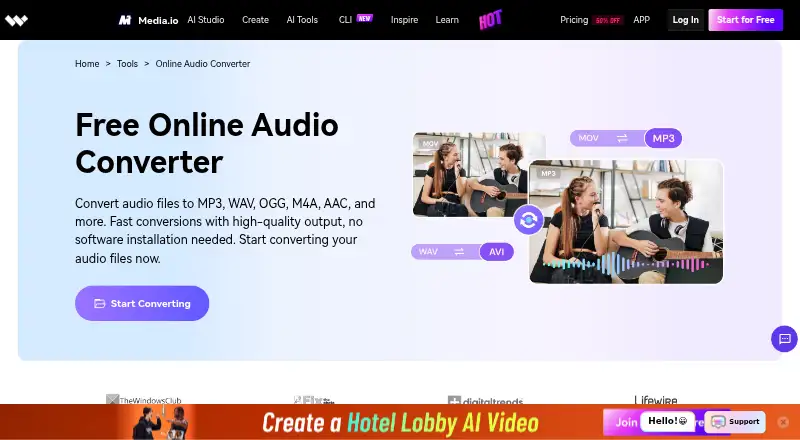
Media.io Audio Converter is an online tool for changing audio files into formats such as MP3, WAV, OGG, M4A, and AAC. The workflow is straightforward: upload a file, select an output format, convert it, and download the result. Its listed formats also include MP2, WMA, FLAC, M4B, M4R, AC3, APE, AIFF, and AMR. It can handle single files or batches, and the product page says most conversions finish in under 10 seconds. The converter works in Chrome, Safari, Firefox, and mobile browsers without installation; listed platforms are web, Android, and iOS. An account lets users save conversion history and access it across devices. Media.io says users retain ownership and copyright of source and converted files. Uploaded files and generated content are automatically removed from its servers within 7 days and are not backed up. Media.io describes encryption and administrative, technical, and physical controls for personal data. The free trial allows up to one audio generation.
Who it suits
It suits people who need to convert audio files in a browser, including users working with batches or from mobile browsers. An account may suit users who want conversion history available across devices.
What it does well
- Supports a wide range of audio formats.
- Can convert single files or batches.
- Works in several browsers without installation.
- Conversion history can be accessed across devices.
- Users retain ownership of source and converted files.
What to know first
- The free trial allows up to one audio generation.
- Uploaded files and generated content are deleted within 7 days.
- Metadata editing and CD ripping are not available.
Limits
The Free Trial plan costs nothing and includes three daily check-in credits, up to one video, one image, and one audio, 720p exports with watermark, and 1GB cloud storage. The listed trial allowance permits up to one audio generation.
Plans
| Plan | Billed and limits | Price |
|---|---|---|
| Free Trial | 3 daily check-in credits · up to 1 video, 1 image, and 1 audio · 720p exports with watermark · 1GB cloud storage | Free |
| Standard | Automatically renews; cancel anytime. The page’s price is rendered as a template, not a numeric amount. · 20GB cloud storage · 1080p exports without watermark · 60 subtitle minutes/month · 2GB upload limit | On request |
| Premium | 3-day free trial, then annual billing; automatically renews and can be canceled anytime. The page’s price is rendered as a template, not a numeric amount. · 50GB cloud storage · 1080p exports without watermark · 120 subtitle minutes/month · 2GB upload limit | On request |
As media.io lists them, read 4 Oct 2026. The maker's own page has the final word.
Getting started
- Open the Media.io Audio Converter website
- Upload an audio file
- Select an output format
- Convert the file or batch
- Download the converted result
- Create an account to save conversion history across devices
Verdict
Media.io offers browser-based conversion with broad format support and batch processing. The trial is limited to one audio generation, and the listed paid prices are not numeric.
Questions
What platforms support Media.io Audio Converter?
It is available on the web, Android, and iOS. The browser converter works in Chrome, Safari, Firefox, and mobile browsers without installation.
Is there a free plan?
Yes. Media.io lists a free plan and a 3-day trial; the Free Trial plan costs nothing.
Which audio formats are supported?
The listed formats include MP3, MP2, WAV, M4A, M4B, M4R, AC3, MKA, APE, AIF, AIFF, AMR, FLAC, AU, CUE, MPA, AP3, RA, RAM, OGG, CAF, WMA, M4P, and AAC.
Are uploaded files retained?
Uploaded files and generated content are automatically deleted from Media.io servers within seven days and are not backed up.
Who owns converted files?
Media.io says users retain copyright and ownership of their source and converted files.
Facts from Media.io Audio Converter's own pages
- App availability
- The audio converter page links to a Media.io app download for mobile devices. · media.io, 4 Oct 2026
- Batch conversion
- The product page says it can convert single files or batches and that most conversions finish in under 10 seconds. · media.io, 4 Oct 2026
- Browser support
- The converter works in Chrome, Safari, Firefox, and mobile browsers without installation. · media.io, 4 Oct 2026
- Format support
- The page lists MP3, WAV, M4A, OGG, WMA, AAC, and FLAC among supported formats. · media.io, 4 Oct 2026
- History
- Creating an account lets users save and access conversion history across devices. · media.io, 4 Oct 2026
- Limits
- The free trial allows up to one audio generation, while paid plan prices are displayed as unresolved templates on the opened pricing page. · media.io, 4 Oct 2026
- Ownership
- Media.io says users retain copyright and ownership of their source and converted files. · media.io, 4 Oct 2026
- Privacy retention
- The pricing page says uploaded files and generated content are automatically deleted from Media.io servers within 7 days and are not backed up. · media.io, 4 Oct 2026
- Purpose
- The online audio converter changes audio files into formats including MP3, WAV, OGG, M4A, and AAC. · media.io, 4 Oct 2026
- Security
- Media.io says it uses encryption and reasonable administrative, technical, and physical controls to protect personal data. · media.io, 4 Oct 2026
- Support
- The pricing page says advisors provide live chat or email support within 24 hours. · media.io, 4 Oct 2026
- Workflow
- Users upload an audio file, select an output format, convert it, and download the result. · media.io, 4 Oct 2026
Where Media.io Audio Converter stands on Freedom251
- Audio Converter Software#21 of 36
- Audio converters#6 of 7