Freedom251 › Legal Calendaring Software

MatterAlert
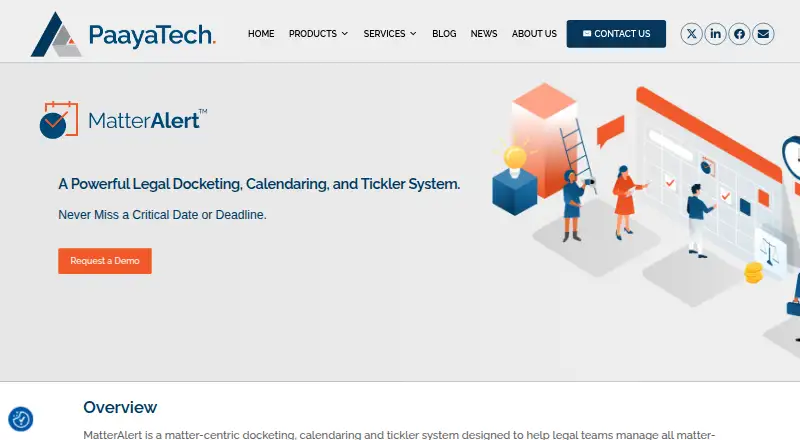
What MatterAlert is
MatterAlert is a browser-based docketing, calendaring, and tickler system for legal teams. It brings matter information, tasks, and deadlines into a centralized web application. Matter templates gather details and documents, then can create tasks and calendar events when a matter starts. CourtRules tracks critical dates for select courts across North America and can create or revise calendar events when court rules change. Users receive alerts in the dashboard, by individual or consolidated daily email, and through calendar reminders and updates. The Case Locator searches by case name, docket number, jurisdiction, or dates, with selected cases added to a matter. Time can be entered manually or from tasks and events, including task codes, billing type, hours, and descriptions. MatterAlert connects with Thomson Reuters 3E, Aderant, Microsoft 365, Exchange, netdocuments, iManage, and PACER. Outlook synchronization covers Exchange Server 2010 and above, while updates reach Outlook, OWA, and mobile within one minute according to the product site. Audit logs, role-based controls, permissions, ethical-wall support, SSL encryption, two-factor authentication, Microsoft 365 single sign-on, and automated backups are described. The product is intended for litigation, IP, family-law, and corporate legal teams.
Who it suits
MatterAlert is for legal teams managing deadlines, matters, court dates, and related calendar activity. It fits litigation, IP, family-law, and corporate legal groups that need browser access, Outlook synchronization, case searching, time capture, and controlled matter access.
What it does well
- Centralizes matters, tasks, and deadlines
- CourtRules handles select North American court dates
- Alerts via dashboard, email, and calendars
- Integrates with Microsoft 365, Exchange, and legal systems
- Case Locator searches by name, docket, jurisdiction, or dates
- Audit logs and ethical-wall support
What to know first
- Core platform costs $1,545 per user monthly
- One-year minimum term applies
- Hosting, implementation, training, migration, and support quoted separately
- CourtRules covers select North American courts
Limits
The Core platform is $1,545 per user per month with a minimum one-year term, billed annually or monthly. Add-ons, hosting, implementation, training, data migration, and ongoing support or maintenance are quoted separately; CourtRules covers select courts across North America.
Plans
| Plan | Billed and limits | Price |
|---|---|---|
| Core platform | Per user per month; minimum one-year term; billed annually or monthly · Web portal · Outlook synchronization · Matter templates and dashboard · Notifications and alerts · Ethical wall and audit logs · Add-ons and services quoted separately | $1,545 a month |
As paayatech.com lists them, read 4 Oct 2026. The maker's own page has the final word.
Getting started
- Open the MatterAlert website and request a demo
- Arrange licensing for each user accessing the platform or calendar synchronization
- Complete the typical 4–6 week implementation
- Convert data, provide training, and run the pilot rollout
- Access MatterAlert in a browser on desktop, tablet, or mobile
- Connect Microsoft 365 or Exchange for Outlook synchronization
Verdict
Pick MatterAlert when a legal team needs centralized matter control, deadline calculation, calendar synchronization, and audit-ready access management in a browser. Look elsewhere if the per-user subscription, one-year commitment, separately quoted services, or court coverage do not fit your requirements.
Questions
What does the Core platform cost?
The Core platform is $1,545 per user per month, with a one-year minimum term and annual or monthly billing.
Is there a free plan?
No. MatterAlert is listed as paid and has no free plan.
Which platforms are supported?
MatterAlert is browser-based and described as responsive on desktop, tablet, and mobile.
Which integrations are listed?
Integrations include Thomson Reuters 3E, Aderant, Microsoft 365, Exchange, netdocuments, iManage, and PACER.
Does it synchronize with Outlook?
Yes. Microsoft 365 and Exchange integration reflects MatterAlert calendar changes in Outlook, OWA, and mobile; Exchange Server 2010 and above is specified.
Who makes MatterAlert?
MatterAlert is from PaayaTech, whose support site provides a knowledge base and support-ticket form.
Facts from MatterAlert's own pages
- Audit and access controls
- The product describes auditable matter and event changes, ethical-wall support, role-based access controls, and workspace- and document-level permissions. · matteralert.com, 4 Oct 2026
- Audit logs
- The site says system changes, including matter updates and calendar task or event changes, are logged and can be audited. · paayatech.com, 3 Oct 2026
- Calendar sync
- MatterAlert sends calendar changes to Outlook, OWA, and mobile within one minute, according to the product site. · matteralert.com, 4 Oct 2026
- Case search
- The Case Locator can search cases by name, docket number, jurisdiction, or dates, and add selected cases to a matter. · paayatech.com, 3 Oct 2026
- Centralized matters
- The web application centralizes matter-related information, tasks, and deadlines. · paayatech.com, 3 Oct 2026
- Court rules
- The service uses CalendarRules to generate deadlines and calendar events from court rules, with coverage described as 2,200+ rule sets across all 50 U.S. states and select Canadian jurisdictions. · matteralert.com, 4 Oct 2026
- Deployment
- MatterAlert is web-based, requires a browser, and does not require desktop installations or user add-ons. · paayatech.com, 3 Oct 2026
- Docket access
- UniCourt and PACER connections provide access to case and docket information, including searches by case name, docket number, or jurisdiction. · matteralert.com, 4 Oct 2026
- Ethical wall
- MatterAlert can synchronize with an in-house ethical wall so access to a new matter defaults to approved users. · paayatech.com, 3 Oct 2026
- Founded
- 2007 · paayatech.com, 28 Sept 2026
- Integrations
- Listed integrations include Microsoft 365 and Exchange, Thomson Reuters Elite 3E, Aderant, iManage, and NetDocuments. · matteralert.com, 4 Oct 2026
- Intended users
- The maker describes MatterAlert for legal teams and discusses use by litigation, IP, family-law, and corporate legal teams. · matteralert.com, 4 Oct 2026
- Matter templates
- Custom matter templates can enforce required information and automate tasks and calendar events when matters are created. · paayatech.com, 4 Oct 2026
- Notifications
- Notifications can appear in the dashboard, by individual email, in daily or weekly digests, and as Outlook calendar reminders. · matteralert.com, 4 Oct 2026
- Outlook sync
- Calendar events and reminders created or updated in MatterAlert are reflected in Outlook through Microsoft 365 and Exchange integration; the page specifies Exchange Server 2010 and above. · paayatech.com, 3 Oct 2026
- Platform access
- MatterAlert is browser-based, requires no desktop installation or add-ons, and is described as responsive on desktop, tablet, and mobile. · matteralert.com, 4 Oct 2026
- Pricing
- The product page offers a demo request but does not state a price. · paayatech.com, 3 Oct 2026
- Pricing limits
- Licensing is per user who accesses the platform or receives calendar synchronization; hosting, implementation, training, data migration, and ongoing support or maintenance are scoped and quoted separately. · matteralert.com, 4 Oct 2026
- Purpose
- MatterAlert is a web-based docketing, calendaring, and tickler system for legal teams to manage matter-related information. · paayatech.com, 4 Oct 2026
- Security
- The product site states that MatterAlert is SOC 2 compliant and lists SSL encryption, two-factor authentication, Microsoft 365 single sign-on, and automated backups. · matteralert.com, 4 Oct 2026
- Security badge
- The page displays an image labeled “SOC two compliance.” · paayatech.com, 3 Oct 2026
- Support
- Clients can use PaayaTech’s support portal to access its knowledge base, product documentation, training resources, and submit support requests. · matteralert.com, 4 Oct 2026
- Time capture
- Users can log time manually or from tasks and events, then enter task codes, billing type, hours, and descriptions. · paayatech.com, 3 Oct 2026
- Typical implementation
- The product site says typical implementation takes 4–6 weeks, including data conversion, training, and pilot rollout. · matteralert.com, 4 Oct 2026
Where MatterAlert stands on Freedom251
- Legal Calendaring Software#17 of 20