Freedom251 › Network Security Policy Management Software

ManageEngine Firewall Analyzer
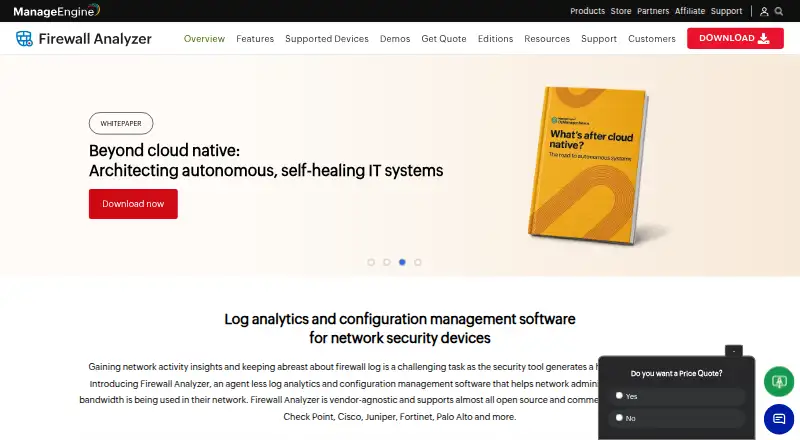
What ManageEngine Firewall Analyzer is
ManageEngine Firewall Analyzer analyzes firewall logs and helps network administrators manage firewall configurations and understand bandwidth use. It accepts logs from firewalls, VPNs, IDS/IPS devices, and proxy servers, including equipment from multiple vendors. Reports cover bandwidth, inbound and outbound traffic, VPN and protocol usage, and websites accessed by users. The product tracks configuration changes with real-time notifications and historical records. Professional and Enterprise add policy optimization, rule cleanup, reorder recommendations, and analysis of how new rules may affect existing policies. Those editions also include compliance reporting for ISO, PCI-DSS, NERC-CIP, SANS, and NIST.
Firewall Analyzer runs on premises. The vendor provides 64-bit Windows and Linux installers, plus iPhone and Android mobile downloads, and lists web, API, and self-hosted platforms. Its system requirements page says it can handle up to 3,000 logs per second with the specified system requirements and recommends assigning it a dedicated machine. Standard and Professional support up to 60 devices; Enterprise supports up to 1,200 and adds distributed and multi-geographical monitoring with a centralized architecture. Annual plans start at $395 a year, and a 30-day trial is available. There is no free plan. ManageEngine is headquartered in Pleasanton, California, United States, and was founded in 1996.
Who it suits
Firewall Analyzer suits network administrators who need to review traffic and bandwidth across firewall, VPN, IDS/IPS, or proxy logs from multiple vendors. Organizations that need rule analysis, configuration change tracking, compliance reporting, or monitoring across many devices can consider the Professional or Enterprise edition.
What it does well
- Analyzes logs from firewalls, VPNs, IDS/IPS devices, and proxy servers.
- Reports on bandwidth, traffic direction, VPN use, protocols, and visited websites.
- Tracks configuration changes with real-time notifications and historical records.
- Professional and Enterprise include rule analysis and compliance reporting.
- Enterprise supports up to 1,200 devices and distributed monitoring.
What to know first
- There is no free plan.
- Standard and Professional support up to 60 devices.
- The download page says the product is not for home use.
- Using the OpManager integration requires licenses for both products.
Limits
The Standard plan starts at one device and supports up to 60 devices. The 30-day trial is the listed trial period; no free plan is available.
Plans
| Plan | Billed and limits | Price |
|---|---|---|
| Standard Edition | billed annually · Supports up to 60 devices · Traffic and bandwidth reports · Firewall rules reports · Security and network reporting | $395 a year |
| Professional Edition | billed annually · Supports up to 60 devices · Firewall rule analysis · Configuration change tracking · REST API access | $595 a year |
| Enterprise Edition | billed annually · Supports up to 1,200 devices · Distributed monitoring · Multi-geographical monitoring · Centralized architecture | $8,395 a year |
| Standard | Annual subscription license; starting price for 1 device · Up to 60 devices · Failover/high availability as add-on | $395 a year |
| Professional | Annual subscription license; starting price for 1 device · Up to 60 devices · Failover/high availability as add-on | $595 a year |
| Enterprise | Annual subscription license; starting price for 20 devices · Up to 1200 devices · Failover/high availability as add-on | $8,395 a year |
As manageengine.com lists them, read 19 Sept 2026. The maker's own page has the final word.
Getting started
- Open the ManageEngine Firewall Analyzer website.
- Choose the Windows or Linux 64-bit installer for an on-premises deployment.
- Assign the product a dedicated machine in line with the vendor's deployment recommendation.
- Select an annual edition based on device capacity and the features you need.
- Use the 30-day trial to get started, or register for free technical support.
Verdict
Choose Firewall Analyzer if your network team needs multi-vendor log analysis, configuration tracking, or rule management on an on-premises system. Standard is the entry point for up to 60 devices; Professional adds rule analysis and change tracking, while Enterprise covers larger and distributed deployments. Look elsewhere if you need a free plan or a tool intended for home use.
Questions
Is ManageEngine Firewall Analyzer free?
No. There is no free plan. A 30-day trial is available.
How much does it cost?
Standard costs $395 a year, Professional costs $595 a year, and Enterprise costs $8,395 a year. The plans are billed annually.
Which platforms does it support?
The listed platforms are Android, API, iOS, Linux, self-hosted, web, and Windows. The download page provides 64-bit Windows and Linux installers, as well as iPhone and Android mobile downloads.
How many devices can each edition support?
Standard and Professional support up to 60 devices. Enterprise supports up to 1,200 devices.
Does it integrate with OpManager?
Yes. Firewall Analyzer integrates with ManageEngine OpManager, and licenses for both products are required to use them together.
Who makes Firewall Analyzer?
The maker is ManageEngine Firewall Analyzer. ManageEngine is headquartered in Pleasanton, California, United States, and was founded in 1996.
Facts from ManageEngine Firewall Analyzer's own pages
- Capacity
- The system requirements page says Firewall Analyzer can handle up to 3000 logs per second with the specified system requirements. · manageengine.com, 11 Oct 2026
- Change tracking
- The product provides real-time notifications and historical tracking of firewall configuration changes. · manageengine.com, 11 Oct 2026
- Compliance
- Professional and Enterprise list compliance reporting for ISO, PCI-DSS, NERC-CIP, SANS, and NIST. · manageengine.com, 11 Oct 2026
- Deployment
- The vendor provides server system requirements and recommends assigning Firewall Analyzer a dedicated machine. · manageengine.com, 11 Oct 2026
- Device coverage
- It supports logs from firewalls, VPNs, IDS/IPS devices, and proxy servers, including devices from multiple vendors. · manageengine.com, 11 Oct 2026
- Founded
- 1996 · manageengine.com, 23 Sept 2026
- Free plan
- No · manageengine.com, 19 Sept 2026
- Headquarters
- Pleasanton, California, United States · manageengine.com, 23 Sept 2026
- Integrations
- Firewall Analyzer integrates with ManageEngine OpManager, and the vendor says licenses for both products are required to use them together. · manageengine.com, 11 Oct 2026
- Intended use
- The download page states that the product is not antivirus software and is not for home use. · manageengine.com, 11 Oct 2026
- Log archive protection
- Firewall Analyzer can encrypt archived logs so only the application can decrypt them and can timestamp archives to reveal file modification. · manageengine.com, 11 Oct 2026
- Operating systems
- The download page provides 64-bit Windows and Linux installers; the product also has iPhone and Android mobile downloads. · manageengine.com, 11 Oct 2026
- Purpose
- Firewall Analyzer analyzes firewall logs and manages firewall configurations to help network administrators understand bandwidth use. · manageengine.com, 11 Oct 2026
- Rule management
- Professional and Enterprise include policy optimization, rule cleanup, rule reorder recommendations, and new rule impact analysis. · manageengine.com, 11 Oct 2026
- Security
- The vendor recommends HTTPS, two-factor authentication, strong passwords, account lockout, role-based access control, and data protection settings. · manageengine.com, 11 Oct 2026
- Support
- The download page offers free technical support registration, and the editions page links to a support request form. · manageengine.com, 11 Oct 2026
- Traffic analysis
- Reports cover bandwidth, inbound and outbound traffic, VPN usage, protocol usage, and websites accessed by users. · manageengine.com, 11 Oct 2026
Where ManageEngine Firewall Analyzer stands on Freedom251
- Network Security Policy Management Software#6 of 37
- Firewall Management Software#13 of 29
- Firewall Software#53 of 81