Freedom251 › File transfer services
MailBigFile
What MailBigFile is
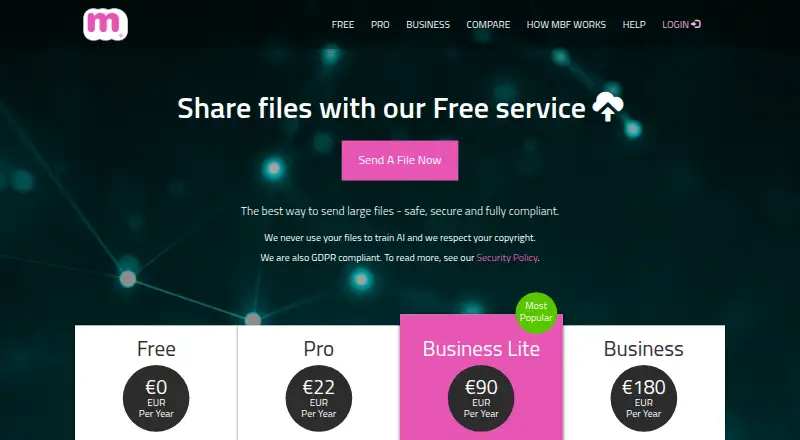
MailBigFile is a web and iOS service for sending large files through download links, helping users avoid email attachment limits. The Free plan costs nothing and permits files up to 2GB, with availability for 10 days and 20 downloads per file. Pro supports 4GB files for 28 days and 50 downloads, while Business Lite supports 5GB for 30 days. Business raises the listed maximum to 100GB, with 60-day availability and 100 downloads per file; files above 20GB are limited to five downloads. Plans differ in users, recipients, and permanent storage. Users can combine uploads into one ZIP, and paid plans include tracking. Business accounts add branded pages, custom URLs, and optional FTP integration. Transfers use 128-bit SSL, while stored files use 256-bit AES encryption. There is no desktop app, and a modern browser with internet access is required.
Who it suits
It suits people sending files that exceed normal email limits, including users who need link tracking or branded business pages. iOS and web access are available.
What it does well
- Free plan with 2GB file limit
- Automatic ZIP from multiple uploads
- Paid plans include file tracking
- Business branding and custom URL
- 128-bit SSL and 256-bit AES encryption
What to know first
- No desktop app
- Files above 20GB limited to five downloads
- Free links available for only 10 days
- FTP integration is a paid extra
Plans
| Plan | Billed and limits | Price |
|---|---|---|
| Free | Per Year · Files up to 2GB · 10-day availability · 20 downloads per file · 1 free user · 1 recipient | Free |
| Business Lite | Per Year* (discounted price when paying for a year in advance) · Send and receive files up to 5GB · 30-day availability · 50 downloads per file · 1 user · 3GB permanent storage · Custom URL and branding | $120 a year |
| Business | Per Year* (discounted price when paying for a year in advance) · Send and receive files up to 100GB · 60-day availability · 100 downloads per file** · 5 users · 10GB permanent storage · Custom URL and branding | $240 a year |
| Pro | Per Year · Files up to 4GB · Up to 28-day availability · 50 downloads per file · 1 user · 5 recipients · 1GB permanent storage | $29 a year |
As mailbigfile.com lists them, read 11 Oct 2026. The maker's own page has the final word.
Verdict
MailBigFile provides browser-based large-file delivery with a free tier and several business-oriented controls. Check the plan limits carefully, especially availability periods and the five-download rule for files above 20GB.
Facts from MailBigFile's own pages
- Automatic ZIP
- Users can combine multiple uploaded files into one ZIP file under a single link. · mailbigfile.com, 11 Oct 2026
- Business branding
- Business accounts support branded send and receive pages with a custom URL. · mailbigfile.com, 11 Oct 2026
- Business trial
- The Business page offers a 30-day free trial. · mailbigfile.com, 11 Oct 2026
- Custom branding
- Yes · mailbigfile.com, 23 Sept 2026
- Desktop app
- No · mailbigfile.com, 23 Sept 2026
- Download tracking
- Yes · mailbigfile.com, 23 Sept 2026
- File tracking
- Paid plans include tools to track files, and accounts provide upload history and an account audit. · mailbigfile.com, 11 Oct 2026
- Free plan
- Yes · mailbigfile.com, 23 Sept 2026
- FTP integration
- Business customers can add FTP integration to place received files directly on their FTP server; this is a paid extra. · mailbigfile.com, 11 Oct 2026
- GDPR and AI statement
- The homepage says MailBigFile is GDPR compliant and does not use customer files to train AI. · mailbigfile.com, 11 Oct 2026
- iOS app
- The Full Business feature list includes an iOS app. · mailbigfile.com, 11 Oct 2026
- Large transfers
- The Full Business account supports files up to 100GB and unlimited uploads. · mailbigfile.com, 11 Oct 2026
- Link expiry
- 28 · mailbigfile.com, 23 Sept 2026
- Max file size
- 4 · mailbigfile.com, 23 Sept 2026
- Notable limit
- Files above 20GB are limited to five downloads, even though the Business plan lists 100 downloads per file. · mailbigfile.com, 11 Oct 2026
- Platform access
- MailBigFile says use requires a modern web browser and an internet connection. · mailbigfile.com, 11 Oct 2026
- Secure mode
- Secure transfer mode is available on Pro and Business accounts, and the site says Business accounts should have it enabled automatically. · mailbigfile.com, 11 Oct 2026
- Security encryption
- The site says transfers use 128-bit SSL encryption and stored files use 256-bit AES encryption. · mailbigfile.com, 11 Oct 2026
- Support
- The site directs users to its support team for help and lists email support for paid plans. · mailbigfile.com, 11 Oct 2026
- What it does
- MailBigFile transfers large files over the Internet, allowing users to bypass limits imposed by email systems. · mailbigfile.com, 11 Oct 2026
Where MailBigFile stands on Freedom251
- File transfer services#56 of 105