Freedom251 › Mail Merge Software
Mail Merge Toolkit
What Mail Merge Toolkit is
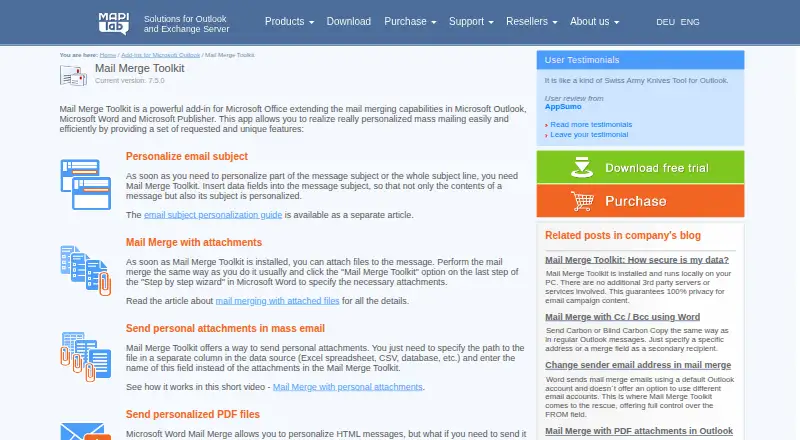
Mail Merge Toolkit is a Windows Microsoft Office add-in for personalized mass mailings through Outlook, Word, and Publisher. It inserts data fields into subject lines and message bodies, using sources such as Outlook contacts, Excel spreadsheets, CSV files, databases, and SharePoint Lists. Messages can include standard, recipient-specific, or personalized PDF and DOCX attachments. PDF and DOCX files can be protected with one shared password or separate passwords. Output includes PDF, DOCX, HTML, plain text, RTF, EML, and other exported document files. Users can select among Outlook accounts and use Send As or Send on Behalf permissions for Microsoft 365 or Exchange mailboxes. Scheduling, batching, delivery and read receipts, digital signatures, and encryption appear in selected campaigns. MAPILab says operations run locally without third-party servers or transfers to MAPILab. A 30-day trial limits unregistered messages to 50 addresses. Annual subscriptions start at $2.50 per user per month, with updates and technical support included.
Who it suits
It suits individual users and small businesses sending personalized batches from Microsoft Office. Windows users needing varied data sources, attachments, document protection, or Outlook account controls may benefit.
What it does well
- Personalizes subjects and message content
- Supports recipient-specific attachments
- Protects PDF and DOCX files
- Uses SharePoint Lists and other data sources
- Operations run locally
What to know first
- Windows platform only
- No free plan
- Trial messages limited to 50 addresses
- Annual subscription required for listed support
Limits
The 30-day trial does not allow unregistered messages to go to more than 50 addresses. There is no free plan.
Plans
| Plan | Billed and limits | Price |
|---|---|---|
| Standard | billed annually · Annual subscription; single-user license price; multi-user discounts available | $2.50 a year |
| Professional | billed annually · Annual subscription; single-user license price; multi-user discounts available | $8.25 a year |
As mapilab.com lists them, read 7 Oct 2026. The maker's own page has the final word.
Getting started
- Open the Mail Merge Toolkit website
- Use it with Microsoft Office on Windows
- Choose a listed data source such as Outlook contacts, Excel, CSV, a database, or SharePoint Lists
- Start the 30-day trial or select the Standard or Professional annual subscription
- Configure personalized fields, attachments, and delivery options
Verdict
Mail Merge Toolkit extends Office mail merge with personalization, attachments, protection, scheduling, and multiple data sources. Its Windows requirement, paid model, and trial recipient limit are key purchasing considerations.
Questions
What does Mail Merge Toolkit integrate with?
It works with Outlook, Word, Publisher, SharePoint Lists, and UTM click tracking with Google Analytics and similar services.
Which platforms are supported?
The listed platform is Windows.
Is there a free plan?
No. A 30-day trial is available.
How much do the plans cost?
Pricing is from $2.50/user/mo (annual). Listed annual prices are $2.50 a year for Standard and $8.25 a year for Professional.
Can attachments be protected?
PDF and DOCX attachments can be password-protected with one password or different passwords for individual recipients.
Facts from Mail Merge Toolkit's own pages
- Attachments
- It can send standard attachments, recipient-specific attachments, and personalized PDF or DOCX attachments. · mapilab.com, 7 Oct 2026
- Document protection
- It can password-protect PDF and DOCX attachments using one password or different individual passwords. · mapilab.com, 7 Oct 2026
- Email formats
- The product sends messages in PDF, DOCX, HTML, plain text, and RTF formats from Microsoft Word. · mapilab.com, 7 Oct 2026
- Founded
- 2003 · mapilab.com, 28 Sept 2026
- Headquarters
- Vilnius, Lithuania · mapilab.com, 28 Sept 2026
- Integrations
- It supports SharePoint Lists as a mail merge data source and UTM click tracking with Google Analytics and similar services. · mapilab.com, 7 Oct 2026
- Intended audience
- MAPILab describes its Outlook add-ins as intended for individual users and small businesses. · mapilab.com, 7 Oct 2026
- Local data handling
- The maker says mail merge operations run locally and that no third-party servers are involved or data transferred to MAPILab. · mapilab.com, 7 Oct 2026
- Maker history
- MAPILab says it was founded in 2003 and is headquartered in Vilnius, Lithuania. · mapilab.com, 7 Oct 2026
- Personalization
- It supports inserting data fields into email subject lines as well as message contents. · mapilab.com, 7 Oct 2026
- Purpose
- Mail Merge Toolkit is a Microsoft Office add-in that extends mail merging in Outlook, Word, and Publisher for personalized mass mailings. · mapilab.com, 7 Oct 2026
- Sender and recipients
- It supports choosing among multiple Outlook accounts and using Send As or Send on Behalf permissions for Microsoft 365 or Exchange mailboxes. · mapilab.com, 7 Oct 2026
- Sending controls
- The feature comparison lists delayed or scheduled sending, batch delivery, delivery and read receipt requests, digital signatures, and message encryption in selected campaigns. · mapilab.com, 7 Oct 2026
- Support and updates
- The pricing section says all updates and technical support are included with the annual subscription. · mapilab.com, 7 Oct 2026
- Trial limits
- The trial lasts 30 days and unregistered messages cannot be sent to more than 50 addresses. · mapilab.com, 7 Oct 2026
Where Mail Merge Toolkit stands on Freedom251
- Mail Merge Software#23 of 27