Freedom251 › AI Contract Review Software
Maigon
What Maigon is
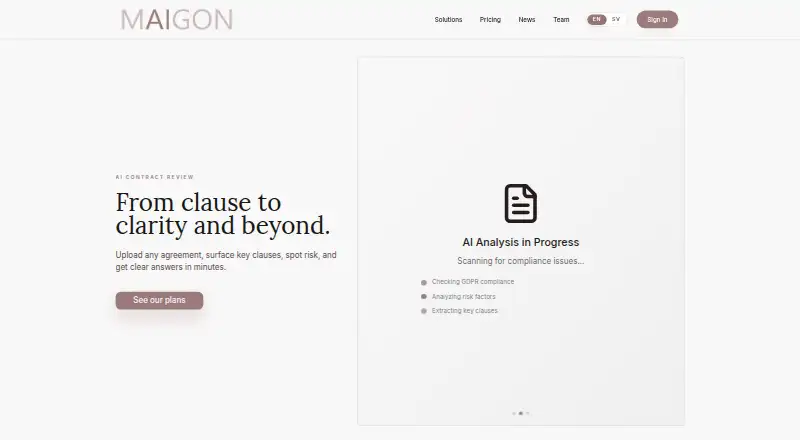
Maigon is an AI-powered contract review platform for legal and commercial teams. Users can upload agreements to surface clauses and risks, ask questions, generate drafts, and edit wording with redlines. Review results appear in a sortable dashboard, while an assistant can summarize obligations, suggest fallback language, and explain edits. Listed workflows include NDAs, DPAs, consultancy agreements, privacy policies, product supply agreements, R&D agreements, and end-user licence agreements. Its DPA workflow checks GDPR and the latest EDPB guidelines, extracting clauses, terms, risks, and recommendations. A separate workflow reviews privacy statements against GDPR criteria. The Chrome extension supports review in a Google Docs side panel and from Drive, with risk reports, tracked edits, summaries, and batch folder review. Maigon says document content is sent only when a user selects Review, and edits are written only when a suggestion is applied. Uploaded documents are processed for review and then deleted from its systems. The AI output is informational, not legal advice or a substitute for qualified legal review. The product is available on web and as an extension.
Who it suits
Maigon suits legal and commercial professionals reviewing or drafting agreements. Its DPA workflow is also aimed at large corporate clients handling high volumes.
What it does well
- Reviews agreements for clauses, risks, and answers.
- Offers drafting and editing with redlines.
- Sortable dashboard presents review results.
- Chrome extension supports Google Docs and Drive reviews.
- Uploaded documents are deleted after review processing.
What to know first
- AI output is not legal advice.
- Account data deletion may be subject to legal retention obligations.
Getting started
- Visit maigon.ai.
- Choose the web platform or Chrome extension.
- Prepare a DOCX or PDF agreement for review.
- For Chrome extension review, open a document in Google Docs or a file from Drive and select Review.
- Review the results and apply suggestions as needed.
Verdict
Maigon combines agreement review, drafting, and document workflows, including DPA and privacy policy review. Its AI output remains informational, so qualified legal review is still needed.
Questions
What does Maigon cost?
Maigon uses a paid pricing model. No exact price is provided in the facts here.
Which document formats does it support?
The listed supported formats are DOCX and PDF.
Can Maigon review documents in Google Docs and Drive?
Yes. Its Chrome extension supports review in a Google Docs side panel and review of files from Drive.
What types of agreements does it cover?
Listed workflows include NDAs, DPAs, consultancy agreements, privacy policies, product supply agreements, R&D agreements, and end user license agreements.
Does Maigon provide legal advice?
No. Maigon says its AI output is informational and does not constitute legal advice or replace qualified legal review.
What happens to uploaded documents?
Maigon says uploaded documents are processed to produce a review and then deleted from its systems. Review results and account data are deleted within 30 days of account closure, subject to legal retention obligations.
Facts from Maigon's own pages
- Account deletion
- The terms say review results and account data are deleted within 30 days of account closure, subject to legal retention obligations. · maigon.ai, 5 Oct 2026
- Agreement coverage
- Listed workflows cover NDAs, DPAs, consultancy agreements, privacy policies, product supply agreements, R&D agreements, and end-user licence agreements. · maigon.ai, 4 Oct 2026
- Agreement types
- The site lists workflows for NDAs, DPAs, consultancy agreements, privacy policies, product supply agreements, R&D agreements, and end user license agreements. · maigon.ai, 5 Oct 2026
- API availability
- The homepage FAQ includes the question “Is API available?” but the page text opened does not provide an answer. · maigon.ai, 4 Oct 2026
- Assistant
- Maigon describes an agentic contract assistant that can summarize obligations, draft fallback wording, and explain redlines. · maigon.ai, 5 Oct 2026
- Browser extension
- A Chrome extension listing describes contract review in Google Docs and Drive, with risk reports, tracked edits, summaries, folder batch review, and comment-thread findings. · chromewebstore.google.com, 4 Oct 2026
- Chrome and Google Docs
- The Chrome extension supports reviewing documents in a Google Docs side panel and reviewing files from Drive. · chromewebstore.google.com, 5 Oct 2026
- Contract review
- Maigon lets users upload agreements to surface key clauses, identify risks, and get answers. · maigon.ai, 5 Oct 2026
- Data handling
- Maigon’s terms say uploaded documents are processed to produce a review and then deleted from its systems. · maigon.ai, 4 Oct 2026
- DPA review
- The DPA workflow checks compliance with GDPR and the latest EDPB guidelines and provides extracted clauses, highlighted risks, and recommendations. · maigon.ai, 5 Oct 2026
- Drafting and analysis
- The platform offers contract drafting, information extraction, contract editing, risk insights, a review dashboard, and an AI assistant. · maigon.ai, 4 Oct 2026
- Drafting and editing
- The platform offers contract draft generation and editing with redlines. · maigon.ai, 5 Oct 2026
- Extension data controls
- The Chrome Web Store listing says document content is sent only when the user clicks Review and edits are written only when the user applies a suggestion. · chromewebstore.google.com, 4 Oct 2026
- Extension review output
- The Chrome extension listing says reviews include a compliance score, severity-ranked issues, proposed tracked edits, and a plain-English summary. · chromewebstore.google.com, 5 Oct 2026
- Founded
- LinkedIn lists Maigon as founded in 2020. · linkedin.com, 4 Oct 2026
- Headquarters
- The site gives Maigon AB's address as c/o Synch Law, Box 3631, Birger Jarlsgatan 6, 114 34 Stockholm, Sweden. · maigon.ai, 5 Oct 2026
- Intended users
- The company describes the product as serving legal and commercial teams, and highlights DPA review for large corporate clients handling high volumes. · maigon.ai, 4 Oct 2026
- Legal advice limitation
- Maigon's terms say the service does not provide legal advice and its AI output is for informational and efficiency purposes. · maigon.ai, 5 Oct 2026
- Legal limitation
- Maigon says its AI-generated output is informational and does not constitute legal advice or replace qualified legal review. · maigon.ai, 4 Oct 2026
- Privacy policy review
- The privacy policy workflow checks privacy statements against GDPR criteria and provides extracted clauses and recommendations. · maigon.ai, 5 Oct 2026
- Product
- Maigon is an AI-powered contract review platform for legal and commercial professionals that provides structured analysis, risk identification, and drafting recommendations. · maigon.ai, 4 Oct 2026
- Review dashboard
- Review results can be viewed in a sortable table. · maigon.ai, 5 Oct 2026
- Review perspectives
- The homepage describes role and perspective questions for contract review, including NDA, privacy, data agreement, and commercial agreement perspectives. · maigon.ai, 4 Oct 2026
Where Maigon stands on Freedom251
- AI Contract Review Software#18 of 20