Freedom251 › AI Icon Generators
Limora AI
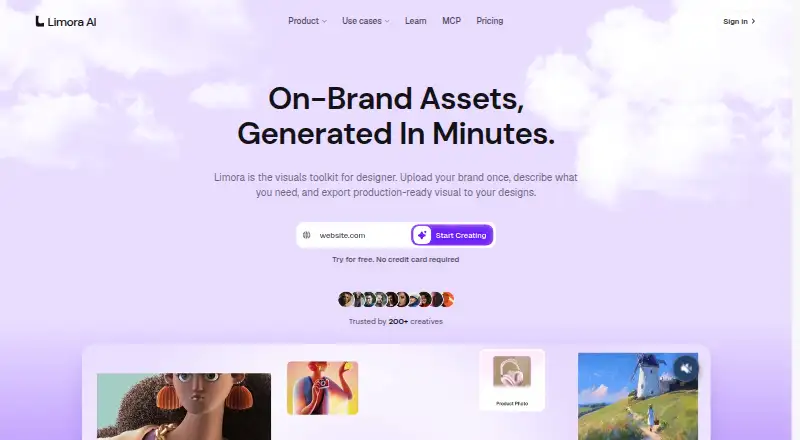
What Limora AI is
Limora AI is a visual toolkit for generating on-brand assets from a stored brand kit and plain-language descriptions. Users add a logo, colors and fonts once, then describe an asset while Limora builds an optimized prompt from the asset type and description. Listed asset types include backgrounds, mockups, icon sets, illustrations, textures, logo variations, motion and 3D. Existing assets can be edited without changing the rest of a set; the site says edits use half the credits of rerolling. Exports are available as SVG or PNG and can be sent to Framer, Webflow, Figma or a codebase. Limora runs on the web and through an API. Its MCP workflow can inspect repositories or rendered pages for asset slots, suggest styles, generate or edit images and write assets into a repository. Claude Code, Cursor and Codex are listed as compatible tools. Starter costs $29 a month for one project and 300 monthly credits. A free trial is available, but there is no free plan.
Who it suits
Limora is presented for designers, developers, marketers and e-commerce workflows. It suits teams that need branded assets and repository-connected generation.
What it does well
- Reusable logo, color and font brand kit
- Multiple asset types including SVG and PNG
- Edits use half reroll credits
- Exports to design tools and codebases
- MCP support for listed coding tools
What to know first
- No free plan
- Starter limits users to one project
- MCP launch includes a waitlist
- Starter has 300 monthly credits
Limits
Starter includes one project and 300 credits per month, listed as up to about 30 images. Pro includes 900 credits per month, listed as up to about 90 images; Custom uses custom credits and limits.
Plans
| Plan | Billed and limits | Price |
|---|---|---|
| Starter | $29/ month · One project · 300 credits per month (up to ~30 images) · All export formats · MCP connection | $29 a month |
| Pro | $59/ month · Unlimited projects · 900 credits per month (up to ~90 images) · Priority generation · All export formats · MCP connection | $59 a month |
| Custom | Contact us ([email protected]) · Custom credits and limits · API and MCP · Dedicated support | On request |
As limora.ai lists them, read 2 Oct 2026. The maker's own page has the final word.
Getting started
- Open the Limora website
- Start the free trial
- Choose Starter or Pro, or contact Limora for Custom
- Add your logo, colors, and fonts to a brand kit
- Describe an asset in plain language and choose its type
- Export the result as SVG or PNG or send it to a supported destination
Verdict
Limora AI combines brand references, generated visuals, editing and exports with API and MCP workflows. The paid plans, credit allowances and stated MCP availability should guide adoption decisions.
Questions
Does Limora have a free plan?
No. Limora is paid, starting at $29 a month, and a free trial is available.
What does Starter include?
Starter costs $29 a month and includes one project, 300 monthly credits, all export formats, and an MCP connection.
Which export formats are available?
The listed export formats are SVG and PNG. Assets can also be sent to Framer, Webflow, Figma, or a codebase.
Which tools work with Limora MCP?
The MCP page lists Claude Code, Cursor, and Codex as compatible tools.
What happens to data after account deletion?
Account, brand kit, and generation data are deleted within 30 days; backups are purged on a rolling 90-day schedule.
Facts from Limora AI's own pages
- Asset types
- The site lists backgrounds, mockups, icon sets, illustrations, textures, logo variations, motion, and 3D among its asset types. · limora.ai, 2 Oct 2026
- Brand kit
- Users can add a logo, colors, and fonts once for use across generated assets. · limora.ai, 2 Oct 2026
- Data retention
- The policy says account, brand kit, and generation data are deleted within 30 days after account deletion, while backups are purged on a rolling 90-day schedule. · limora.ai, 2 Oct 2026
- Editing
- Users can edit an existing asset while keeping the rest of the set unchanged, and the site says edits use half the credits of rerolling. · limora.ai, 2 Oct 2026
- Exports
- The site says assets can be sent to Framer, Webflow, Figma, or a codebase. · limora.ai, 2 Oct 2026
- Intended users
- The site presents Limora for designers, developers, marketers, and e-commerce workflows. · limora.ai, 2 Oct 2026
- MCP availability
- The MCP page says it is launching Monday, October 12, and invites visitors to join a waitlist. · limora.ai, 2 Oct 2026
- MCP integrations
- The MCP page lists Claude Code, Cursor, and Codex as compatible tools, and describes connecting through an MCP server. · limora.ai, 2 Oct 2026
- MCP workflow
- Limora MCP can inspect a repository or rendered pages for asset slots, suggest styles, generate and edit images, and write assets into the repository. · limora.ai, 2 Oct 2026
- Privacy and AI processing
- The privacy policy says prompts and inputs are processed by OpenAI and Anthropic, and users can opt out of prospective use of anonymized user content to improve Limora's models in account settings. · limora.ai, 2 Oct 2026
- Product
- Limora is a visual toolkit for generating on-brand assets from a brand kit and plain-language descriptions. · limora.ai, 2 Oct 2026
- Prompting
- Limora builds optimized prompts from the asset type and the user's plain-language description. · limora.ai, 2 Oct 2026
- Security
- The privacy policy says Limora uses TLS 1.2+ encryption in transit, encryption at rest, role-based access controls, regular security reviews, and audit logging. · limora.ai, 2 Oct 2026
- Support
- The pricing page lists a private Discord community for Starter and Pro and dedicated support for Custom. · limora.ai, 2 Oct 2026
Where Limora AI stands on Freedom251
- AI Icon Generators#20 of 25