Freedom251 › Media Player Software
Light Alloy
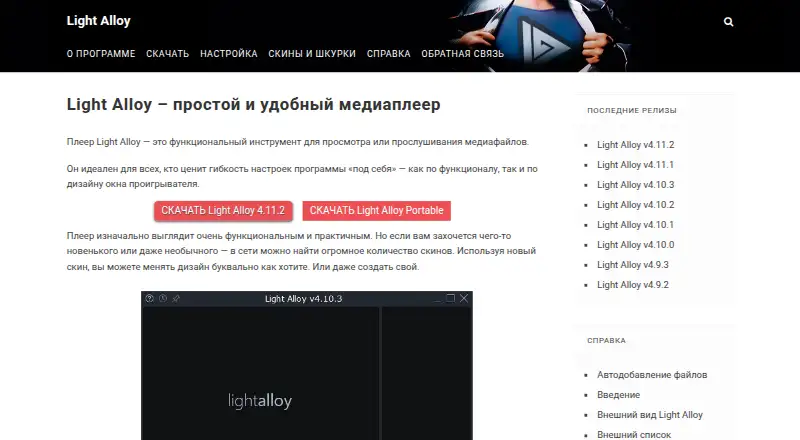
What Light Alloy is
Light Alloy is a free multimedia player for Windows with network playback, subtitle support, hardware acceleration, and 4K playback. It handles audio formats including MP3, AAC, OGG, OGG-FLAC, OGG-OPUS, WMA, Opus, Speex, and TAK. Video support includes H.264, HEVC/H.265, VP9, MP4, MOV, MKV, AVI, FLV, and MPEG. Built-in codecs are included, and external codecs can also be used. Playback controls adjust video and switch audio tracks or subtitles. Input works through a mouse, keyboard, or remote control, including WinLIRC. Users can choose among many skins or enable an advanced settings mode. Downloads include installable and portable editions for devices such as USB drives; the listed release is version 4.11.2. Requirements include Windows XP SP2 or newer, a processor and graphics card supporting SSE2, and 50 MB of disk space. Documentation mentions madVR, AviSynth, and SmoothVideo Project as optional related software. Help documentation and a feedback page are available, and the site credits Vortex Team.
Who it suits
It suits Windows users seeking a free player with broad audio and video format support, subtitles, network playback, and 4K capability. The portable download may help users carrying software on external devices.
What it does well
- Free Windows media player
- Supports network playback and subtitles
- Hardware acceleration and 4K playback
- Installable and portable downloads
- Built-in and external codec support
What to know first
- Windows only
- Requires SSE2-capable processor and graphics
- Listed release is version 4.11.2
Plans
| Plan | Billed and limits | Price |
|---|---|---|
| Light Alloy | Free media player for Windows · standard or portable download | Free |
As light-alloy.com lists them, read 8 Oct 2026. The maker's own page has the final word.
Verdict
Light Alloy covers many media formats and includes practical playback, subtitle, acceleration, and customization options at no cost. Its main constraint is the Windows-only platform and stated system requirements.
Facts from Light Alloy's own pages
- Codecs
- It includes built-in codecs and can also use external codecs. · light-alloy.com, 8 Oct 2026
- Company attribution
- The site credits Vortex Team. · light-alloy.com, 8 Oct 2026
- Customization
- The player supports many skins, and users can switch to an advanced settings mode for more options. · light-alloy.com, 8 Oct 2026
- Download options
- The download page offers an installable version and a portable version for external devices such as USB drives. · light-alloy.com, 8 Oct 2026
- Format support
- MP3,AAC,OGG,OGG-FLAC,OGG-OPUS,WMA,H.264,HEVC/H.265,VP9,MP4,MOV,MKV,AVI,FLV,MPEG,Opus,Speex,TAK · light-alloy.com, 24 Sept 2026
- 4K playback
- Yes · light-alloy.com, 24 Sept 2026
- Free plan
- Yes · light-alloy.com, 24 Sept 2026
- Hardware acceleration
- Yes · light-alloy.com, 24 Sept 2026
- Input devices
- It supports mouse, keyboard, and remote control, including through WinLIRC. · light-alloy.com, 8 Oct 2026
- Latest listed release
- The download page offers Light Alloy version 4.11.2. · light-alloy.com, 8 Oct 2026
- License model
- free · light-alloy.com, 24 Sept 2026
- Network playback
- Yes · light-alloy.com, 24 Sept 2026
- Optional integrations
- The documentation lists madVR, AviSynth, and SmoothVideo Project as optional related software. · light-alloy.com, 8 Oct 2026
- Supported platforms
- windows · light-alloy.com, 24 Sept 2026
- Playback controls
- It can adjust video and switch audio and subtitles. · light-alloy.com, 8 Oct 2026
- Purpose
- Light Alloy is a compact multimedia player that supports common media formats. · light-alloy.com, 8 Oct 2026
- Subtitle support
- Yes · light-alloy.com, 24 Sept 2026
- Support
- The site provides help documentation and a feedback page. · light-alloy.com, 8 Oct 2026
- System requirements
- The listed requirements include Windows XP SP2 or newer, a processor and graphics card supporting SSE2, and 50 MB of disk space. · light-alloy.com, 8 Oct 2026
Where Light Alloy stands on Freedom251
- Media Player Software#41 of 76