Lexicon
What Lexicon is
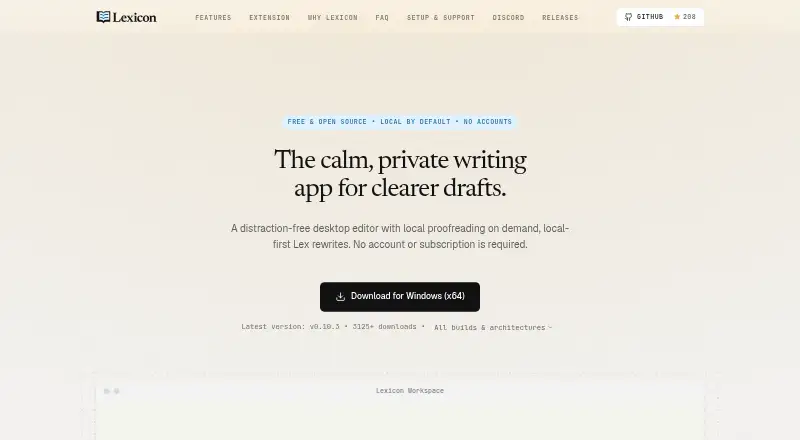
Lexicon is a desktop writing editor for drafting, proofreading, rewriting and exporting documents, with its core writing and proofreading tools designed to work locally. The editor supports headings, lists, tasks, tables, images, slash commands and local autosave, plus templates for Academic, Novel, Blog and Executive writing. Its built-in LanguageTool engine checks spelling, grammar and style on the CPU without an AI model. For rewriting, tightening, summarizing or changing tone, Lex can use downloaded local GGUF models or a server configured in Ollama or LM Studio.
Lexicon can turn English phrases written from Chinese, French, German, Hindi, Spanish and dozens of other languages into natural English across six tones. It imports DOCX, Markdown, TXT and HTML, and exports PDF, EPUB, styled HTML or DOCX with tracked grammar suggestions. Drafts, dictionaries, settings and writing metrics are kept in the local user profile; the maker says there is no cloud sync, mandatory account or first-party background telemetry. Updates and model downloads may use the network, and text and prompts sent to a configured server may be received there. Lexicon is free, with Linux, macOS and Windows desktop apps and a beta browser extension.
Who it suits
Lexicon suits writers who want drafting and proofreading tools on their desktop and prefer not to send drafts to someone else’s server. It also fits users who want local-model or configured-server rewriting, with document import and export options.
What it does well
- LanguageTool proofreading runs locally on the CPU.
- Includes templates for four writing styles.
- Can use local GGUF models for rewriting.
- Imports four document formats and exports four formats.
- Drafts and settings stay in the local user profile.
What to know first
- The browser extension is beta and requires the desktop app running.
- The extension does not support Google Docs.
- Windows builds are not code-signed; macOS builds are not notarized.
Plans
| Plan | Billed and limits | Price |
|---|---|---|
| Free | No subscription · No account gate · No expiring trial | Free |
As lexicon-writer.pages.dev lists them, read 11 Oct 2026. The maker's own page has the final word.
Getting started
- Visit https://lexicon-writer.pages.dev/.
- Choose the desktop app for Linux, macOS or Windows.
- Install and open the desktop app; the browser extension requires it to be running.
- Use the free plan, which has no account gate or expiring trial.
- For AI rewriting, use a downloaded GGUF model or configure Ollama or LM Studio.
Verdict
Choose Lexicon if you want a free desktop editor with local proofreading, flexible document export and optional local-model rewriting. Look elsewhere if you need a stable browser extension, Google Docs support or signed desktop builds.
Questions
How much does Lexicon cost?
Lexicon is free: free, with no subscription.
Is there a free trial or account requirement?
There is no expiring trial, and the free plan has no account gate.
Which platforms does Lexicon support?
Lexicon has desktop apps for Linux, macOS and Windows, plus a Chrome and Firefox extension in beta.
Does Lexicon work offline?
Proofreading uses the local CPU, while local models can be used for rewriting. Updates and model downloads may use the network, and a configured server may receive text and prompts sent to it.
Is Lexicon open source?
Lexicon-authored code is MIT-licensed. Bundled dependencies and model weights have separate licenses.
What are the browser extension limitations?
The Chrome and Firefox extension is beta, requires the desktop app to be running and does not support Google Docs. The Firefox package is unsigned and can only be temporarily installed.
Facts from Lexicon's own pages
- AI writing
- Lex can rewrite, tighten, summarize, and shift tone using downloaded local GGUF models or a user-configured Ollama or LM Studio server. · lexicon-writer.pages.dev, 11 Oct 2026
- Browser extension
- Yes · lexicon-writer.pages.dev, 21 Sept 2026
- Browser extension limits
- The Chrome and Firefox extension is beta, requires the desktop app to be running, and does not support Google Docs; the Firefox package is unsigned and temporary-install only. · lexicon-writer.pages.dev, 11 Oct 2026
- Build signing
- The maker says desktop builds are not yet code-signed for Windows or notarized for macOS, so operating-system security warnings may appear. · lexicon-writer.pages.dev, 11 Oct 2026
- Desktop app
- Yes · lexicon-writer.pages.dev, 21 Sept 2026
- Drafting
- The editor supports headings, lists, tasks, tables, images, slash commands, local autosave, and Academic, Novel, Blog, and Executive templates. · lexicon-writer.pages.dev, 11 Oct 2026
- Free plan
- Yes · lexicon-writer.pages.dev, 21 Sept 2026
- Import and export
- Lexicon imports DOCX, Markdown, TXT, and HTML, and exports PDF, EPUB, styled HTML, or DOCX with tracked grammar suggestions. · lexicon-writer.pages.dev, 11 Oct 2026
- Integrations
- Lex can connect to Ollama or LM Studio, and the browser extension shares a personal dictionary with the desktop app through local loopback. · lexicon-writer.pages.dev, 11 Oct 2026
- Intended users
- The maker describes Lexicon as built for people who prefer not to send drafts to someone else’s server. · lexicon-writer.pages.dev, 11 Oct 2026
- Languages
- Express in English phrases writing from Chinese, French, German, Hindi, Spanish, and dozens of other languages into natural English across six tones. · lexicon-writer.pages.dev, 11 Oct 2026
- License
- Lexicon-authored code is MIT-licensed, while bundled dependencies and model weights have separate licenses. · lexicon-writer.pages.dev, 11 Oct 2026
- Network handling
- Updates and model downloads may use the network, and a server endpoint configured by the user may receive text and prompts sent to it. · lexicon-writer.pages.dev, 11 Oct 2026
- Platforms
- Desktop builds are listed for Windows x64, ARM64, and x86; macOS Apple Silicon and Intel; and Linux x64 as a DEB package. · lexicon-writer.pages.dev, 11 Oct 2026
- Privacy
- Drafts, dictionaries, settings, and writing metrics are stored in the local user profile; Lexicon says it has no cloud sync, mandatory accounts, or first-party background telemetry. · lexicon-writer.pages.dev, 11 Oct 2026
- Product
- Lexicon is a distraction-free desktop writing editor with local proofreading, rewrites, and export built in. · lexicon-writer.pages.dev, 11 Oct 2026
- Proofreading
- Its built-in LanguageTool engine checks spelling, grammar, and style locally on the CPU, without requiring an AI model. · lexicon-writer.pages.dev, 11 Oct 2026
- Style suggestions
- Yes · lexicon-writer.pages.dev, 21 Sept 2026
- Support
- The maker directs users to its Discord for bug reports, feature requests, and community help. · lexicon-writer.pages.dev, 11 Oct 2026
- Tone detection
- Yes · lexicon-writer.pages.dev, 21 Sept 2026
Where Lexicon stands on Freedom251
- Grammar checkers#18 of 88