Lemur Browser
What Lemur Browser is
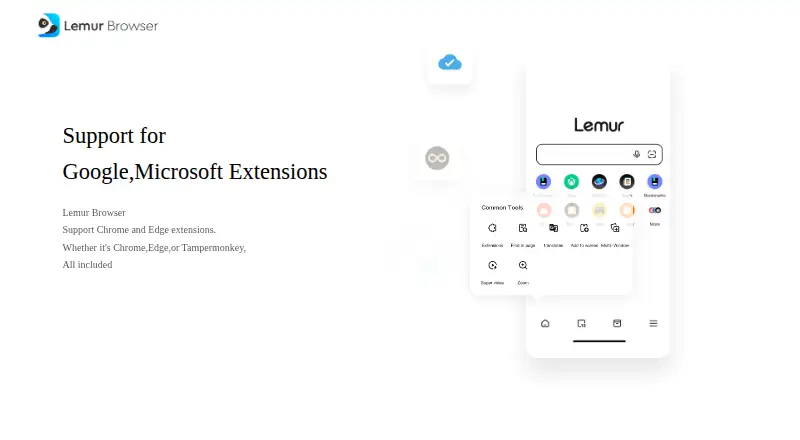
Lemur Browser is a free Android browser built on Chromium, focused on bringing desktop-style extension use to mobile. It can install extensions from the Google Chrome Web Store and Microsoft Edge Add-ons, and it can import local .crx files. Users can pin extensions and manage their site-access permissions; named supported extensions include Tampermonkey, AdGuard, AdBlock, and Bitwarden. The browser offers desktop-style tabs, a bookmarks bar, tab groups, and a customizable tile-based homepage. One-tap Privacy Mode and dark mode provide alternate viewing options. Search engines can be Google, Bing, Baidu, Yandex, DuckDuckGo, or a custom choice. Other listed tools include a built-in video player, QR code features, and a community for sharing websites and extensions. Lemur is not open source and has no built-in ad blocking. Google Play lists ads and in-app purchases; its developer disclosure says no data is collected or shared and data is encrypted in transit.
Who it suits
Lemur Browser suits Android users who want Chrome or Edge extensions on a mobile browser. It is useful for people needing extension controls, grouped tabs, and multiple search-engine choices.
What it does well
- Chrome and Edge extension stores
- Local .crx extension importing
- Extension permission controls
- Tab groups and customizable homepage
- Free Android app
What to know first
- No built-in ad blocking
- Not open source
- Google Play lists ads and in-app purchases
- Android platform only
Verdict
Lemur Browser emphasizes extension compatibility and desktop-like organization on Android. Its lack of built-in ad blocking and non-open-source status may matter to users prioritizing those characteristics.
Facts from Lemur Browser's own pages
- Browser engine
- chromium · lemurbrowser.com, 24 Sept 2026
- Built-in ad blocking
- No · lemurbrowser.com, 24 Sept 2026
- Desktop-style browsing
- The app listing describes desktop-style tabs, a bookmarks bar, and extension access on mobile. · play.google.com, 12 Oct 2026
- Extension controls
- Users can pin extensions and manage their site access permissions. · play.google.com, 12 Oct 2026
- Extension integrations
- The listing names Tampermonkey, AdGuard, AdBlock, and Bitwarden among supported extensions. · play.google.com, 12 Oct 2026
- Extension stores
- Users can install extensions from the Chrome Web Store and Microsoft Edge Add-ons. · play.google.com, 12 Oct 2026
- Extension support
- The maker's download page identifies the product as supporting Chrome and Edge extensions. · lemurbrowser.com, 11 Oct 2026
- Free plan
- Yes · lemurbrowser.com, 24 Sept 2026
- Headquarters
- Chongqing, China · lemurbrowser.com, 28 Sept 2026
- Local extensions
- The browser supports importing local .crx extension files. · play.google.com, 12 Oct 2026
- Open source
- No · lemurbrowser.com, 24 Sept 2026
- Other features
- The app listing describes a built-in video player, QR code tools, and an interactive community for sharing websites and extensions. · play.google.com, 12 Oct 2026
- Supported platforms
- mobile · lemurbrowser.com, 24 Sept 2026
- Privacy and display
- The listing describes a one-tap Privacy Mode and a dark mode. · play.google.com, 12 Oct 2026
- Product
- Lemur Browser is a Chromium-based mobile browser with Chrome and Edge extension support. · play.google.com, 12 Oct 2026
- Search
- Users can choose Google, Bing, Baidu, Yandex, DuckDuckGo, or another custom search engine. · play.google.com, 12 Oct 2026
- Store disclosures
- Google Play lists the app as containing ads and in-app purchases and says the developer reports no data collected or shared and data encrypted in transit. · play.google.com, 12 Oct 2026
- Support
- The listing provides [email protected] as the support email. · play.google.com, 12 Oct 2026
- Tabs and homepage
- The browser supports tab groups and a customizable tile-based homepage. · play.google.com, 12 Oct 2026
Where Lemur Browser stands on Freedom251
- Web browsers#136 of 154