Freedom251 › Learning Experience Platforms
LearningStone
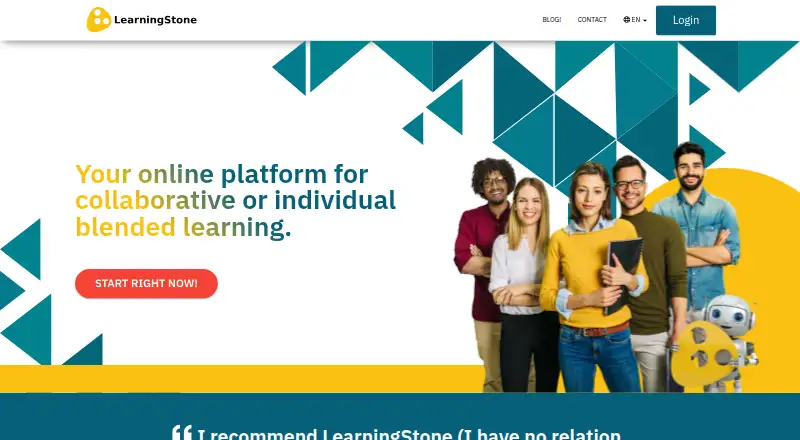
What LearningStone is
LearningStone is an online platform for training, coaching, and collaborative learning. It supports self-paced courses, group training, one-to-one coaching, learning communities, and project teams. Course authors can arrange media, files, forms, events, scheduled messages, discussions, and certificates along a reusable timeline. Forms can be used for surveys, tests, and quizzes, with branching and automatic grading; progress reports draw on markers and results. Collaboration tools include messaging, calendars, document comments, dialogues, and event signups. The platform supports YouTube and Vimeo embeds and describes chatbot connections to Gemini, Claude, and ChatGPT for learning-material-based knowledge resources and practice. LearningStone says its data center is in the Netherlands and describes privacy, security, and authentication measures including GDPR policies, two-factor authentication, and encrypted connections. It is responsive across devices, though the listing says there is no mobile app. The free plan lists one space and a maximum of five members; Pro 5 costs $143 a month and allows 250 members.
Who it suits
LearningStone suits trainers, coaches, and teams that need collaborative or self-paced learning, coaching spaces, assessments, and learner progress reports. The free plan is for a small group, while paid Pro tiers list higher member capacities.
What it does well
- Reusable timeline editor combines learning blocks
- Forms support quizzes and automatic grading
- Collaboration includes messaging and event signups
- Free plan includes human support
- Pro 5 allows 250 members
What to know first
- No mobile app is listed
- Free plan maximum is five members
- Pro 5 costs $143 a month
Limits
The Free plan includes one collaborative training or coaching space and lists five members as its maximum. Pro 5 costs $143 a month and allows 250 members, with a maximum of 20 GB storage.
Plans
| Plan | Billed and limits | Price |
|---|---|---|
| Free | free forever · 1 collaborative training or coaching space · page states maximum 5 members · full functionality · human support · standard design · no unlimited archive · no dedicated engine or messaging · no custom modules/integrations | Free |
| Pro 5 | monthly; 5% discount for annual payment · 250 members · 5 active spaces · own design · maximum 20 GB storage · unlimited archive | $143 a month |
| Pro 15 | monthly; 5% discount for annual payment · 750 members · 15 active spaces · own design · maximum 20 GB storage · unlimited archive | $386 a month |
| Pro 35 | monthly; 5% discount for annual payment · 2,000 members · 35 active spaces · own design · maximum 20 GB storage · unlimited archive | $750 a month |
| Pro 100 | monthly; 5% discount for annual payment · 5,000 members · 100 active spaces · own design · maximum 20 GB storage · unlimited archive | $1,121 a month |
| Dedicated | Contact for pricing · White-labeled platform · custom modules and integrations · unlimited storage, organizations, and users | On request |
| LearningStone Powered Platform | Starting with a one-time fee of 35,000 Euro / 42,000 USD plus a 3,000 per month fee · Dedicated white-labeled platform · hosting, backup, updates, and “white glove” support included | $42,000, paid once |
| Dedicated LearningStone Powered Platform | plus $3,000 per month · white-label platform · unlimited storage, organizations and users · custom modules/integrations · hosting, backup, updates and white-glove support | $42,000, paid once |
As learningstone.com lists them, read 15 Oct 2026. The maker's own page has the final word.
Getting started
- Open the LearningStone website.
- Start with the Free plan or choose a Pro plan; the free plan does not require a credit card.
- Use the web platform or access it through a browser on Android or iOS.
- Create a training or coaching space and build a timeline from learning blocks.
- Contact LearningStone about other embedding needs or a single sign-on integration.
LearningStone combines course creation, assessment, coaching, and group collaboration in a single platform. It suits training teams and coaches whose programs depend on ongoing interaction as well as lessons. Its broad toolkit is balanced by a small free tier and a steep step up to paid plans.
Overview
LearningStone supports collaborative training, self-paced e-learning, one-to-one and small-group coaching, learning communities, and project teams. That range is useful when learning includes discussion and shared work, not just course delivery. Teams running larger cohorts should check the member and active-space limits against their needs before choosing a plan.
Key features
Course building and assessment
The timeline editor arranges media, files, forms, events, scheduled messages, discussions, and certificates into learning sequences, and allows timelines to be reused. That reuse is practical for providers delivering recurring programs. Forms can be used for surveys, tests, and quizzes, with branching and automatic grading; progress reports draw on progress markers and results. Together, these tools suit structured programs where trainers need to assess work and monitor progress.
Collaboration and integrations
Dialogues, messaging, a social wall, document comments, likes, notifications, calendars, and event signups put communication alongside course activity. This makes the platform a stronger fit for group-based programs than a course library alone. YouTube and Vimeo can be embedded; other embedding needs and single sign-on integrations can be discussed with LearningStone.
AI, privacy, and support
The homepage describes chatbot integrations with Gemini, Claude, and ChatGPT for creating knowledge bases, coaches, or practice modules connected to learning materials. LearningStone says its European hosting and privacy practices support GDPR policies and private groupspaces; it also describes ISO-certified Netherlands data-center operations, continuous penetration testing, two-factor authentication, SSL encryption, and TLS 1.2. Human support is available on free and paid plans, including setup assistance.
Pricing
The Free plan costs nothing forever, requires no credit card, and provides one collaborative training or coaching space with standard design, full functionality, and human support. Its member cap is described inconsistently: one section gives a maximum of 5 members, while another says a free workspace can train or coach up to 20 people. Confirm the applicable limit before planning a cohort.
Pro 5 costs $143 a month and includes 5 active spaces, 250 members, up to 20 GB storage, and unlimited free archive. Pro 15 costs $386 a month for 15 active spaces and 750 members; Pro 35 costs $750 a month for 35 spaces and 2,000 members; Pro 100 costs $1,121 a month for 100 spaces and 5,000 members. Each paid Pro plan includes up to 20 GB storage and unlimited free archive. Yearly payments receive a 5% discount. Pro 5 is the entry point for a small provider that has outgrown the free cap; the larger tiers suit organizations needing more simultaneous spaces or members, though the monthly prices rise substantially.
Dedicated has custom pricing and provides a white-labeled platform, custom modules and integrations, and unlimited storage, organizations, and users. LearningStone Powered Platform starts with a one-time fee of 35,000 Euro / 42,000 USD plus a 3,000 per month fee; it includes a dedicated white-labeled platform, hosting, backup, updates, and “white glove” support. These options are aimed at organizations seeking a branded or dedicated setup rather than a standard workspace. A 30-day trial is available.
Platforms
LearningStone runs on the web and is responsive across devices. It does not have a mobile app; adding the site to a device home screen offers fullscreen access, but it is not a substitute for a dedicated app for teams that require one.
Who it's for
Choose LearningStone if you deliver training or coaching that benefits from reusable course structures, assessments, progress reporting, and built-in group interaction. It is less compelling for a small team that needs to serve more than a handful of learners without a paid subscription, or for an organization requiring a native mobile app.
Pros and cons
- Pro: Reusable timelines combine varied learning blocks, reducing repeated course setup for recurring programs.
- Pro: Branching forms, automatic grading, and progress reports support assessment and follow-up in one environment.
- Pro: Human support extends to free-plan users and includes initial setup help.
- Con: The Free plan's member limit is unclear and capped at either 5 members or 20 people depending on the section; either way, larger pilots may need a paid plan.
- Con: Paid Pro plans start at $143 a month, a significant commitment for small teams.
- Con: There is no mobile app, despite responsive access across devices.
Alternatives
Consider Rhapsode if you need broader platform availability, including macOS and Windows, or flexible licensing by user, course, or revenue share; its licensing is custom. Capabl is another paid option for Android, iOS, and web.
Degreed may suit a reader seeking a freemium option across web, mobile, API, and browser extension, with enterprise bundles priced to the organization. Other paid, mobile-and-web alternatives include enablED, Enocta Platform, and Fuse LXP. HowNow also supports macOS, while UBITS offers Android, iOS, and web access. Browse Learning Experience Platforms or Learning Management Systems for more options.
Verdict
LearningStone is a strong fit for training and coaching teams that want course authoring, assessment, reporting, and collaboration under one roof. The integrated toolkit is its clearest reason to choose it; the small free-plan allowance, rising paid costs, and lack of a mobile app are good reasons to look elsewhere.
Verdict
LearningStone brings course building, assessment, reporting, and collaboration into one learning environment. Check the member and space limits against your needs, and note that it has responsive web access rather than a mobile app.
Questions
Does LearningStone have a free plan?
Yes. Free is listed as free forever, with one collaborative training or coaching space and a five-member maximum; no credit card is required.
How much does Pro 5 cost?
Pro 5 costs $143 a month. Yearly payments receive a 5% discount.
Does LearningStone have a mobile app?
No. The site describes responsive access across devices, but says there is no mobile app.
Can I use assessments and certificates?
Yes. Assessments and certificates are listed, and the forms generator supports surveys, tests, quizzes, branching, and automatic grading.
Which services can be embedded?
LearningStone says users can embed YouTube and Vimeo. It invites users to contact the company about other embedding needs.
Does LearningStone support single sign-on?
Users can contact LearningStone about a single sign-on integration.
Facts from LearningStone's own pages
- AI chat
- The homepage describes chatbot integrations with Gemini, Claude, and ChatGPT for building knowledge bases, coaches, or practice modules connected to learning materials. · learningstone.com, 4 Oct 2026
- AI integration
- The AI Chat timeline block connects ChatGPT, Gemini and Claude through Chatling and supports about 30 models; users provide a Chatling chatbot ID. · learningstone.com, 15 Oct 2026
- API and extensibility
- Dedicated deployments can receive custom APIs, back-office integrations and uptime monitoring, while the standard service has no public SDK documented on its help index. · learningstone.com, 15 Oct 2026
- Assessments
- Yes · learningstone.com, 24 Sept 2026
- Assessments and reporting
- The forms generator supports forms, surveys, tests, quizzes, branching, and automatic grading, while progress reports can be generated from progress markers and results. · learningstone.com, 4 Oct 2026
- Authentication
- Users can enable two-factor authentication, and LearningStone says every page is SSL-encrypted and the site connection uses TLS 1.2. · learningstone.com, 4 Oct 2026
- Certificates
- A certificate generator creates downloadable or emailed PDF certificates using custom designs or a supplied template. · learningstone.com, 15 Oct 2026
- Collaboration
- Social walls, dialogues, messaging, document comments, likes and notifications support collaborative learning. · learningstone.com, 15 Oct 2026
- Company facts
- LinkedIn lists LearningStone as privately held, founded in 2014, headquartered at Weesperstraat 61 in North Holland, with 11–50 employees. · linkedin.com, 15 Oct 2026
- Content sharing
- Users can share Word, PDF, PowerPoint, video and other permitted files, with comments, likes and timeline-linked folders. · learningstone.com, 15 Oct 2026
- Course authoring
- Its course timeline editor combines learning blocks such as media, files, forms, events, scheduled messages, discussions, and certificates, and timelines can be reused. · learningstone.com, 4 Oct 2026
- Documentation and support
- The help center covers managers, timelines, forms, Teams/Zoom/Meet, reports, scheduling, certificates, AI chat, LTI, Entra SSO, embedding and tutorials, with a feedback button and Alice helpbot. · learningstone.com, 15 Oct 2026
- Forms and assessment
- Forms can branch, while tests and quizzes support automatic grading and can be embedded in timelines or shared independently. · learningstone.com, 15 Oct 2026
- Free plan
- Yes · learningstone.com, 24 Sept 2026
- Integrations
- Official documentation describes embedding YouTube, Vimeo and external media, plus requested integrations and single sign-on development. · learningstone.com, 15 Oct 2026
- Learner limit
- 250 · learningstone.com, 24 Sept 2026
- Learning scenarios
- The platform supports instructor-led groups, self-paced learning, one-to-one coaching, small-group coaching, alumni communities and project teams. · learningstone.com, 15 Oct 2026
- Limit: assignments
- Capterra review content reports limited answer space for some assignments and delayed visibility of results to participants. · capterra.com, 15 Oct 2026
- Limit: email deliverability
- One GetApp reviewer reports LearningStone emails reaching learners' spam folders. · getapp.com, 15 Oct 2026
- Limit: gamification and reporting
- A GetApp reviewer characterizes the gamification and reporting tools as basic and traditional. · getapp.com, 15 Oct 2026
- Limit: learning curve
- GetApp reviewers mention quirks and settings that require time to understand. · getapp.com, 15 Oct 2026
- Limit: technical difficulty
- Software Advice review material says some trainers find the platform technically difficult. · softwareadvice.com, 15 Oct 2026
- Maker founders
- LearningStone's partner page identifies Sjoerd Boersma and Michiel Klønhammer as its founders. · learningstone.com, 15 Oct 2026
- Microsoft Entra SSO
- Entra OpenID Connect can redirect users to an organization login and create LearningStone accounts on first sign-in; setup uses an app registration and redirect URI. · learningstone.com, 15 Oct 2026
Where LearningStone stands on Freedom251
- Learning Experience Platforms#3 of 43
- Learning Management Systems#18 of 111