Freedom251 › Lag and ping reducers
LagZapper
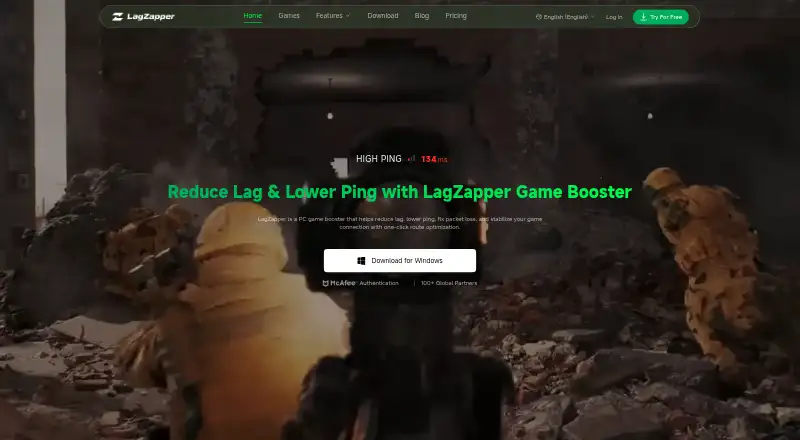
What LagZapper is
LagZapper is Windows software for PC gamers that optimizes the network route between a computer and a game server. It analyzes the connection route and selects one intended to avoid congestion, with the aim of reducing lag, lowering ping, and minimizing packet loss. Its features also target jitter reduction for more consistent and responsive gameplay. Global nodes are available for improving connections during cross-region play. The site says the software supports more than 3,000 PC games, including Fortnite, VALORANT, Roblox, and Counter-Strike 2. Compatibility is listed for Windows 10 and Windows 11. To get started, users sign in, select a supported game, choose a server or node, and click Boost. The sign-in screen is described as offering Google, VKontakte, and Facebook options. LagZapper says it optimizes the game connection route and does not alter game files, gameplay data, or in-game settings. Its privacy policy says the service may collect device and client details, chosen games and servers, latency, packet-loss, routing, and diagnostic data. The operator is XUNYOU NETWORK TECHNOLOGY CO., LIMITED. LagZapper is paid software and offers a free trial.
Who it suits
LagZapper suits Windows PC gamers who want to route game traffic through selected servers or nodes, including when playing across regions. It supports a large selection of PC games and is intended for game connection traffic.
What it does well
- Supports more than 3,000 PC games.
- Route selection is intended to avoid network congestion.
- Features target lower jitter for steadier gameplay.
- Global nodes support cross-region gaming.
- Says it does not modify game files or settings.
- Offers a free trial.
What to know first
- Available for Windows only.
- The service is paid software.
- Privacy policy says it may collect routing and diagnostic data.
Limits
LagZapper is paid software, although a free trial is available. Compatibility is listed for Windows 10 and 11.
Getting started
- Visit the LagZapper website and download the Windows app.
- Sign in using an available sign-in option.
- Select a supported game.
- Choose a server or node.
- Click Boost.
Verdict
Consider LagZapper if you play supported PC games on Windows and want tools aimed at improving game routing, ping, packet loss, and jitter. Its free trial offers a way to start, while its paid model and collection of connection diagnostics may matter to your choice.
Questions
Does LagZapper have a free plan?
LagZapper is paid software and offers a free trial.
Which operating systems does it support?
It is for Windows, with compatibility listed for Windows 10 and 11.
Which games can I use with LagZapper?
The site says it supports more than 3,000 PC games, including Fortnite, VALORANT, Roblox, and Counter-Strike 2.
How do I set it up?
Sign in, select a supported game, choose a server or node, and click Boost.
What does LagZapper change?
The maker says it optimizes the game connection route and does not modify game files, gameplay data, or in-game settings.
Who operates LagZapper?
The site identifies XUNYOU NETWORK TECHNOLOGY CO., LIMITED as its operator.
Facts from LagZapper's own pages
- Cross-region play
- The features page says global nodes improve connectivity and performance for cross-region gaming. · lagzapper.com, 11 Oct 2026
- Game-file behavior
- The home page FAQ says LagZapper optimizes the game connection route and does not modify game files, gameplay data, or in-game settings. · lagzapper.com, 11 Oct 2026
- Game support
- The site says LagZapper supports more than 3,000 PC games. · lagzapper.com, 11 Oct 2026
- Login options
- The download page’s sign-in illustration lists Google, VKontakte, and Facebook login options. · lagzapper.com, 11 Oct 2026
- Maker
- The site identifies XUNYOU NETWORK TECHNOLOGY CO., LIMITED as the developer and operator of LagZapper. · lagzapper.com, 11 Oct 2026
- Packet loss
- The features page says packet loss reduction minimizes data loss that can cause stuttering, rubber-banding, and lag spikes. · lagzapper.com, 11 Oct 2026
- Ping stabilization
- The features page says its ping stabilization reduces jitter for smoother gameplay and more consistent responsiveness. · lagzapper.com, 11 Oct 2026
- Plans and billing
- The terms say LagZapper offers one-time plans and auto-renewing subscriptions, with price, currency, and billing interval shown on the purchase page. · lagzapper.com, 11 Oct 2026
- Privacy
- The privacy policy says the service may collect device and client details, selected games and servers, latency, packet-loss, routing, and diagnostic data. · lagzapper.com, 4 Oct 2026
- Privacy data
- The privacy policy says the service may collect device and client information, selected games and servers, acceleration and network diagnostics, and approximate location based on IP address. · lagzapper.com, 11 Oct 2026
- Product
- LagZapper is PC game booster software that optimizes connection routes to help reduce lag, lower ping, reduce packet loss, and improve connection stability. · lagzapper.com, 11 Oct 2026
- Refund terms
- The terms describe first-purchase refund protection that may be requested within 72 hours after payment, subject to deductions and conditions. · lagzapper.com, 11 Oct 2026
- Route optimization
- LagZapper analyzes the path between a PC and game servers and selects a smoother, more stable route. · lagzapper.com, 11 Oct 2026
- Safety claim
- LagZapper says it only optimizes the game connection route and does not modify game files, gameplay data, or in-game settings. · lagzapper.com, 4 Oct 2026
- Setup
- Users can search or browse the game list, choose a server or node, and click Boost to optimize the connection. · lagzapper.com, 11 Oct 2026
- Support
- The partnership page says partners receive dedicated support and multilingual support is available. · lagzapper.com, 4 Oct 2026
- Windows requirements
- The features page lists compatibility with Windows 10 and 11, and the download page says the app is for Windows. · lagzapper.com, 4 Oct 2026
- Windows support
- LagZapper is available for Windows PC only, and the features page lists compatibility with Windows 10 and 11. · lagzapper.com, 11 Oct 2026
Where LagZapper stands on Freedom251
- Lag and ping reducers#26 of 34
- Game Latency Reducers#27 of 34