Freedom251 › Disk Space Analyzers
Klarity
What Klarity is
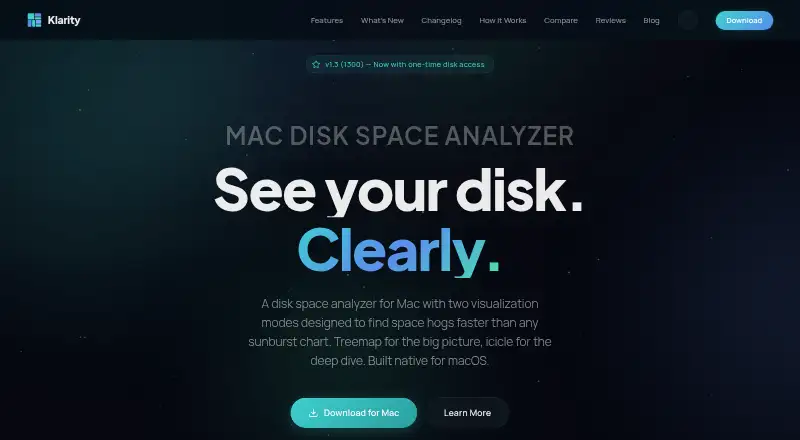
Klarity is a macOS storage viewer that maps files and folders by size and age. Treemap and icicle views let users explore disk usage, while a file-type breakdown groups content by format. Its Large Files view lists items by size and shows how long each has remained unchanged. Klarity scans mounted internal, external, USB, and network drives. Version 1.3.1 is described as scanning hidden locations such as Library to reveal storage macOS categorizes as System Data. Deletion sends items to the Trash; folders of 1 GB or more require a slide confirmation, and protected system folders remain unavailable. The app includes a RAM monitor and menu-bar readout for memory and disk use. The maker says Klarity operates locally, makes no network connections, works offline, and collects no analytics or personal data. It supports Apple Silicon and Intel Macs running macOS 14 Sonoma or later, using approximately 15 MB of disk space. Klarity costs $6.99 a month, billed as a one-time purchase.
Who it suits
Klarity suits Mac users who want visual disk analysis, large-file discovery, and scans across mounted drives. It supports Apple Silicon and Intel Macs on macOS 14 Sonoma or later.
What it does well
- Treemap and icicle disk views
- Scans external and network drives
- Shows unchanged-file age
- Works offline without analytics
- Includes RAM and menu-bar monitors
What to know first
- Requires macOS 14 Sonoma or later
- Full Disk Access needed for protected directories
- No free plan
- Protected system folders cannot be removed
Plans
| Plan | Billed and limits | Price |
|---|---|---|
| Klarity | $6.99 once · macOS 14.6 or later · No subscription | $6.99, paid once |
As klaritydisk.com lists them, read 9 Oct 2026. The maker's own page has the final word.
Verdict
Klarity combines visual storage maps, file-age details, drive scanning, and cautious Trash-based deletion. It works locally on newer Intel or Apple Silicon Macs and is sold as a one-time purchase billed at $6.99 a month.
Facts from Klarity's own pages
- Accessibility
- The 1.2 changelog lists full VoiceOver support and WCAG 2.1 AA contrast fixes. · klaritydisk.com, 9 Oct 2026
- Deletion safety
- Klarity moves items to the Trash, requires a slide to confirm folders of 1 GB or more, and keeps protected system folders off-limits. · klaritydisk.com, 9 Oct 2026
- External drive scans
- Yes · klaritydisk.com, 22 Sept 2026
- File-type breakdown
- Yes · klaritydisk.com, 22 Sept 2026
- Free plan
- No · klaritydisk.com, 22 Sept 2026
- Hardware support
- The support page says Klarity runs on Apple Silicon and Intel Macs and can scan mounted internal, external, USB, and network drives. · klaritydisk.com, 9 Oct 2026
- Large files
- A Large Files view lists files by size and shows how long each has been unchanged. · klaritydisk.com, 9 Oct 2026
- Monitoring
- The app includes a RAM monitor and a menu bar readout for memory and disk use. · klaritydisk.com, 9 Oct 2026
- Permissions
- Full Disk Access is optional and is required to scan system-protected directories; without it Klarity can scan the home folder and most user-accessible locations. · klaritydisk.com, 9 Oct 2026
- Desktop platforms
- macos · klaritydisk.com, 22 Sept 2026
- Privacy
- The maker says Klarity works locally, makes no network connections, and collects no analytics or personal data. · klaritydisk.com, 9 Oct 2026
- Purpose
- Klarity maps Mac storage by folder size and age to help users find large, forgotten files. · klaritydisk.com, 9 Oct 2026
- Release status
- The homepage describes version 1.3.1 as in App Review. · klaritydisk.com, 9 Oct 2026
- Requirements
- The support page lists macOS 14 Sonoma or later and approximately 15 MB of disk space. · klaritydisk.com, 9 Oct 2026
- Scan scope
- files_folders · klaritydisk.com, 22 Sept 2026
- Paid from
- 6.99 · klaritydisk.com, 22 Sept 2026
- Support
- The support page says the maker typically responds to bug reports, feature requests, and questions within 24 hours. · klaritydisk.com, 9 Oct 2026
- System Data
- Version 1.3.1 is described as scanning hidden folders such as Library to reveal storage macOS categorizes as System Data. · klaritydisk.com, 9 Oct 2026
- Third-party integrations
- The privacy policy says Klarity does not integrate with third-party services and works offline. · klaritydisk.com, 9 Oct 2026
- Treemap view
- Yes · klaritydisk.com, 22 Sept 2026
- Visualizations
- It includes treemap and icicle views for exploring disk usage. · klaritydisk.com, 9 Oct 2026
Where Klarity stands on Freedom251
- Disk Space Analyzers#102 of 105