Freedom251 › Parental control apps
Kids Place
by Kids Place
What Kids Place is
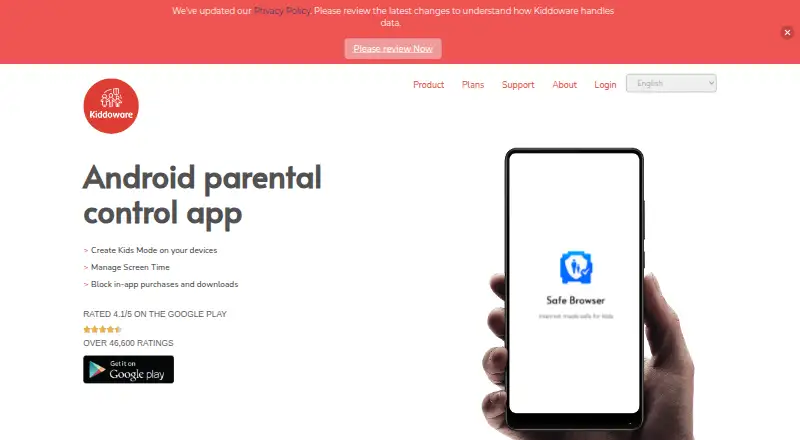
Kids Place is a parental control app for creating a child-friendly device experience built around apps parents approve. On Android phones and tablets, it can block apps, apply a child-friendly launcher and child lock, and control access to the Play Store. Activity reports show app usage. Its Advanced Timer adds schedules and daily time limits for the whole device, app categories, or individual apps. When Remote Control is enabled on a child’s device, administrators can manage approved apps, categories, settings, timers, and usage reports through a cloud console. Kids Place is also available on Windows as an app launcher for restricting children to approved applications. The Essential plan covers app blocking, launcher, usage reports, and Play Store control; the Kids Place plan adds screen-time controls, multiple-user support, advanced security settings, personalization, and a discreet mode for teens. A separate Kiddoware plan lists a safe browser, web filtering, blocked-domain reports, and remote management. The FAQ points to separate Kids Safe Browser and Kids Safe Video Player plugins for filtering websites and videos. A free plan and a seven-day package trial are available, with no credit card required to activate the trial. The premium pack has no device limit for personal use.
Who it suits
Kids Place suits parents who want to manage children’s access to apps and the Play Store, view usage reports, or set device and app time limits. Families needing browser filtering or remote management can consider the separate plugins and Kiddoware plan; it does not provide location tracking.
What it does well
- Blocks apps and controls Play Store access.
- Sets schedules and daily limits by device, category, or app.
- Provides app usage reports.
- Remote Control manages settings through a cloud console.
- Personal premium use has no device limit.
What to know first
- Location tracking is not included.
- Web filtering and video filtering use separate plugins.
- The $4.99 a month Kids Place plan is required for its listed added controls.
Limits
The free plan is available, but the listed screen-time controls, multiple-user support, advanced security settings, personalization, and teens-friendly discrete mode are part of the Kids Place plan at $4.99 a month. The package trial lasts seven days.
Plans
| Plan | Billed and limits | Price |
|---|---|---|
| Kids Place | $4.99/month · Essential Plan Features + · Screen time controls · Multiple user support · Advanced security settings · Personalization Features · Teens Friendly Discrete Mode | $4.99 a month |
| Kiddoware | Safe browser · Web content filtering · Blocked-domain reports · Remote Kids Place management | On request |
| Essential | FREE · Apps blocking · Kids friendly launcher · Child lock · Play store control · App Usage reports · Kids friendly Video Player - YouTube Safe Search (Via Plugin app) | Free |
| Kids Place | $24.99/year · Essential Plan Features + · Screen time controls · Multiple user support · Advanced security settings · Personalization Features · Teens Friendly Discrete Mode | $24.99 a year |
| Kids Place | $69.99 One-Time Payment · Essential Plan Features + · Screen time controls · Multiple user support · Advanced security settings · Personalization Features · Teens Friendly Discrete Mode | $69.99, paid once |
As kiddoware.com lists them, read 11 Oct 2026. The maker's own page has the final word.
Getting started
- Visit https://kiddoware.com/kids-place/.
- Choose the Android app for a smartphone or tablet, or the Windows app launcher.
- Start with the free plan or activate the seven-day package trial without a credit card.
- Select the Kids Place plan for its screen-time controls and other added features.
- Enable Remote Control on the child’s device to manage it through the cloud console.
- Use the separate Kids Safe Browser or Kids Safe Video Player plugin if you need their filtering features.
Verdict
Choose Kids Place if your priority is controlling approved apps, Play Store access, or screen time on a child’s device. The Kids Place plan adds schedules, multiple-user support, and other controls for $4.99 a month. Look elsewhere if location tracking is essential, and note that browser and video filtering are handled through separate plugins.
Questions
Is Kids Place free?
Yes. It has a free plan. A seven-day package trial is also available without a credit card to activate it.
How much does the Kids Place plan cost?
The Kids Place plan costs $4.99 a month.
Which platforms does it support?
Kids Place is available on Android and Windows. The maker describes the Android app for smartphones and tablets and the Windows version as a launcher that restricts access to approved applications.
Does it include web and video filtering?
The FAQ directs users to the separate Kids Safe Browser plugin for web filtering and website whitelisting, and the separate Kids Safe Video Player plugin for filtering YouTube or other videos.
Does Kids Place track a child’s location?
No. Location tracking is not included.
Is there a device limit for personal premium use?
The pricing FAQ says there is no device limit for personal use of the premium pack.
Facts from Kids Place's own pages
- Activity reports
- Yes · play.google.com, 22 Sept 2026
- Android availability
- The maker describes Kids Place as an Android parental control app for smartphones and tablets. · kiddoware.com, 11 Oct 2026
- App blocking
- Yes · play.google.com, 22 Sept 2026
- App controls
- The Essential plan includes app blocking, a kids-friendly launcher, child lock, and Play Store control. · kiddoware.com, 11 Oct 2026
- Browser integration
- The FAQ directs users to the separate Kids Safe Browser plugin for web content filtering and website whitelisting. · kiddoware.com, 11 Oct 2026
- Content filtering
- Yes · play.google.com, 22 Sept 2026
- Device limit
- The pricing FAQ says there is no device limit for personal use of the premium pack. · kiddoware.com, 11 Oct 2026
- DNS filtering
- For its optional DNS-based app internet filtering feature, Kiddoware says filtering is primarily processed on-device and it does not receive or store individual DNS query logs on its servers. · kiddoware.com, 11 Oct 2026
- Free plan
- Yes · play.google.com, 22 Sept 2026
- Headquarters
- Tempe, Arizona, United States · kiddoware.com, 28 Sept 2026
- Location tracking
- No · play.google.com, 22 Sept 2026
- Privacy and data
- Depending on enabled features, the app may process parent account details, device identifiers, installed app names, usage data, and device information; it says it does not sell personal information. · kiddoware.com, 11 Oct 2026
- Purpose
- Kids Place is a parental control app that lets parents create a child-friendly device experience with approved apps. · kiddoware.com, 11 Oct 2026
- Remote management
- When enabled on the child’s device, Remote Control lets administrators manage approved apps, categories, settings, timers, and usage reports through a cloud console. · kiddoware.com, 11 Oct 2026
- Screen-time schedules
- Yes · play.google.com, 22 Sept 2026
- Support
- Kiddoware lists support by email at [email protected] and gives its location as Tempe, Arizona, USA. · kiddoware.com, 11 Oct 2026
- Time limits
- Advanced Timer supports schedules and daily time limits at device, app category, and app level. · kiddoware.com, 11 Oct 2026
- Trial
- The pricing FAQ says the Kiddoware package is free for 7 days and does not require a credit card to activate the trial. · kiddoware.com, 11 Oct 2026
- Video integration
- The FAQ directs users to the separate Kids Safe Video Player plugin to filter YouTube or other videos on the device. · kiddoware.com, 11 Oct 2026
- Windows availability
- Kiddoware announced Kids Place for Windows and describes it as a Windows app launcher for restricting child access to approved applications. · kiddoware.com, 11 Oct 2026
Where Kids Place stands on Freedom251
- Parental control apps#27 of 107