Freedom251 › Encrypted Messaging Apps

Keet
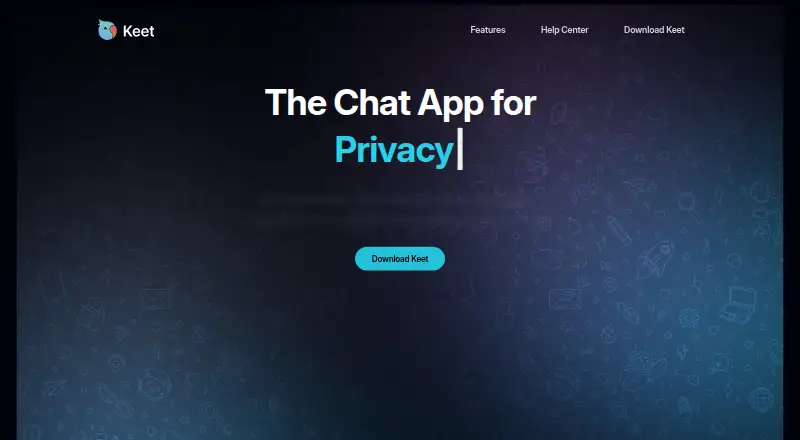
What Keet is
Keet is a peer-to-peer messaging app for chats, voice and video calls, and media sharing. It says messages, calls, and file transfers are end-to-end encrypted and sent directly between participants. Users do not need a phone number or email to create an account, and Keet says it does not keep personal information tied to accounts. A 24-word recovery phrase serves as the account identity and can restore a profile, so it is central to retaining access.
Keet supports direct and group voice calls, video calls, and desktop screen sharing during calls. Users can send files of any size directly between devices without compression. Creators can open Broadcast Rooms where replies are disabled and audiences can react. Blind peering keeps encrypted room data available while members are offline without a company server. Keet runs on Android, iOS, Linux, macOS, and Windows, with a desktop app. The app is free, with no subscriptions, premium features, or ads. It uses the open-source Pear Runtime technology stack, which Keet says allows peer-to-peer, modifiable feature integrations. One privacy consideration is that other group peers may be able to see a user's IP address using network monitoring tools. Keet is developed by Holepunch, which its site says is backed by Tether.
Who it suits
Keet suits people looking for encrypted peer-to-peer chats, calls, and file sharing across mobile and desktop platforms, especially those who prefer not to register with a phone number or email. Its group calls, screen sharing, and Broadcast Rooms also fit people who want to communicate with groups or audiences.
What it does well
- End-to-end encryption covers messages, calls, and file transfers by default.
- No phone number or email is required for an account.
- Available on Android, iOS, Linux, macOS, and Windows.
- Files of any size transfer directly without compression.
- Free, with no subscriptions, premium features, or ads.
What to know first
- Other peers in a group may see a user's IP address.
- A 24-word recovery phrase is used to restore a profile.
Plans
| Plan | Billed and limits | Price |
|---|---|---|
| Free | No subscriptions · no premium features · no ads | Free |
As keet.io lists them, read 8 Oct 2026. The maker's own page has the final word.
Getting started
- Open Keet's website.
- Choose the app for Android, iOS, Linux, macOS, or Windows.
- Create an account without a phone number or email.
- Keep the 24-word recovery phrase available to restore your profile.
Keet is a free peer-to-peer app for messaging, voice and video calls, and direct file transfers on phones and computers. It suits people who want account-light communication with end-to-end encryption and uncompressed sharing, while its peer-to-peer design demands careful consideration of network privacy.
Its strongest case is private, server-independent communication across a broad set of desktop and mobile platforms. The trade-off is that other members of a group may be able to discover your IP address with network-monitoring tools.
Overview
Keet exchanges chats, calls, and files directly between participants, with end-to-end encryption enabled by default. You can create an identity without a phone number or email, and Keet says it does not retain personal information tied to that account. A 24-word recovery phrase is the identity for restoring your profile, so losing that phrase can leave you without a straightforward account-recovery route.
Because communication is peer to peer, Keet does not depend on a company server to keep room data available. Its blind-peering approach keeps encrypted room data accessible while members are offline. That architecture will appeal to users who prefer less centralized infrastructure, but the IP-visibility risk inside groups is a meaningful reason to choose another service if network anonymity is essential.
Key features
Messaging, calls, and rooms
Keet handles direct and group voice calls, video calls, and desktop screen sharing. Broadcast Rooms let a creator publish to an audience while blocking replies; participants can still respond with reactions. This is a useful format for announcements or one-way sessions rather than discussion-led communities.
Direct file sharing
Files can be transferred directly between devices at any size, without compression. That is a clear advantage for original media, large archives, or production files where preserving the source matters. Transfer availability depends on the participating devices rather than a conventional hosted storage quota.
Peer-to-peer foundation
Keet runs on the open-source Pear Runtime stack. The maker says this enables peer-to-peer integrations that can be modified, giving technically inclined users a more adaptable foundation than a closed messaging service.
Pricing
| Plan | Price | What you get |
|---|---|---|
| Free | free | No subscriptions, no premium features, and no ads |
There is no paid tier, subscription, or trial to weigh against the free plan. Every listed capability is therefore available without a recurring charge, and there are no published seat, message, or storage quotas. Users who need premium administration or commercial service terms will not find a higher plan to upgrade to.
Platforms
Keet offers apps for Android, iOS, Linux, macOS, and Windows. A desktop app supports calls and screen sharing, while the same peer-to-peer model spans mobile and desktop devices. The broad operating-system coverage makes it practical for groups whose members use different device types.
Who it's for
Choose Keet for private group communication when avoiding phone-number or email registration matters, or when direct, uncompressed file exchange is more useful than cloud storage. It is also a sensible fit for users who value encrypted rooms that remain available through blind peering and for audiences that can use Broadcast Rooms without needing reply threads.
Look elsewhere if exposing an IP address to fellow group peers is unacceptable, if you need a hosted account-recovery process beyond a recovery phrase, or if your organization expects paid tiers, centralized administration, or published service quotas.
Pros and cons
- Pro: End-to-end encryption covers messages, calls, and file transfers by default.
- Pro: No phone number or email is required, and Keet says account-linked personal information is not stored.
- Pro: Any-size, uncompressed direct file transfers preserve original media and documents.
- Pro: Voice, video, group calling, and desktop screen sharing cover both personal and presentation use.
- Pro: One free plan has no subscriptions, ads, or premium feature gate.
- Con: Other peers may infer your IP address with network-monitoring tools, weakening network privacy for some groups.
- Con: The 24-word phrase is the account identity, so recovery depends on keeping it safe.
Alternatives
For a wider comparison of private communication tools, see Secure messaging apps.
- Jami is a free option on Android, iOS, Linux, macOS, Windows, web, API, and extension platforms, backed by a global free-software community.
- Olvid suits readers wanting a free tier with unlimited messages, unlimited attachments, secure group discussions, and ephemeral messages, plus a free trial.
- Wire is worth considering if independently verifiable, fully open-source code and web access matter; its free tier costs nothing.
- Crypho fits personal users who can accept files up to 3 MB and one group on its free plan, with encrypted calls and video calls.
- Delta Chat is free and open source, with Android, iOS, Linux, Windows, and self-hosted availability.
- imo provides free calls and messages across mobile, desktop, and web, although carrier data charges may apply.
- Messenger is a broadly available free messaging app for Android, iOS, macOS, web, and Windows.
- Session offers open-source encrypted messaging, no phone number, and attachments up to 10 MB on its free tier.
Verdict
Keet is a strong choice for users who want free, encrypted peer-to-peer messaging, calls, and unrestricted uncompressed file sharing across mobile and desktop systems. Its no-registration approach and server-independent rooms are compelling; users who cannot accept peers potentially seeing their IP address should choose a different messenger.
Verdict
Choose Keet if you want free peer-to-peer messaging, calls, and uncompressed file sharing across mobile and desktop devices. Look elsewhere if visibility of your IP address to other group peers is a concern.
Questions
Is Keet free?
Yes. Its plan is free, with no subscriptions, premium features, or ads.
Which platforms does Keet support?
Keet is available for Android, iOS, Linux, macOS, and Windows.
Does Keet require a phone number or email?
No. It says neither is required, and a 24-word recovery phrase acts as the account identity and can restore a profile.
Are messages and calls encrypted?
Keet says messages, calls, and file transfers are end-to-end encrypted and exchanged directly between participants.
Can Keet share files and support group calls?
It supports direct and group voice calls, video calls, and desktop screen sharing during calls. Files of any size can be sent directly between devices without compression.
Who makes Keet, and is it open source?
Keet is developed by Holepunch, which its site says is backed by Tether. It is powered by the open-source Pear Runtime technology stack.
Facts from Keet's own pages
- Account privacy
- Keet does not require a phone number or email, and says it does not store personal information tied to an account. · keet.io, 8 Oct 2026
- Calls
- Keet supports direct and group voice calls, video calls, and desktop screen sharing during calls. · support.keet.io, 8 Oct 2026
- Company
- Keet is developed by Holepunch, which Keet's site says is backed by Tether. · keet.io, 8 Oct 2026
- Encrypted communication
- Keet says messages, calls, and file transfers are end-to-end encrypted and exchanged directly between participants. · keet.io, 8 Oct 2026
- File sharing
- Keet says users can transfer files of any size directly between devices without compression. · keet.io, 8 Oct 2026
- Headquarters
- San Salvador, El Salvador · keet.io, 28 Sept 2026
- Identity recovery
- A 24-word recovery phrase acts as the account identity and can be used to restore a profile. · support.keet.io, 8 Oct 2026
- Integrations and runtime
- Keet is powered by the open-source Pear Runtime technology stack, which the maker says makes feature integrations peer-to-peer and modifiable. · support.keet.io, 8 Oct 2026
- Offline room availability
- Blind peering keeps encrypted room data available while members are offline, without a company server. · support.keet.io, 8 Oct 2026
- Platforms
- Keet's installation guide lists Windows, macOS, Linux, Android, iOS, and GrapheneOS; the official download page provides desktop downloads and an Android APK. · support.keet.io, 8 Oct 2026
- Privacy limitation
- Other peers in a Keet group may be able to see a user's IP address using network monitoring tools. · support.keet.io, 8 Oct 2026
- Product
- Keet is a peer-to-peer messaging app for chats, audio and video calls, and media sharing. · support.keet.io, 8 Oct 2026
- Rooms
- Creators can use Broadcast Rooms that disallow replies and let audiences engage through reactions. · keet.io, 8 Oct 2026
- Support
- Keet directs users with issues opening the app or joining groups to [email protected] and offers community groups for help and feedback. · support.keet.io, 8 Oct 2026
Where Keet stands on Freedom251
- Encrypted Messaging Apps#12 of 43
- Secure messaging apps#12 of 36