Freedom251 › Antivirus software
Kaspersky Mobile Security
What Kaspersky Mobile Security is
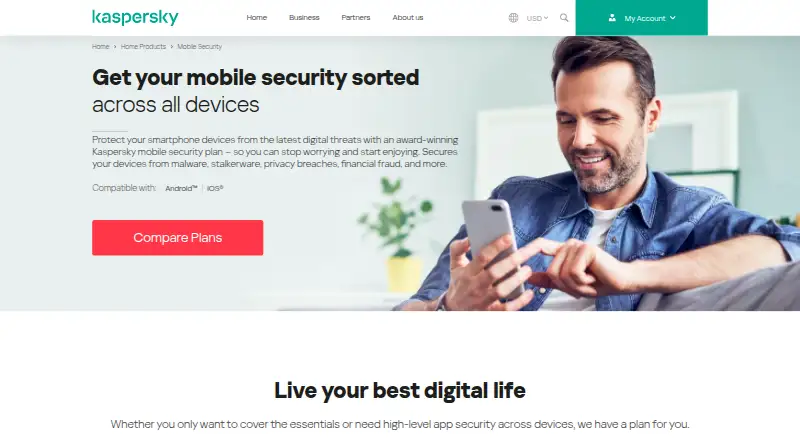
Kaspersky Mobile Security protects smartphones from malware, stalkerware, privacy breaches, and financial fraud on Android and iOS. Anti-Phishing helps guard against spyware and malware delivered through malicious links. Android-only tools include Safe Browsing, Safe Messaging, Antivirus, App Lock, and Where is My Device, which can remotely lock and locate a phone and photograph the thief. The service also offers Superfast VPN, an encrypted Password Manager vault, Data Leak Checker for exposed private information, and Identity Theft Check for accounts linked to a phone number. Kaspersky lists a free Android antivirus plan at no cost, with essential protection against common threats, and a 30-day trial. Plans require a My Kaspersky account and internet access for activation, updates, and some features. Compatibility lists Android 11–16 and iOS 26; beta or preview operating systems are unsupported. Mobile plans have limited country availability.
Who it suits
It suits Android and iOS users seeking malware, privacy, payment, and identity-related tools. Android users get the broadest device-recovery and app-lock features.
What it does well
- Free Android antivirus plan
- Anti-Phishing for malicious links
- Encrypted Password Manager vault
- Remote Android lock and location
- Supports up to 10 devices
What to know first
- Some tools are Android-only
- My Kaspersky account required
- Internet connection required for some functions
- Availability varies by country
Limits
The free Android plan provides essential protection against common threats. Feature availability varies by platform, with several payment, recovery, and App Lock tools marked Android only.
Plans
| Plan | Billed and limits | Price |
|---|---|---|
| Kaspersky Free for Android | Android antivirus; essential protection against common threats | Free |
| Kaspersky Standard for Mobile | Android · iOS · 1 device · real-time antivirus · online payment protection · Who’s Spying on Me | On request |
| Kaspersky Premium for Mobile | Android · iOS · 1 device · real-time antivirus · online payment protection · VPN · Data Leak Checker · Password Manager · Safe Kids | On request |
| Kaspersky Premium Multidevice | Windows · macOS · Android · iOS · Linux · up to 10 devices · VPN · Data Leak Checker · Password Manager · Safe Kids | On request |
As kaspersky.com lists them, read 12 Oct 2026. The maker's own page has the final word.
Getting started
- Open the Kaspersky Mobile Security website
- Choose the free Android plan, a mobile plan, or Premium Multidevice
- Download the app from Google Play or the Apple App Store for mobile devices
- Create or sign in to a My Kaspersky account
- Connect to the internet for activation, updates, and some features
Verdict
Kaspersky Mobile Security combines core mobile protection with VPN, password storage, breach checks, and Android recovery tools. Check operating-system support and country availability before choosing a plan.
Questions
Is Kaspersky Mobile Security free?
A free Android antivirus plan costs nothing and provides essential protection against common threats. A 30-day trial is also offered.
Which platforms are supported?
Mobile plans support Android and iOS. Premium Multidevice also supports Windows, macOS, and Linux, for up to 10 devices.
Is a Kaspersky account required?
Yes. Using a plan requires a My Kaspersky account.
Does the service require internet access?
An internet connection is required for activation, updates, and access to some features.
What does the Password Manager do?
It stores passwords and personal data in a private, encrypted vault.
Are all plans available everywhere?
Kaspersky says mobile plans have limited availability in listed countries and territories, so country availability should be checked.
Facts from Kaspersky Mobile Security's own pages
- Account and connection
- Using a plan requires a My Kaspersky account and an internet connection for activation, updates, and some features. · kaspersky.com, 12 Oct 2026
- Account requirement
- The system requirements state that a My Kaspersky account is required to use the plan. · kaspersky.com, 12 Oct 2026
- Anti-phishing
- Anti-Phishing helps protect devices from spyware and malware delivered through malicious links. · kaspersky.com, 12 Oct 2026
- App Lock
- App Lock protects mobile apps with a secret code and is available on Android only. · kaspersky.com, 12 Oct 2026
- Availability limit
- The page says mobile plans have limited availability in a listed set of countries and territories, and advises checking country availability. · kaspersky.com, 12 Oct 2026
- Company history
- Kaspersky says the company was established on June 26, 1997. · kaspersky.com, 12 Oct 2026
- Connectivity requirement
- An internet connection is required for activation, updates, and access to some features. · kaspersky.com, 12 Oct 2026
- Data breach checks
- Data Leak Checker checks whether private information such as passwords appeared in a breach and provides next steps. · kaspersky.com, 12 Oct 2026
- Device recovery
- Where is My Device can remotely lock and locate a lost or stolen phone and photograph the thief; the page marks it Android only. · kaspersky.com, 12 Oct 2026
- Founded
- 1997 · kaspersky.com, 28 Sept 2026
- Free availability
- Kaspersky says it offers a free Android antivirus version with essential protection against common threats. · kaspersky.com, 12 Oct 2026
- Headquarters
- The company page lists Rieterstrasse 6, 8002, Zurich, Switzerland, under its headquarters section. · kaspersky.com, 12 Oct 2026
- Identity check
- Identity Theft Check looks for data leaks affecting accounts linked to a phone number. · kaspersky.com, 12 Oct 2026
- Lost-device tools
- On Android, Where is My Device can remotely lock and locate a phone and photograph the thief. · kaspersky.com, 12 Oct 2026
- Maker and founding
- Kaspersky's company history says Kaspersky Lab was established on June 26, 1997. · kaspersky.com, 12 Oct 2026
- Mobile platforms
- The product page lists Android and iOS compatibility and says the apps can be downloaded from Google Play or the Apple App Store. · kaspersky.com, 12 Oct 2026
- Password Manager
- Password Manager stores passwords and personal data in a private, encrypted vault. · kaspersky.com, 12 Oct 2026
- Payment protection
- Online payment tools include Safe Browsing, Safe Messaging, and Antivirus; the page marks these features Android only. · kaspersky.com, 12 Oct 2026
- Privacy features
- The app offers a VPN, Password Manager with an encrypted vault, and App Lock on Android. · kaspersky.com, 12 Oct 2026
- Purpose
- Kaspersky Mobile Security protects smartphones from malware, stalkerware, privacy breaches, and financial fraud. · kaspersky.com, 12 Oct 2026
- Refund guarantee
- The product page advertises a 30-day money-back guarantee. · kaspersky.com, 12 Oct 2026
- System requirements
- The page lists Android 11–16 and iOS 26, and says beta or preview operating systems are unsupported. · kaspersky.com, 12 Oct 2026
- VPN
- Superfast VPN provides a secure connection and is described as supporting access to global content. · kaspersky.com, 12 Oct 2026
Where Kaspersky Mobile Security stands on Freedom251
- Antivirus software#26 of 120