Freedom251 › Mobile Development IDEs
JCode
What JCode is
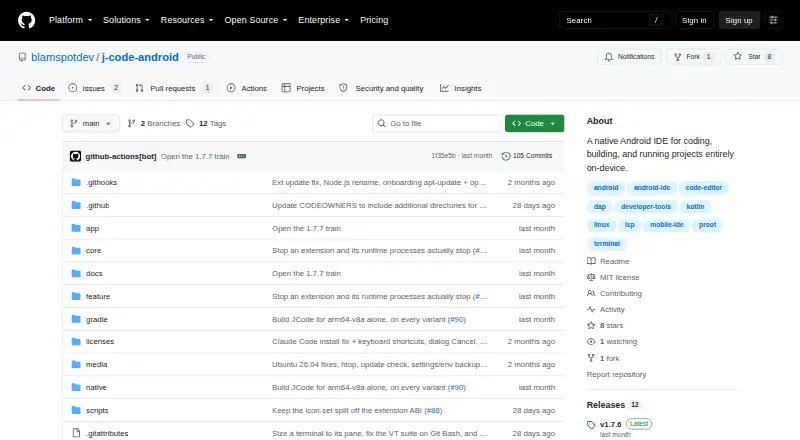
JCode is a free native Android IDE for coding, building, and running projects on-device. It bundles proot with an app-managed Ubuntu 24.04 or 26.04 LTS environment for runtimes, SDKs, compilers, and language servers, without requiring Termux or root access. The editor supports syntax coloring, completions, snippets, multi-tab editing, and word wrap; language services add diagnostics, code navigation, symbol renaming, and formatting. PTY terminal sessions persist while the app is backgrounded. Projects can configure multiple terminals, and ready-port polling can open a web preview. Debugging includes breakpoints, stepping, call stacks, variables, and a console; Python with debugpy and Java are device-verified under proot. JCode can build an APK and run it in an editor tab, with device-side ADB and JDWP debugging. Its Git panel supports status, staging, commits, branches, and diffs. Extensions include verified .jext packages and supported VS Code API portions from .vsix packages. JCode is MIT-licensed, requires Android 13 or later, and release builds target arm64-v8a.
Who it suits
JCode suits Android users who want to code, build, and debug projects on their device, including Android app projects. It requires Android 13 or later and is aimed at devices with an arm64-v8a release target.
What it does well
- Free and MIT-licensed
- Bundled Ubuntu environment needs no root
- Persistent terminal sessions
- Can build and run APKs
- Git panel supports commits and diffs
What to know first
- Requires Android 13 or later
- Release build targets arm64-v8a
- Android platform only
- No emulator or simulator
Plans
| Plan | Billed and limits | Price |
|---|---|---|
| JCode | MIT-licensed; Android 13+ | Free |
As github.com lists them, read 9 Oct 2026. The maker's own page has the final word.
Verdict
JCode brings editing, terminals, debugging, Git, and APK building into an on-device Android IDE. Its Android version and arm64-v8a requirements are important constraints to check first.
Facts from JCode's own pages
- Android app sandbox
- JCode can build an APK and run it in an editor tab, with a device-side ADB bridge and JDWP debugging on the same device. · github.com, 9 Oct 2026
- Build and preview
- Projects can configure multi-terminal development setups in .jcode/run.yaml, and ready-port polling can open a web preview. · github.com, 9 Oct 2026
- Debugging
- The DAP client includes breakpoints, stepping, call stack, variables, and a debug console; Python with debugpy and Java are device-verified under proot. · github.com, 9 Oct 2026
- Editor
- The editor provides syntax coloring, language-server and Dev Pack completions, snippets, multi-tab editing, selection handles, word wrap, and file auto-reload for unmodified files. · github.com, 9 Oct 2026
- Embedded Linux
- The app bundles proot and uses an app-managed Ubuntu 24.04 or 26.04 LTS environment for runtimes, SDKs, compilers, and language servers, with no Termux dependency or root requirement. · github.com, 9 Oct 2026
- Extensions
- The extension marketplace provides Ed25519-verified .jext packages, and the app supports importing a supported WebView slice of the VS Code API from .vsix packages. · github.com, 9 Oct 2026
- Language services
- Language servers provide diagnostics, completions, Go to Definition, Find References, Rename Symbol, and document formatting. · github.com, 9 Oct 2026
- License
- JCode is licensed under the MIT License, which the repository says permits use, modification, and redistribution under its terms. · github.com, 9 Oct 2026
- Product
- JCode is a native Android IDE for coding, building, and running projects entirely on-device. · github.com, 9 Oct 2026
- Security
- Marketplace .jext packages are downloaded and verified by the app before installation. · github.com, 9 Oct 2026
- Source control
- An extension-hosted Git panel supports status, staging, commits, branches, and diffs, with Git running inside the Linux distro. · github.com, 9 Oct 2026
- Support and documentation
- The repository links engineering specifications covering architecture, module contracts, wire protocols, on-disk formats, and build and release details. · github.com, 9 Oct 2026
- System requirements
- The app requires Android 13 or later (minSdk 33), and the release build targets arm64-v8a. · github.com, 9 Oct 2026
- Terminal
- JCode provides PTY terminal sessions through proot that persist when the app is backgrounded and supports xterm/VT features. · github.com, 9 Oct 2026
Where JCode stands on Freedom251
- Mobile Development IDEs#24 of 41