Inlet
What Inlet is
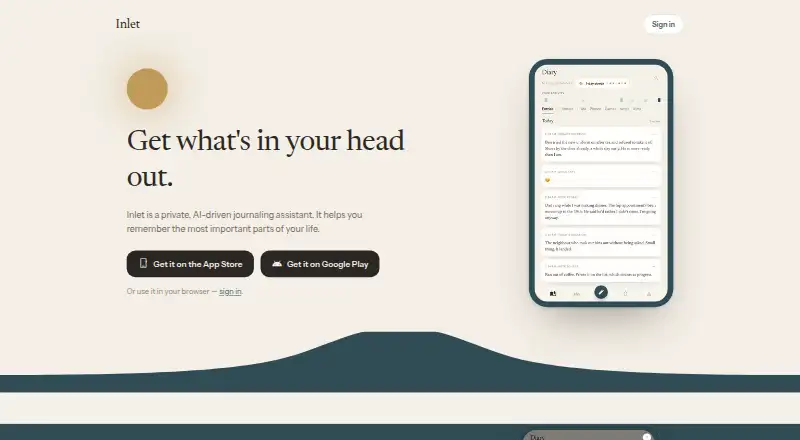
Inlet is an AI-driven journaling assistant for recording and recalling personal moments, available in a browser and on iOS, with Android in open testing on Google Play. Short daily prompts help users get started, and spoken entries become editable text before saving. Entries can include photos or videos up to 30 seconds long. Inlet can shape notes into diary entries and says it uses only what users wrote rather than adding events or feelings. Memory features include quizzes based on a user’s entries and a changing summary of what matters to them. Users can set aims and keep notes; both are marked beta. Groups can see when members are active, but an entry is shared only when its author tags people and chooses to share it. The maker says user data is stored in an encrypted database, photos in secure object storage, and app secrets separately. Inlet says it does not sell content, though it uses AI on content for summaries, prompts, and maintaining a throughline. The Free plan costs nothing and includes writing, prompts, aims, and day summaries.
Who it suits
Inlet suits people who want to record journal entries by voice or text and revisit them with quizzes and summaries. It may also suit users who want optional group activity visibility while choosing when to share individual entries.
What it does well
- Voice entries become editable text before saving.
- Entries support photos and videos up to 30 seconds.
- Memory quizzes draw on users’ own entries.
- Users choose whether to share tagged entries.
- Account deletion is available, with permanent erasure after 15 days.
What to know first
- Aims and notes are beta features.
- Android is in open testing on Google Play.
- The maker says it cannot protect data on a compromised device.
- Permanent erasure follows a 15-day restoration window.
Limits
The Free plan includes writing, prompts, aims, and day summaries. Aims and notes are beta features; no trial clock or card is required.
Plans
| Plan | Billed and limits | Price |
|---|---|---|
| Free | Writing, prompts, aims, and day summaries are free today; no trial clock or card | Free |
As theinlet.app lists them, read 2 Oct 2026. The maker's own page has the final word.
Getting started
- Open the Inlet welcome page in a browser, or use its iPhone app listing.
- For Android, find Inlet on Google Play, where it is in open testing.
- Create entries with prompts or voice capture, then edit spoken text before saving.
- Add photos or videos up to 30 seconds if useful.
- Set aims or keep notes; these features are in beta.
Verdict
Inlet pairs guided journaling with tools for revisiting personal entries, while leaving sharing of an entry to its author. Its privacy notes include limits around compromised devices and infrastructure providers, so those details merit attention.
Questions
Is Inlet free?
Yes. The Free plan costs nothing and includes writing, prompts, aims, and day summaries, with no trial clock or card.
Which platforms can I use?
Inlet works in a browser and is listed on the iPhone App Store. Its Android app is in open testing on Google Play.
Can I add voice recordings, photos, or video?
You can speak entries, which become editable text before saving. Entries can include photos or videos up to 30 seconds long.
Does Inlet share entries with a group automatically?
No. Groups can see when members are active, but an entry is shared only when its author tags people and chooses to share it.
How does Inlet use my writing?
It uses AI on content to create summaries, maintain the throughline, and shape prompts. The maker says it does not sell users’ content.
Can I delete my account and data?
You can delete your account yourself. Data is permanently erased after a 15-day restoration window.
Facts from Inlet's own pages
- Account deletion
- Users can delete their account themselves; data is permanently erased after a 15-day restoration window. · theinlet.app, 2 Oct 2026
- Aims and notes
- Users can set aims and keep notes; the welcome page identifies these features as beta. · theinlet.app, 2 Oct 2026
- AI writing
- Inlet turns users’ notes into diary entries and says it uses only what they wrote, without inventing events or feelings. · theinlet.app, 2 Oct 2026
- Daily prompts
- Inlet offers short daily prompts to help users get their thoughts out. · theinlet.app, 2 Oct 2026
- Data storage
- The maker says user data is stored in an encrypted database, photos in secure object storage, and app secrets separately. · theinlet.app, 2 Oct 2026
- Data use
- Inlet says it does not sell users’ content and uses AI on content to create summaries, maintain the throughline, and shape prompts. · theinlet.app, 2 Oct 2026
- Memory features
- Inlet offers memory quizzes based on users’ own entries and keeps a living summary of what matters to them. · theinlet.app, 2 Oct 2026
- Photos and video
- Entries can include photos or videos up to 30 seconds long. · theinlet.app, 2 Oct 2026
- Platform availability
- Inlet works in a browser, is listed on the iPhone App Store, and is in open testing on Google Play for Android. · theinlet.app, 2 Oct 2026
- Product
- Inlet is a private, AI-driven journaling assistant designed to help users remember important parts of their lives. · theinlet.app, 2 Oct 2026
- Security limits
- The privacy page says Inlet cannot protect data on a compromised device and relies on its infrastructure providers not being breached. · theinlet.app, 2 Oct 2026
- Sharing
- Groups can see when members are active, while an entry is shared only when its author tags people and chooses to share it. · theinlet.app, 2 Oct 2026
- Support
- The maker says users can email [email protected] and a person will answer. · theinlet.app, 2 Oct 2026
- Voice capture
- Users can speak entries, which appear as editable text before saving. · theinlet.app, 2 Oct 2026
Where Inlet stands on Freedom251
- AI Journal Apps#6 of 27