Freedom251 › Commodore 64 Emulators
Hoxs64
What Hoxs64 is
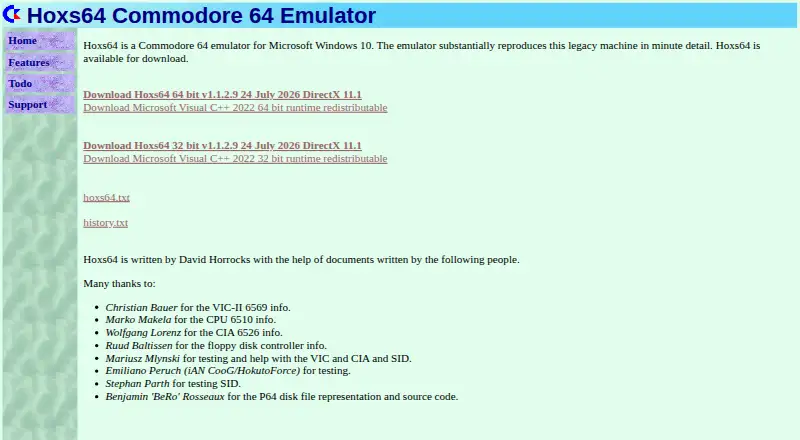
Hoxs64 is a free Commodore 64 emulator for Microsoft Windows, written by David Horrocks. Its documentation describes cycle-exact emulation and pixel-exact VIC emulation of a C64C, with the grey dot bug not emulated. It emulates a 1541 floppy disk drive with read and write support, while its tape player is read-only. Listed features include state saving, a debugger, full-screen mode, and configurable keyboard and joystick controls. Supported file formats include D64, G64, P64, FDI, TAP, PRG, P00, T64, and CRT. Cartridge support includes Action Reply, Easy Flash, Ocean, Magic Desk, and Commodore REU 1750 options of 512K or 16MB. Multiple cartridges are not supported, and mounting a cartridge disables the REU option. The listed downloads are 32-bit and 64-bit version 1.1.2.9. Requirements specify Windows 10 or 11, DirectX 11.1, the Microsoft Visual C++ 2022 runtime, 4 GB RAM, and a DirectX 11 graphics card with pixel shader 4.0. Installation instructions require installing the runtime and copying the ZIP contents into the same directory.
Who it suits
It suits Windows users who want to run Commodore 64 software and need disk, tape, or cartridge support. Check the listed system requirements before installing.
What it does well
- Free, with 32-bit and 64-bit downloads listed.
- 1541 disk emulation supports reading and writing.
- Includes state saving and a debugger.
- Supports configurable keyboard and joystick controls.
What to know first
- Tape playback is read-only.
- Multiple cartridges are not supported.
- Mounting a cartridge disables the REU option.
- Requires Windows 10 or 11 and DirectX 11.1.
Limits
The tape player is read-only, and multiple cartridges are not supported. Mounting a cartridge disables the REU option.
Plans
| Plan | Billed and limits | Price |
|---|---|---|
| Hoxs64 | No price or usage limits stated | Free |
As hoxs64.net lists them, read 9 Oct 2026. The maker's own page has the final word.
Getting started
- Download the 32-bit or 64-bit version from the Hoxs64 website.
- Install the Microsoft Visual C++ 2022 runtime.
- Copy the files from the Hoxs64 ZIP folder into the same directory.
- Use a Windows system meeting the listed requirements.
Verdict
Hoxs64 offers C64 emulation with disk and tape support, save states, and a debugger. Its Windows requirements and cartridge limitations are worth checking first.
Questions
Is Hoxs64 free?
Yes. The listed plan is free.
Which platforms does it support?
The supported platform listing names Windows 7, 10, and 11. The documentation's system requirements specify Windows 10 or 11.
Which file formats can it use?
The listed formats are D64, G64, P64, FDI, TAP, PRG, P00, T64, and CRT.
Can Hoxs64 write to tape images?
No tape writing is listed; the tape player supports read-only use.
Who wrote Hoxs64?
The Hoxs64 home page says it was written by David Horrocks.
What does installation involve?
The instructions say to install the Microsoft Visual C++ 2022 runtime and copy the ZIP folder's files into the same directory.
Facts from Hoxs64's own pages
- Cartridges
- Supported cartridge types include Action Reply, Easy Flash, Ocean, Magic Desk, and a Commodore REU 1750 with 512K or 16MB options. · hoxs64.net, 9 Oct 2026
- Controls and display
- The features page lists full screen mode and configurable keyboard and joystick. · hoxs64.net, 9 Oct 2026
- Developer
- The home page says Hoxs64 is written by David Horrocks. · hoxs64.net, 9 Oct 2026
- Disk drive
- It emulates a 1541 floppy disk drive with read and write support. · hoxs64.net, 9 Oct 2026
- Downloads
- The home page offers 32-bit and 64-bit version 1.1.2.9 downloads dated 24 July 2026. · hoxs64.net, 9 Oct 2026
- Emulation
- The documentation describes cycle-exact emulation and pixel-exact VIC emulation of a C64C, with the grey dot bug not emulated. · hoxs64.net, 9 Oct 2026
- File formats
- The features page lists D64, G64, P64, FDI, TAP, PRG, P00, T64, and CRT file support. · hoxs64.net, 9 Oct 2026
- Founded
- 1999 · hoxs64.net, 28 Sept 2026
- Installation
- Installation instructions say to install the Microsoft Visual C++ 2022 runtime and copy the files from the Hoxs64 ZIP folder into the same directory. · hoxs64.net, 9 Oct 2026
- Notable limitation
- The documentation says multiple cartridges are not supported and mounting a cartridge disables the REU option. · hoxs64.net, 9 Oct 2026
- Purpose
- Hoxs64 is a Commodore 64 emulator for Microsoft Windows. · hoxs64.net, 9 Oct 2026
- Save and debug
- The listed features include state save and a debugger. · hoxs64.net, 9 Oct 2026
- Support
- The technical support page lists [email protected] as its contact email. · hoxs64.net, 9 Oct 2026
- System requirements
- The documentation specifies Windows 10 or 11, DirectX 11.1, the Microsoft Visual C++ 2022 runtime, 4 GB RAM, and a DirectX 11 graphics card with pixel shader 4.0. · hoxs64.net, 9 Oct 2026
- Tape
- Its tape player supports read only. · hoxs64.net, 9 Oct 2026
Where Hoxs64 stands on Freedom251
- Commodore 64 Emulators#12 of 31