Highlights
What Highlights is
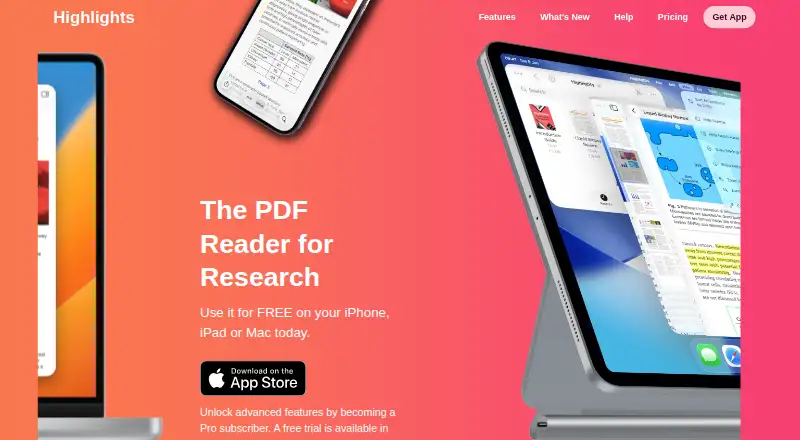
Highlights is a PDF reader for research that turns PDF annotations into notes. The reader and editor are free on iPhone, iPad, and Mac, with tools for reading and annotating PDFs, merging annotations, editing metadata, and using Handoff. Notes can be exported as Markdown, TextBundle, HTML, WebArchive, or PDF, or sent to supported apps such as Evernote, DEVONthink, Ulysses, Bear, and Keep It. For scientific articles, Highlights can find DOIs and retrieve metadata; it can link to a PDF on the device if the citation has already been read. Its multilingual OCR extracts text from PDFs without searchable text, with processing performed on the device. Smart Copy outputs copied images as PNG, tables as CSV, and citations as BibTeX. PDFs can be stored on the device, in iCloud Drive, Dropbox, or another sync service, while annotations are standard PDF annotations. On macOS, Highlights integrates with Bookends and Papers. Pro unlocks everything on iPhone, iPad, and Mac for $4.99 per month or $29.99 per year. The FAQ says the app is not scriptable.
Who it suits
Highlights suits students and researchers who read scientific articles, annotate PDFs, and export notes to other apps. It is also relevant to users who want on-device OCR or macOS reference-manager integrations.
What it does well
- Free plan includes PDF reading and annotation.
- Multilingual OCR runs on the device.
- Exports notes in multiple formats and supported apps.
- Stores annotations as standard PDF annotations.
- Available on iPhone, iPad, and Mac.
What to know first
- The app is not scriptable.
- Pro costs $4.99 per month or $29.99 per year.
Limits
The free plan covers PDF reading and annotation, metadata editing, Handoff, document scanning, Smart OCR and dark mode. Pro unlocks everything for $4.99 a month or $29.99 a year; both plans are billed monthly and can be cancelled anytime.
Plans
| Plan | Billed and limits | Price |
|---|---|---|
| Free | Read and annotate PDFs · Edit PDF metadata · Handoff · Scan documents · Smart OCR · Dark mode | Free |
| Pro Annual | Billed monthly; cancel anytime · Unlocks everything on iPhone, iPad and Mac | $29.99 |
| Pro Monthly | Billed monthly; cancel anytime · Unlocks everything on iPhone, iPad and Mac | $4.99 a month |
As highlightsapp.net lists them, read 7 Oct 2026. The maker's own page has the final word.
Getting started
- Visit https://highlightsapp.net/.
- Use the free app on iPhone, iPad or Mac to read and annotate PDFs.
- Store PDFs on device, in iCloud Drive, Dropbox or another sync service.
- Choose Pro Monthly at $4.99 a month or Pro Annual at $29.99 a year to unlock everything.
Verdict
Highlights combines PDF annotation, OCR, citation lookup, and note export, with core reading and annotation available free. Users who need scripting should note that the FAQ says it is not supported.
Questions
Is Highlights free?
Yes. Its free plan includes reading and annotating PDFs, editing metadata, Handoff, document scanning, Smart OCR and dark mode.
What does Pro cost?
Pro Monthly costs $4.99 a month. Pro Annual costs $29.99 a year; both are billed monthly and can be cancelled anytime.
Which devices does it support?
Highlights runs on iPhone, iPad and Mac.
Can it export notes?
Yes. Notes can be exported as Markdown, TextBundle, HTML, WebArchive or PDF, and sent to supported apps including Evernote, DEVONthink, Ulysses, Bear and Keep It.
Does it work with reference managers?
On macOS, Highlights integrates with Bookends and Papers.
Does Highlights require personal information?
The maker says personal information is not required. It stores an optional annotation username locally and collects no payment or licensing information.
Facts from Highlights's own pages
- Annotation tools
- Yes · highlightsapp.net, 24 Sept 2026
- Audience
- The maker says it built Highlights during its creator’s PhD to track information from scientific articles and describes it for students and researchers. · highlightsapp.net, 7 Oct 2026
- Citation lookup
- Highlights can find DOIs for scientific articles, retrieve metadata and link to a PDF on the device if the citation has already been read. · highlightsapp.net, 7 Oct 2026
- File storage
- PDFs can be stored on device, in iCloud Drive, Dropbox or another sync service, and annotations are stored as standard PDF annotations. · highlightsapp.net, 7 Oct 2026
- Free use
- The PDF reader and editor can be used free on iPhone, iPad and Mac. · highlightsapp.net, 7 Oct 2026
- Limit
- Highlights is not scriptable, according to its FAQ. · highlightsapp.net, 7 Oct 2026
- Note export
- Notes can be exported as Markdown, TextBundle, HTML, WebArchive and PDF, and directly to supported apps including Evernote, DEVONthink, Ulysses, Bear and Keep It. · highlightsapp.net, 7 Oct 2026
- OCR
- Built-in multilingual OCR extracts text from PDFs without searchable text, with processing performed on device. · highlightsapp.net, 7 Oct 2026
- PDF annotation
- Users can read and annotate PDFs, merge annotations, edit PDF metadata and use Handoff on the free plan. · highlightsapp.net, 7 Oct 2026
- Privacy
- The maker says it does not require personal information to use the app, stores the optional annotation username locally and collects no payment or licensing information. · highlightsapp.net, 7 Oct 2026
- Purpose
- Highlights is a PDF reader for research that turns PDF annotations into notes. · highlightsapp.net, 7 Oct 2026
- Reference managers
- Highlights integrates with Bookends and Papers on macOS. · highlightsapp.net, 7 Oct 2026
- Smart Copy
- Smart Copy outputs copied images as PNG, tables as CSV and citations as BibTeX. · highlightsapp.net, 7 Oct 2026
- Support
- For crash issues, the FAQ asks users to email [email protected] with details and helpful crash reports, screenshots or screen recordings. · highlightsapp.net, 7 Oct 2026
Where Highlights stands on Freedom251
- PDF Readers#9 of 24